EN
9.
tech-support@ibuture.com
5.2 Operating
Warning:
1. Do not exceed the "MAX" dust collection capacity of the dust cup.
2. Please keep the suction nozzle unobstructed and avoid blockage. Otherwise, the motor will overheat and cause danger.
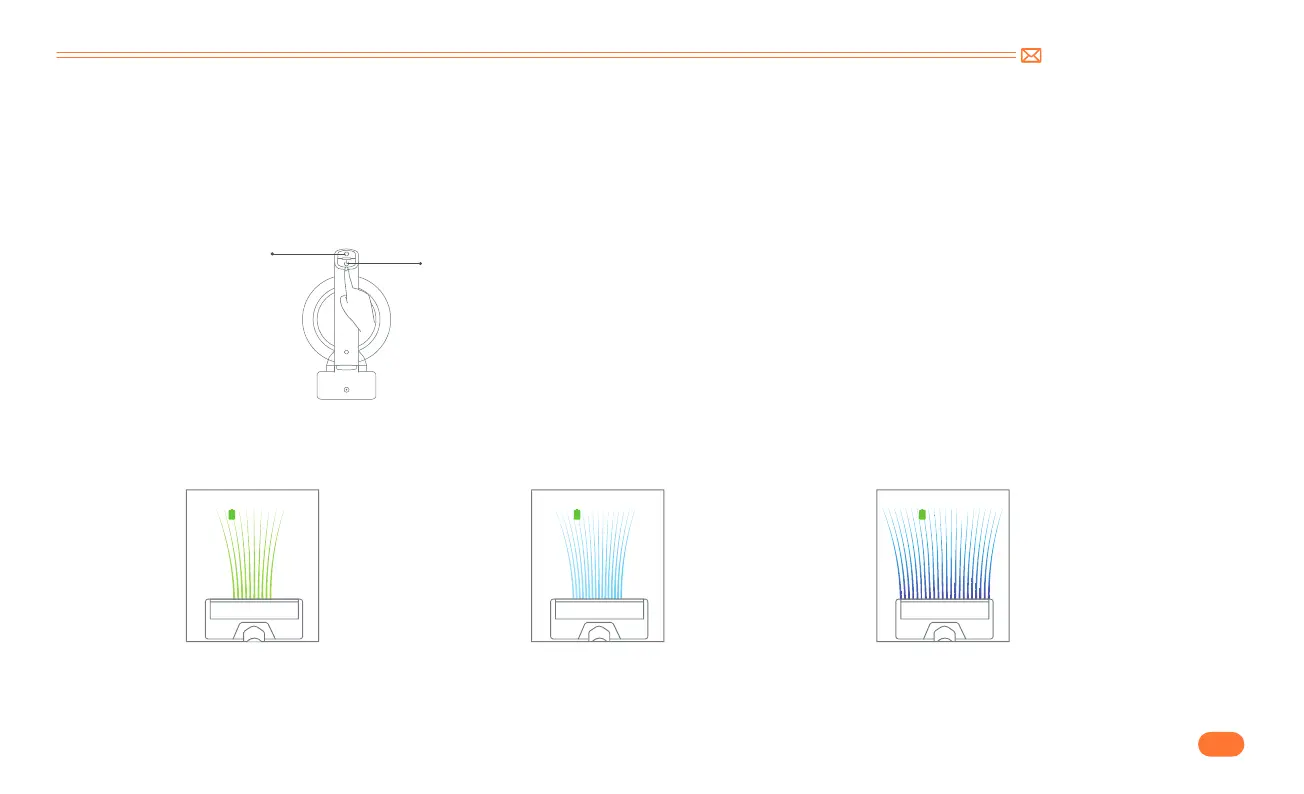
Press the suction adjustment button to adjust the power as you need.
The suction on the screen shows
green, the vacuum cleaner is in ECO
mode.
Press the button once, the suction on the
screen shows mint green, the vacuum
cleaner is in MID mode.
Press the button once, the suction on the
screen shows blue, the vacuum cleaner is at
the MAX suction mode.
100
%
ECO
100
%
MID
100
%
MAX
•
Press the switch button to start work
•
Adjust suction power
Switch button
Speed control button


 To Next Page