16
V. Connection for Graphical Control Software
※ Note
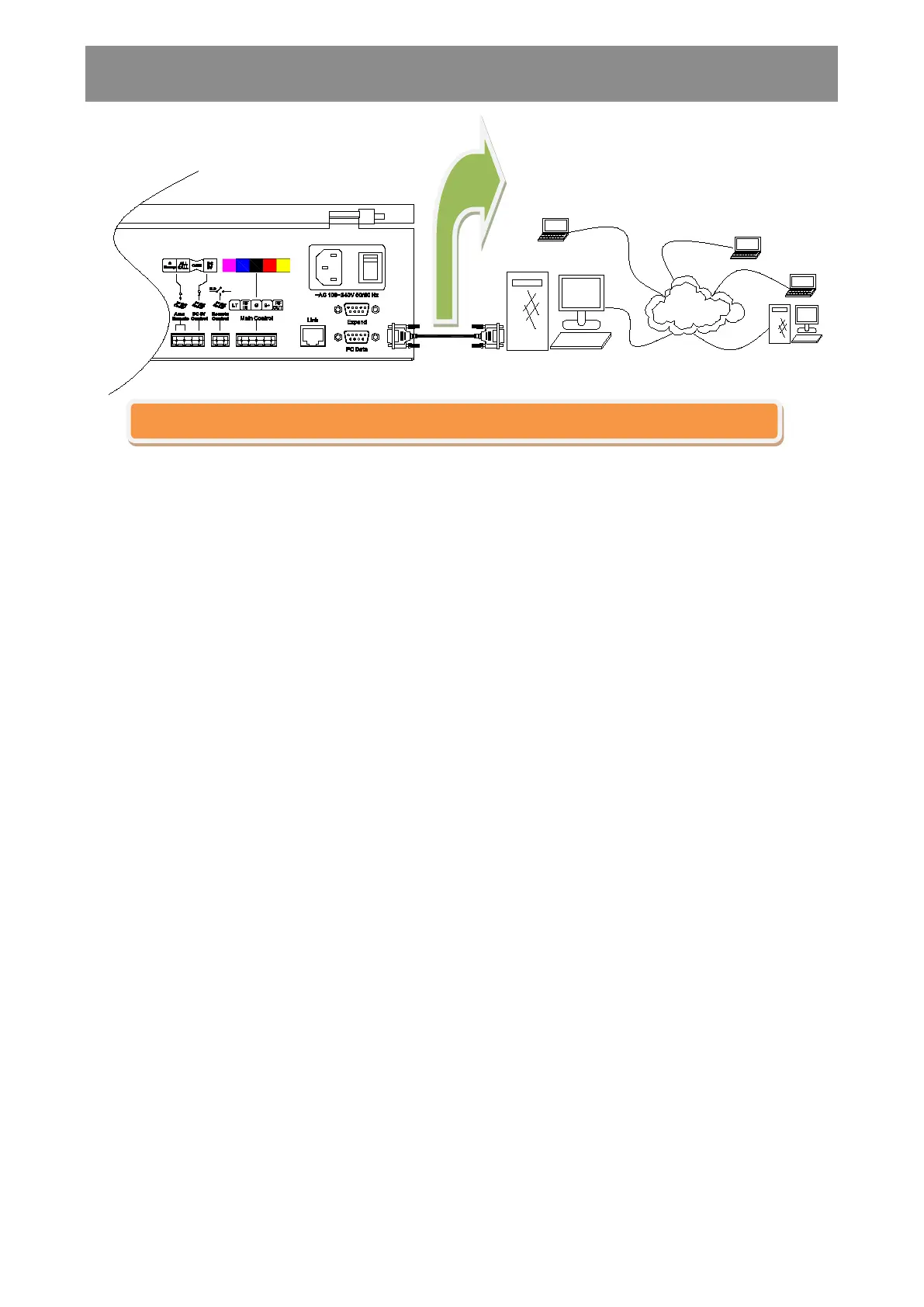
1. WMP-2100 is compliant to PA control software, refer to Fig. 8 for connection
(Fig. 8).
2. Parallel RS-232 cable (without jump wire) is required.
3. Simply complete setup by connecting RS-232 on PC Server.
4. The system can be controlled through Internet/ Intranet. (Control software
should be installed on remote computer.)
5. By installing Control Software on remote computers, you can also control the
system via the Internet/ Intranet/ Wireless Lane.
Fig. 8 Connection between Graphical Control Software and WMP-2100
RS-232 Cable


 To Next Page