CD PLAYER / USB SOUND SYSTEM CD5
10
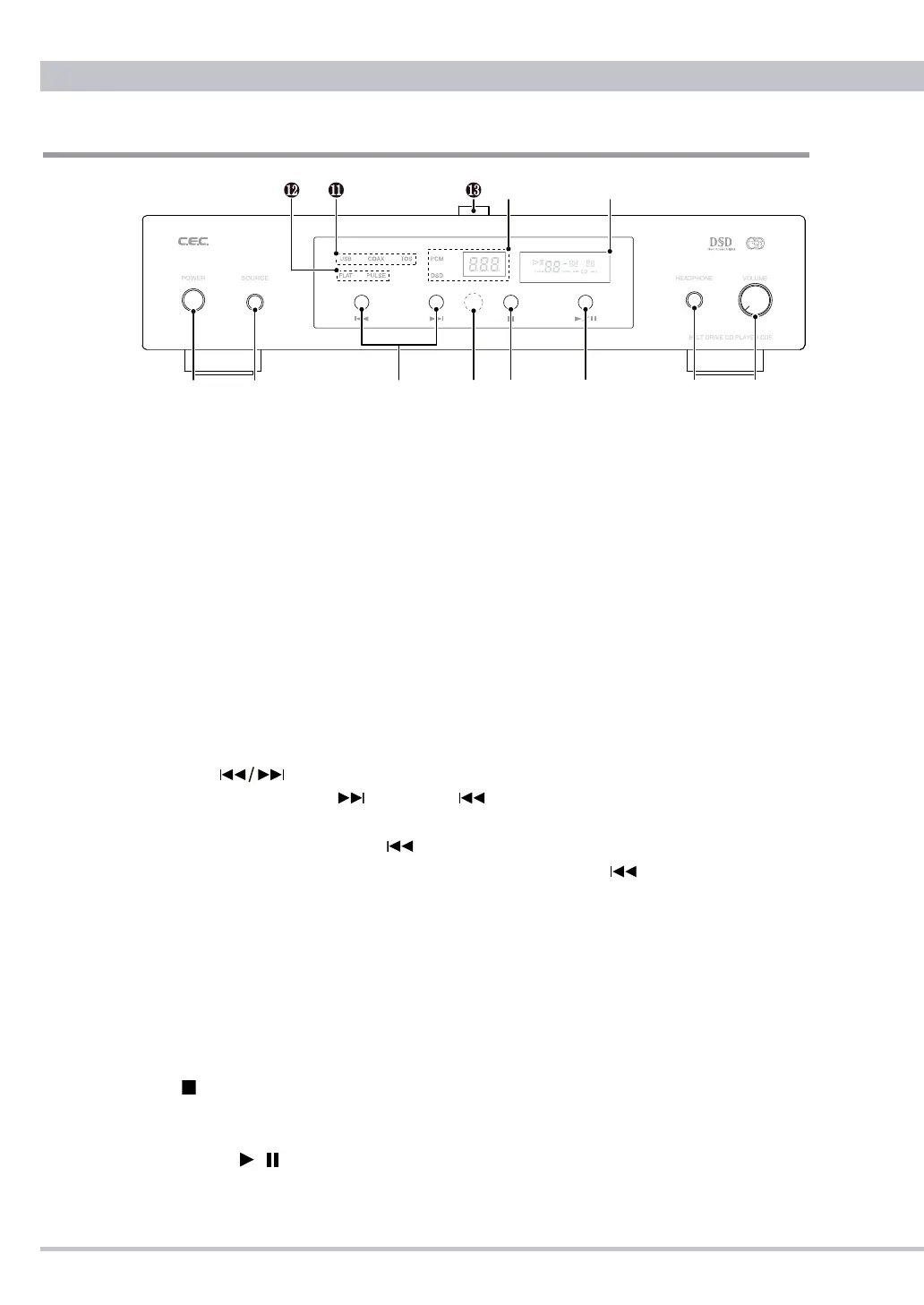
Front Panel Functions
❶
POWER button
Press the POWER button to turn the power ON or OFF. When CD5 is turned on
❾ CD
display will blink "0 0:00" and the unit will check its tray for a compact disc.
Approximately 5 seconds later the display will change to indicate the total number
of tracks and the total playing time. When there is no disc on the tray the display will
indictate "no dISC".
❷
SOURCE button
Press the SOURCE button to select a music source from the CD on CD5, USB being
connected with a personal computer, COAX or TOS being connected with an external
digital music player. Whenever CD5 is powered ON the default mode is starting with
CD. Press the button to toggle through USB, COAX, TOS and CD. The selected digital
input signal is converted and transfered to the analog and headphones outputs.
❸
Track Skip buttons
Press the Skip forward or backward button to jump to the next or previous track
from the track being played (or displayed).
Pressing the skip backward button during playback, playback will return to the
beginning of the track being played. Press the skip backward button twice repeatedly
to jump to the previous track.
❹
Remote sensor
The remote sensor, which receives signals from the remote control unit, is located at
the center of the display window. Aim for this sensor when using the remote control
unit. The remote control may malfunction if there are any obstacles between the remote
control unit and the remote sensor.
❺
STOP button
Press the STOP button to stop playback.
❻
PLAY/PAUSE / button
Press the PLAY/PAUSE button to start or to temporarily stop playback.



 To Next Page