CD PLAYER / USB SOUND SYSTEM CD5
16
Press the FILTER button on the remote control to select a digital lter type FLAT or PULSE
when CD or an external SPDIF/PCM signal is played.
■
Click noise may happen from speakers or headphones when changing the
digital lter. It is recommended to change the lter after volume down.
Note: Digital filter type is always FLAT when DSD signal is played, and PULSE is not
available.
Note: When the display is off by dimmer setting pressing the FILTER button will return the
display brightness to the default but no change digital filter setting. Press the button
again to change the digital lter type.
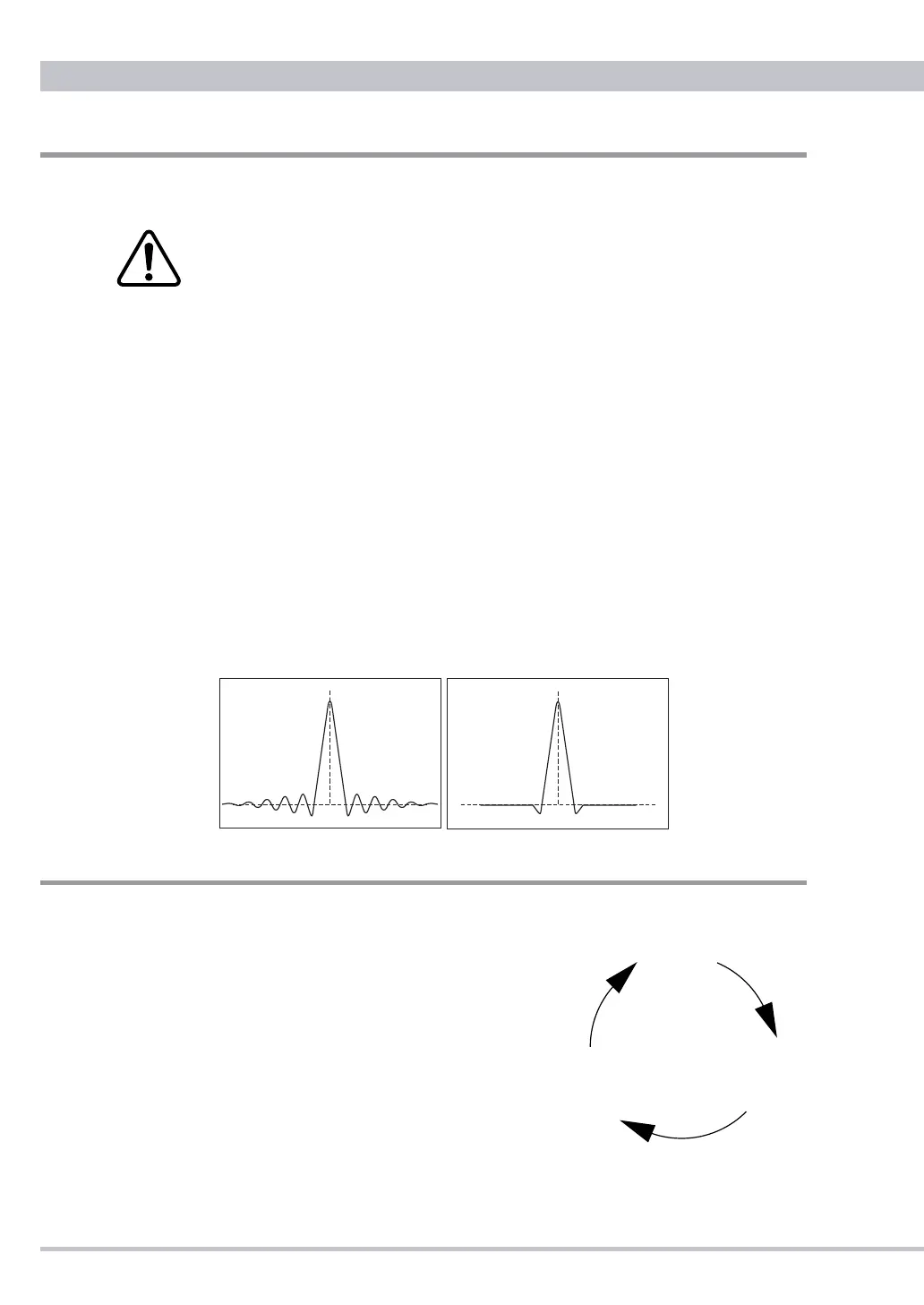
FLAT digital Filter is very common in digital audio items. The frequency response is almost
perfect, but such lter cause "ringing" in the time domain. Some energy of a pulse signal is
distributed in the time domain, before and after the pulse centre. Any ringing before the signal
does not exist in nature.
PULSE digital filter avoids the problems in the time domain and thus has a very good
response in the time domain. The frequency response of the PULSE digital filter shows a
soft roll-off at high frequencies. This results in about -2dB at 20kHz with an input sampling
frequency of 44.1kHz. For higher sampling frequencies the roll-off is irrelevant and the
"PULSE" lter is the best choice. For 44.1kHz and 48kHz the better result may depend on the
whole system as well as personal preferences.
Digital Filter
DIMMER
Display brightness can be changed in different three levels.
❶
Press the DIMM key on the remote control
unit to dim the display. The display brightness
will toggle through brighter(default), off and
lighter.
❷
In the
off setting during CD mode "OPEn" will
be displayed in the lighter setting temporarily
when the CD door is open. Closing the CD door
the display will be off again automatically.
❸
Regardless of the current DIMMER setting it
will be returned to the default in case that the
music SOURCE or digital lter button is pressed, or the power is turned on again.
brighter
(default)
lighter
off
Press the DIMM key
to dim the diplay



 To Next Page