CD PLAYER / USB SOUND SYSTEM CD5
14
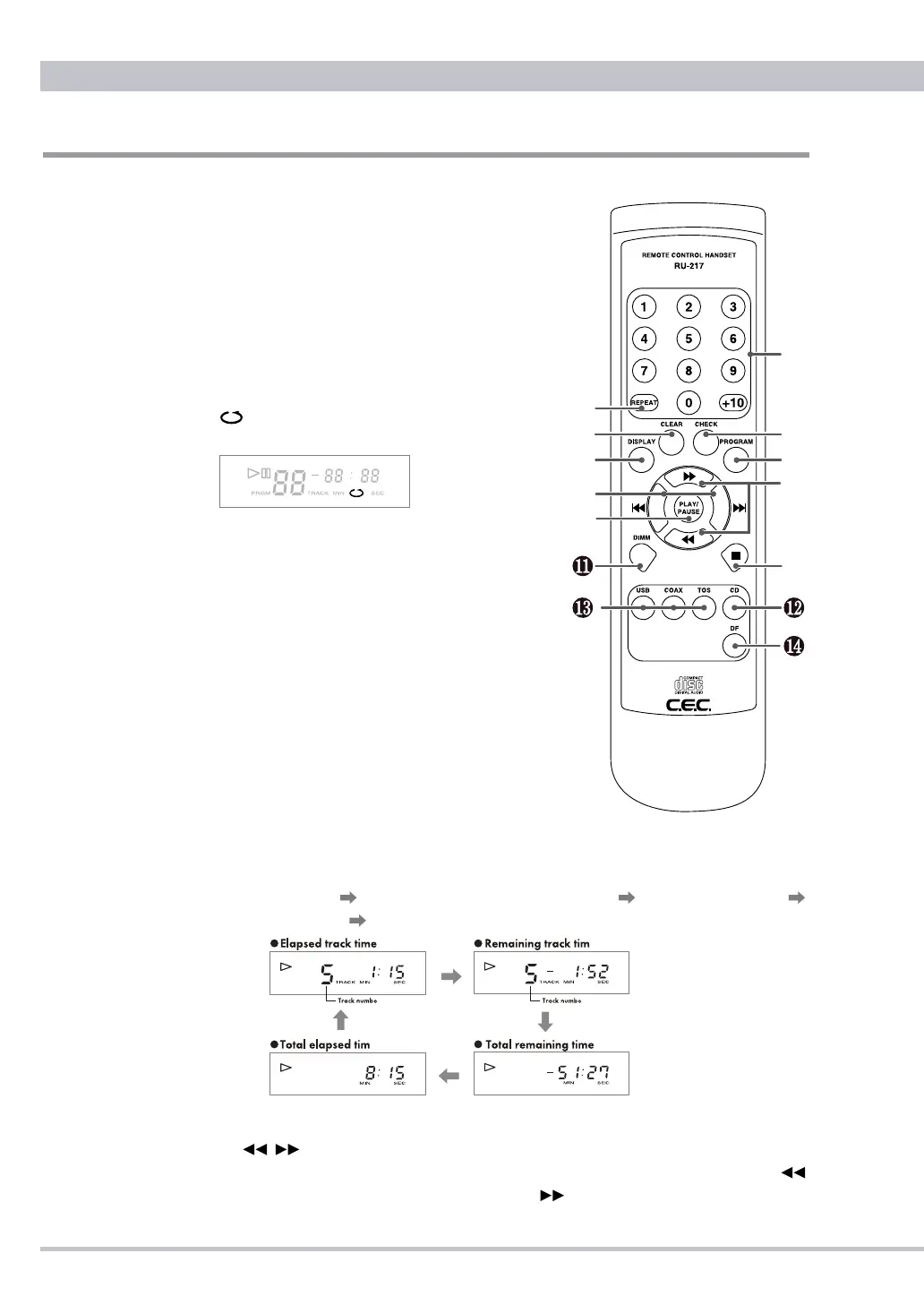
Remote Control unit
Key Functions
❶
Numeric Keys
Press to select a track directly for play-
back or to enter a programmed playback
order. To select ex. 24-track press +10
twice and then 4.
❷
REPEAT button
Press to repeatedly playback all the
tracks on a disc. When repeat mode
is on, the display will show the repeat
indicator. Press again to cancel the
repeat mode.
❸
CHECK button
Press to check the order of tracks in your
current programmed setting. Refer to
"PROGRAMMED CD PLAYBACK" on
page 19 for details.
❹
CLEAR button
Press to clear the current programmed
setting. Refer to "PROGRAMMED CD
PLAYBACK" on page 19 for details.
❺
PROGRAM button
Press to enable programmed playback.
Refer to "PROGRAMMED CD PLAY-
BACK" on page 19 for details.
❻
DISPLAY button
Press to cycle the display through various mode. Each press of the DISPLAY
button cycles the display in the following order: track number/elapsed track time
(default display) track number/remaining track time total remaining time
total elapsed time back to track number/elapsed track time (default display).
▷
Total remaining time and total elapsed time will not be displayed when program
mode and/or repeat mode are active.
❼
Search
/
button
Press and hold the button to quickly search through the track being played.
searches through the track backwards, and
searches forwards.



 To Next Page