CD5 User's Manual
21
D/A Converter Functions
Playback of digital audio device at COAX and TOS connection
❶
Press the SOURCE button on the front panel, or COAX or TOS button on the remote
control to select a digital input connected with an external digital audio device.
❷
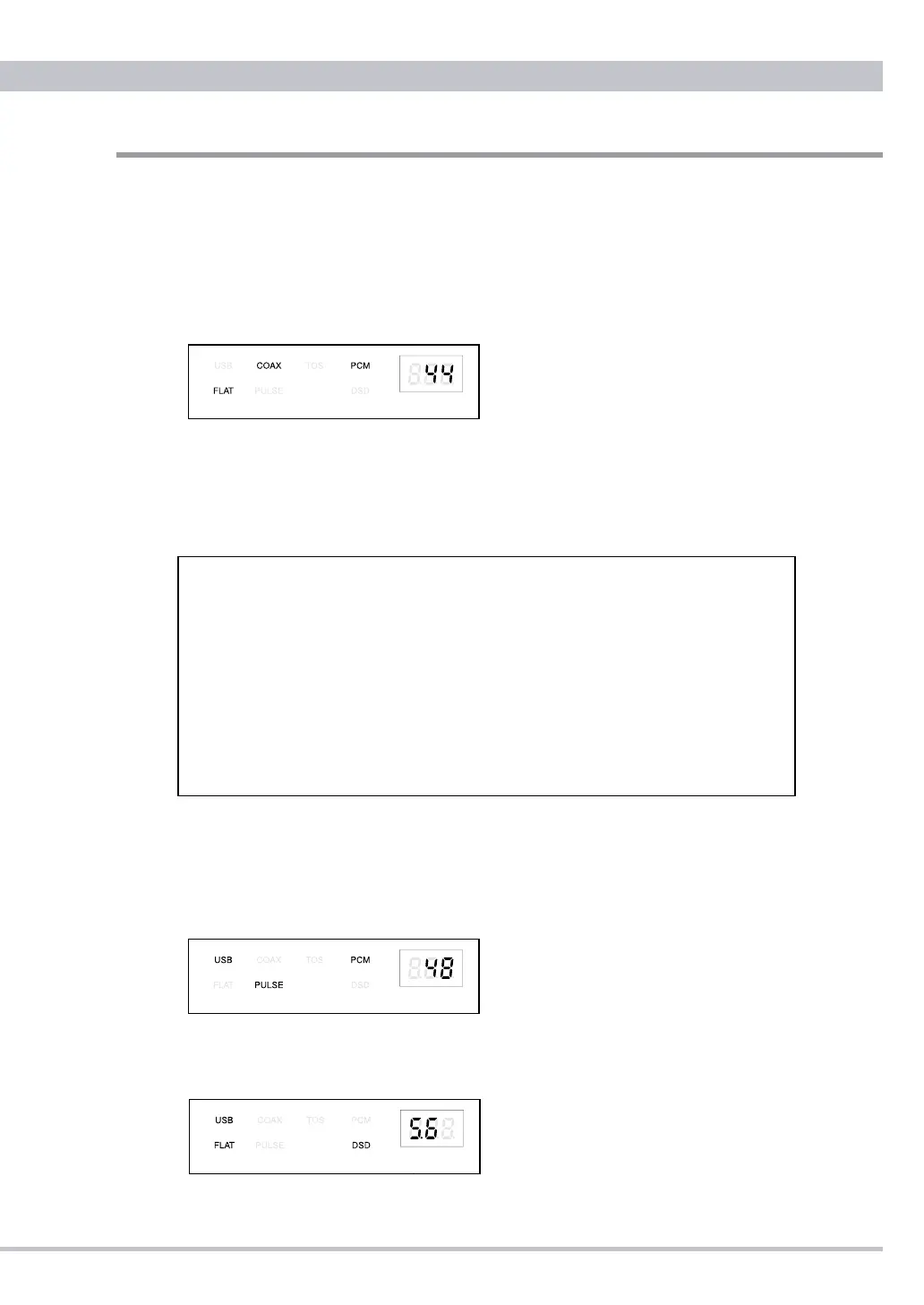
The selected input COAX or TOS indicator and a sampling frequency of the locking
input signal will appear on the display window.
Ex. PCM 44.1kHz through COAX connection in FLAT digital lter
❸
Adjust the volume at the CD5 headphones or the amplier after music starts.
Playback of PC music at USB connection
❶
Your PC connecting via USB will recognize CD5 as CEC CD5 HS USB Audio.
❷
Press the SOURCE button on the front panel or the USB button on the remote
control to select USB. USB indicator and a sampling frequency of the locking input
signal will appear on the display window
Ex. PCM 48kHz through USB connection in PULSE digital lter
❸
Adjust the volume at the CD5 headphones or the amplier after music starts.
Ex. DSD128 5.6MHz through USB connection in FLAT digital lter (PULSE lter is not available with DSD)
Mac PC (X10.6.8 or newer) does not require any additional driver for USB 2.0
audio device but Windows PC (XP or newer) needs to install CEC specialized
USB driver to recognize CD5 as USB audio device and play PCM music
sources. Compatible PC-Music player should be prepared yourself.
Installing ASIO and DSD drivers to a freeware PC-Music player foobar2000
for Windows, DSD64 and 128 les can be reproduced as well.
Those drivers and install manual are appeared at each download site in CEC
home page. Visit at www.cec-web.co.jp/service/download/driver/index_ex.
html for the drivers and www.cec-web.co.jp/service/download/document/
index_ex.html for the manual.



 To Next Page