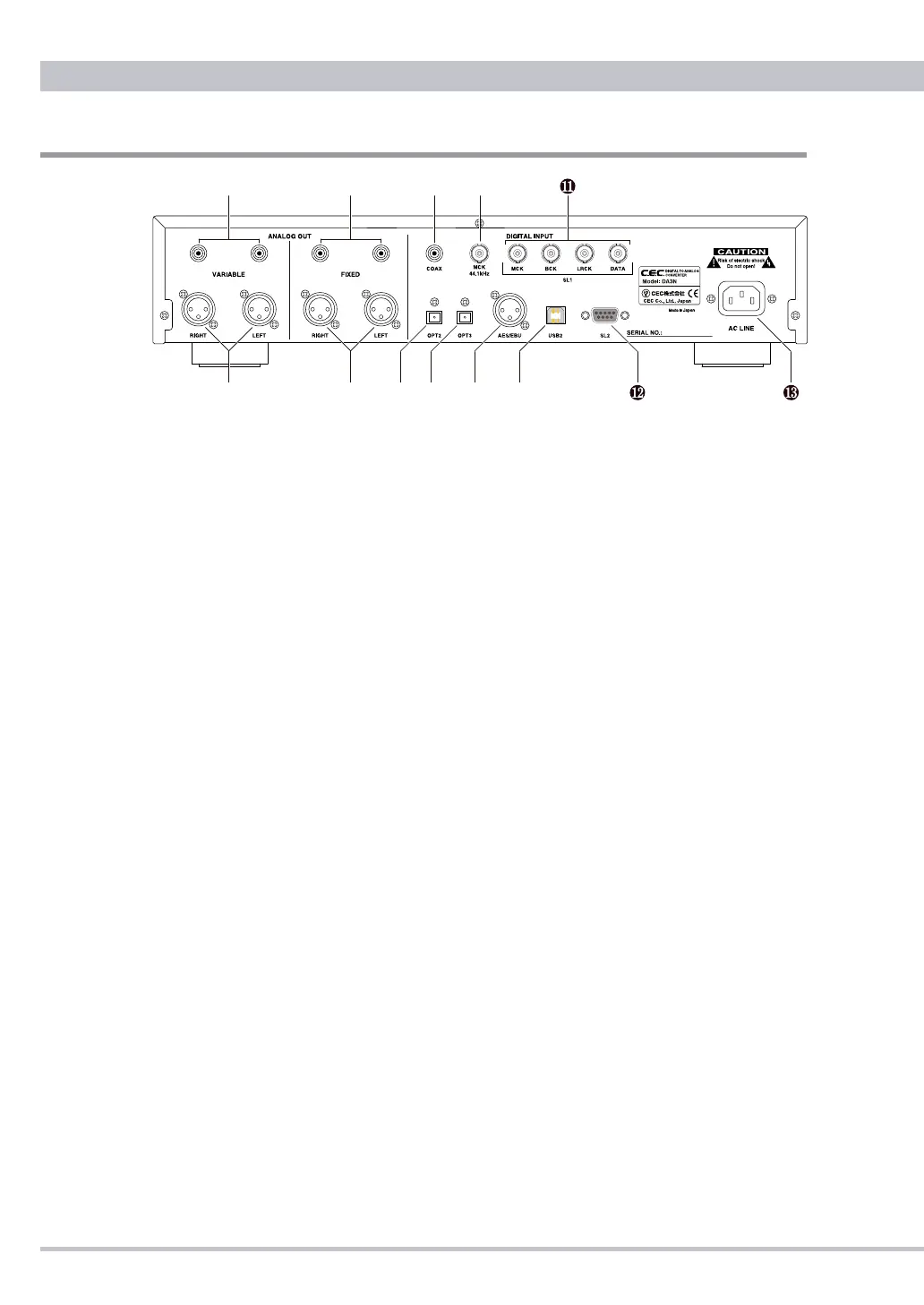
Rear Panel Functions
●
VARIABLE Analog outputs
You may adjust the analog output level of DA3N by turning the VOLUME
knob. You may connect your loud speaker system with amplier or power
amplier to VARIABLE output; DA3N works as pre-amplier.
Note: VOLUME woks both Variable and headphone outputs. It is
recommended that unused headphones should be disconnected.
❶
RCA(Unbalanced)
Standard RCA analogue signal output terminals for connecting a power
amplier.
❷
XLR
(
Balanced
)
Balanced analogue output using standard XLR terminals (1=GND,
2=Hot, 3=Cold). This should be the preferred connection since DA3N
has been designed at fully balanced circuit.
●
FIXED Analog outputs
Connect to a pre-amplifier or amplifer with the volume control function.
❸
RCA(Unbalanced)
Standard RCA analogue signal output terminals for connecting amplier
with the volume function.
❹
XLR
(
Balanced
)
Balanced analogue output using standard XLR terminals (1=GND,
2=Hot, 3=Cold). This should be the preferred connection since DA3N
has been designed at fully balanced circuit.
●
Digital Inputs
❺
COAX
Connect to any digital audio device using a 75Ω coaxial cable. This
input supports sampling frequencies from 32kHz to 192kHz.



 To Next Page