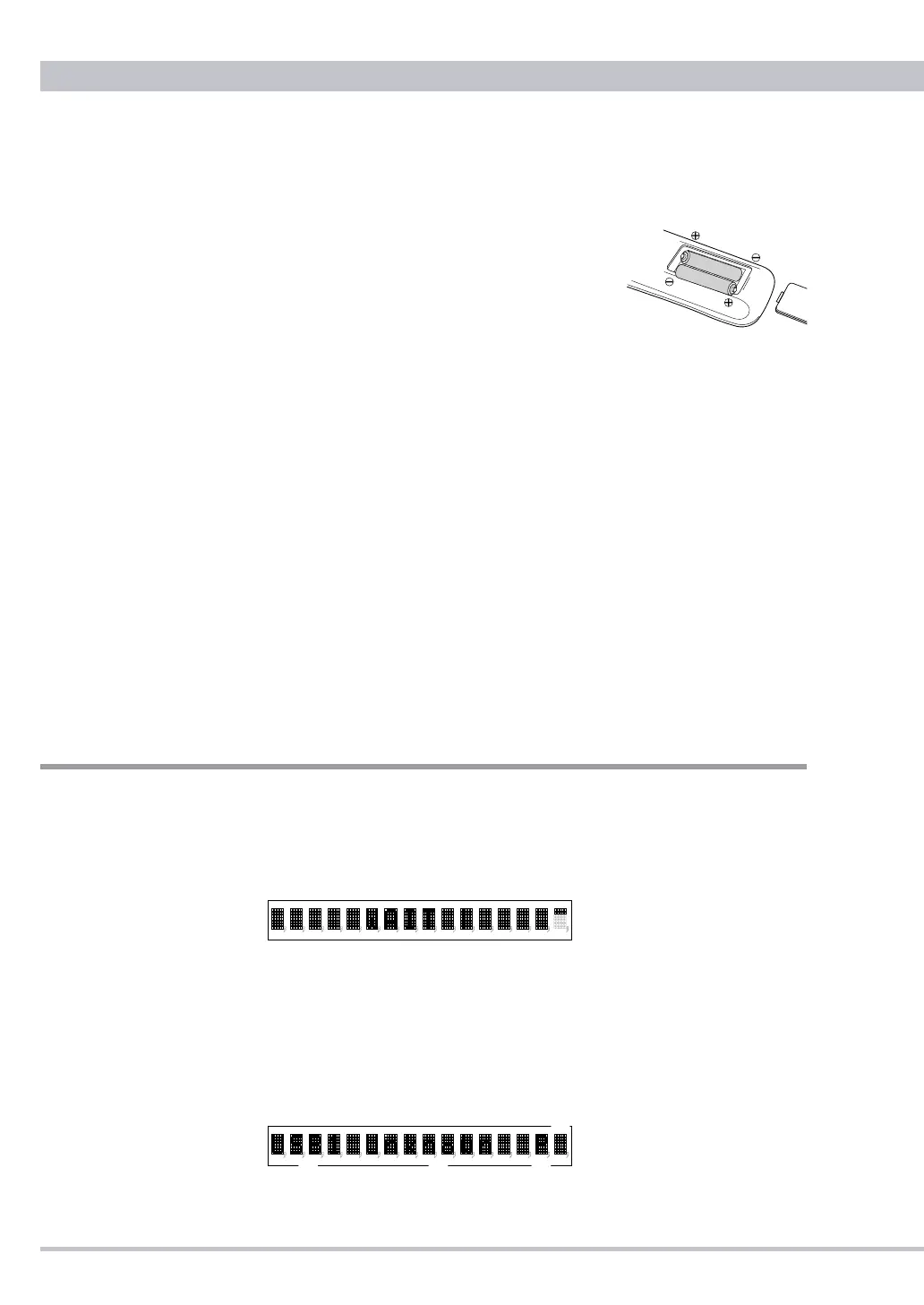
low. Change the batteries to new ones of the same type if this seems to be
the case.
●
Battery Installation
Remove the cover of the battery compartment.
Insert the supplied two AAA batteries into the
compartment. Make sure that the batteries are
inserted with their positive (+) and negative (-)
poles positioned correctly, and put the cover
back on.
●
Battery Replacement
If the distance at which the remote control unit can be used to operate the
DA3N seems to be decreasing, replace both batteries with new ones.
●
Battery Precautions
❶
Never use different types of batteries together. Both rechargeable and
non-rechargeable batteries can be used, but the two should not be used
together.
❷
If you will not be using the remote control unit for an extended period of
time (more than a month), remove the batteries to prevent leakage.
❸
If the batteries leak, use a cloth to wipe away the liquid inside the
battery compartment and replace the batteries with new ones.
❹
Do not heat or disassemble batteries, and never dispose of old batteries
by throwing them in a re. Dispose of batteries following laws in the local
area
Operation
●
Basic Operation
❶
Power on DA3N and CD transport or computer connected to the DA3N.
"WAIT" is displayed and about 6 seconds later current functions are
displayed then DA3N can be operated.
❷
After the volume is minimized on DA3N or amplifier, power on the
amplier.
❸
Turn the INPUT selector or press the remote button to select an input
out of the connected terminals.
The selected input is displayed at
Ⓐ
. If no connected input is selected
"Unlock" or "Unknown" (USB) is displayed at
Ⓑ
.



 To Next Page