DA3N User's Manual
17
Remote Control Unit
●
Buttons function
❶
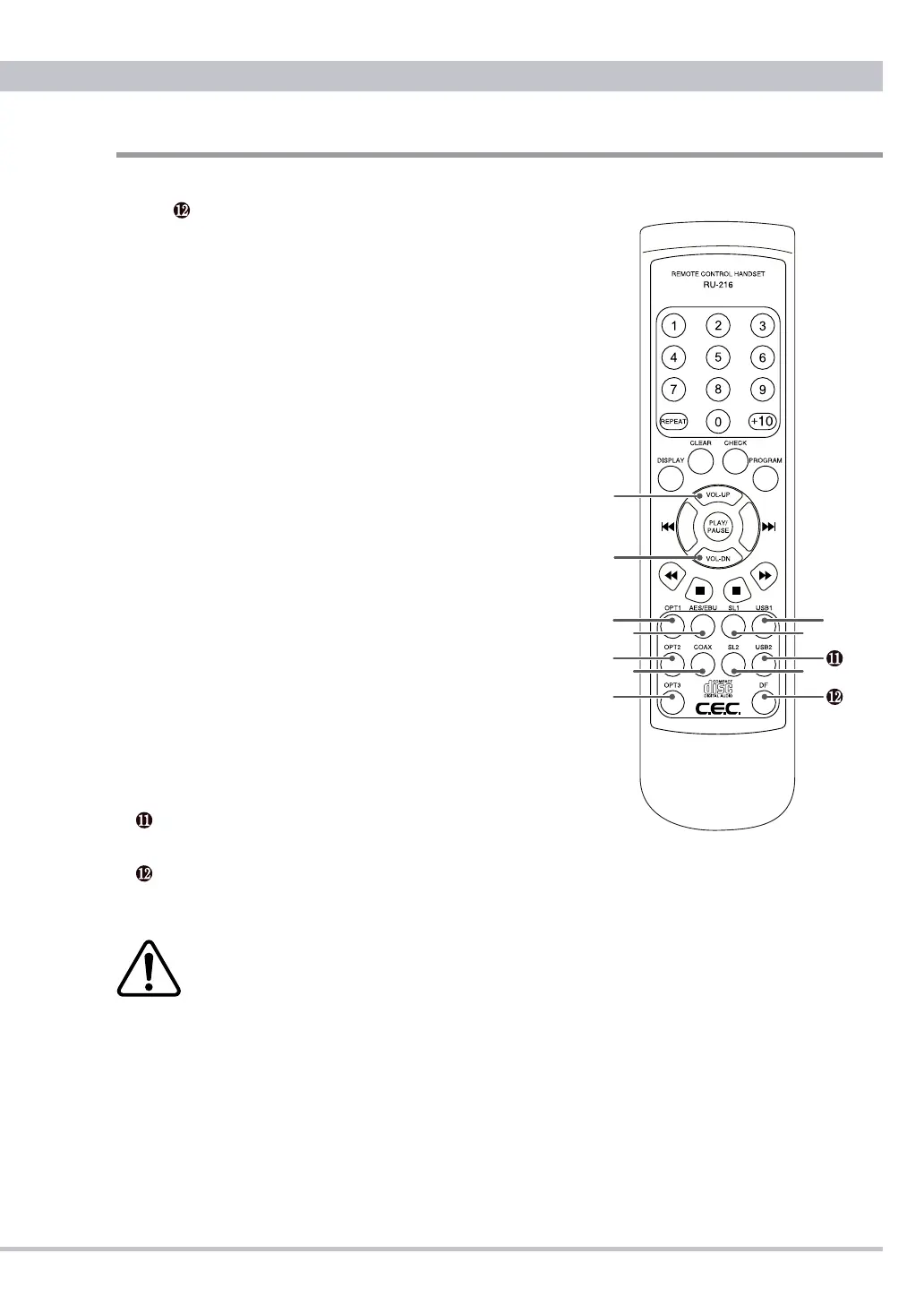
to buttons can be used for DA3N and the other buttons for CD
Transport TL3N.
❶
VOL-UP Button
Press to increase the volume.
❷
VOL-DN Button
Press to decrease the volume.
❸
OPT1 Button
Press to select the optical input with round mini terminal on the
front panel.
❹
OPT2 Button
Press to select the optical input with squared TOS Link terminal.
❺
OPT3 Button
Press to select the optical input with squared TOS Link terminal.
❻
AES/EBU Button
Press to select the AES/EBU input.
❼
COAX Button
Press to select the Coaxial input.
❽
SL1 Button
Press to select the SUPERLINK input with BNC terminals
❾
SL2 Button
Press to select the SUPERLINK input with D-SUB 9 terminal.
❿
USB1 Button
Press to select the USB mini B input on the front panel.
USB2 Button
Press to select the USB B input.
DF Button
Press to select a digital lter FLAT or PULSE.
Lower the volume before changing the input to avoid changing
noise, sudden big sound, or headphone / speaker damage!
●
Precautions on Using the Remote Control Unit
❶
When operating the remote control, point it towards the remote sensor
on the DA3N’s front panel. Make sure nothing is blocking the front panel
where the remote sensor is located.
❷
Avoid exposing the remote sensor on the front panel to direct sunlight or
other light sources, as such exposure can cause malfunction.
❸
The remote control unit may malfunction when its batteries are running



 To Next Page