DA3N User's Manual
15
●
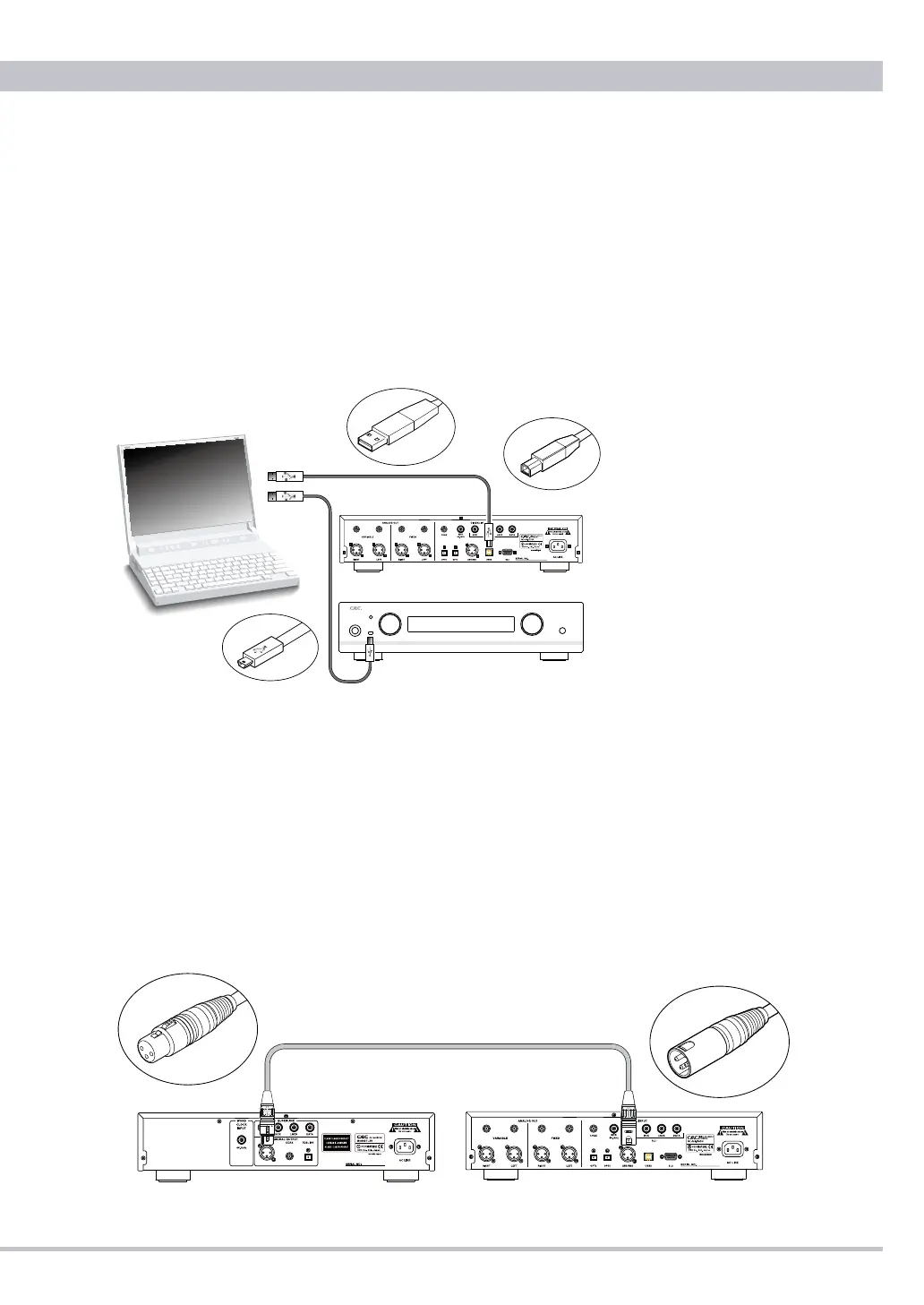
USB Connection
Connect USB mini B or USB B plug to the DA3N’s USB terminal on front
or rear panel. This way DA3N can be used as an external computer sound
system. After connecting DA3N is automatically registered to the operating
system as CEC DA3N USB1 or USB2, but you may have to set your
computer to route the sound signals to DA3N instead of the internal sound
system. DA3N works with Windows 7, Vista, XP, Mac OSX and Linux. In
case of special operating system setups without automatic USB scanning
or limited user rights, you may ask your system administrator.
Manual setting in your computer
・
Windows: Go to CONTROL PANEL. Select AUDIO out of SOUNDS
& AUDIO DEVICES. Select CEC DA3N USB1 or USB2 out of SOUND
REPRODUCTION.
・
Macintosh: Select SOUND at system environmental set-up. Select CEC
DA3N USB1 or USB2 out of OUTPUT button.
●
AES/EBU Connection
Connect to the AES/EBU terminal of any compatible digital audio device
with a 110Ω XLR cable.
POWER INPUT HEADPHONE
DIGITAL TO ANALOG CONVERTER DA3N
OPT1
USB1
VOLUME
USB SOUND SYSTEM
USBAplug
USBBplug
USBminiBplug



 To Next Page