support@swiftlane.com | 505-657-9438
18
SwiftReaderX Installation
Prerequisites
1. Mounting Space (Check Dimensions)
2.Check clearance if flush mounted
3.Check space to run Cat-6 cable and power cable.
Parts List
Wall Mount or Flush Wall Mount Box
SwiftReaderX
Ethernet Cable (1)
Power cable (include but may need to be extended)
Screws (included in box)
Additional Parts in Box (review parts manual in box)
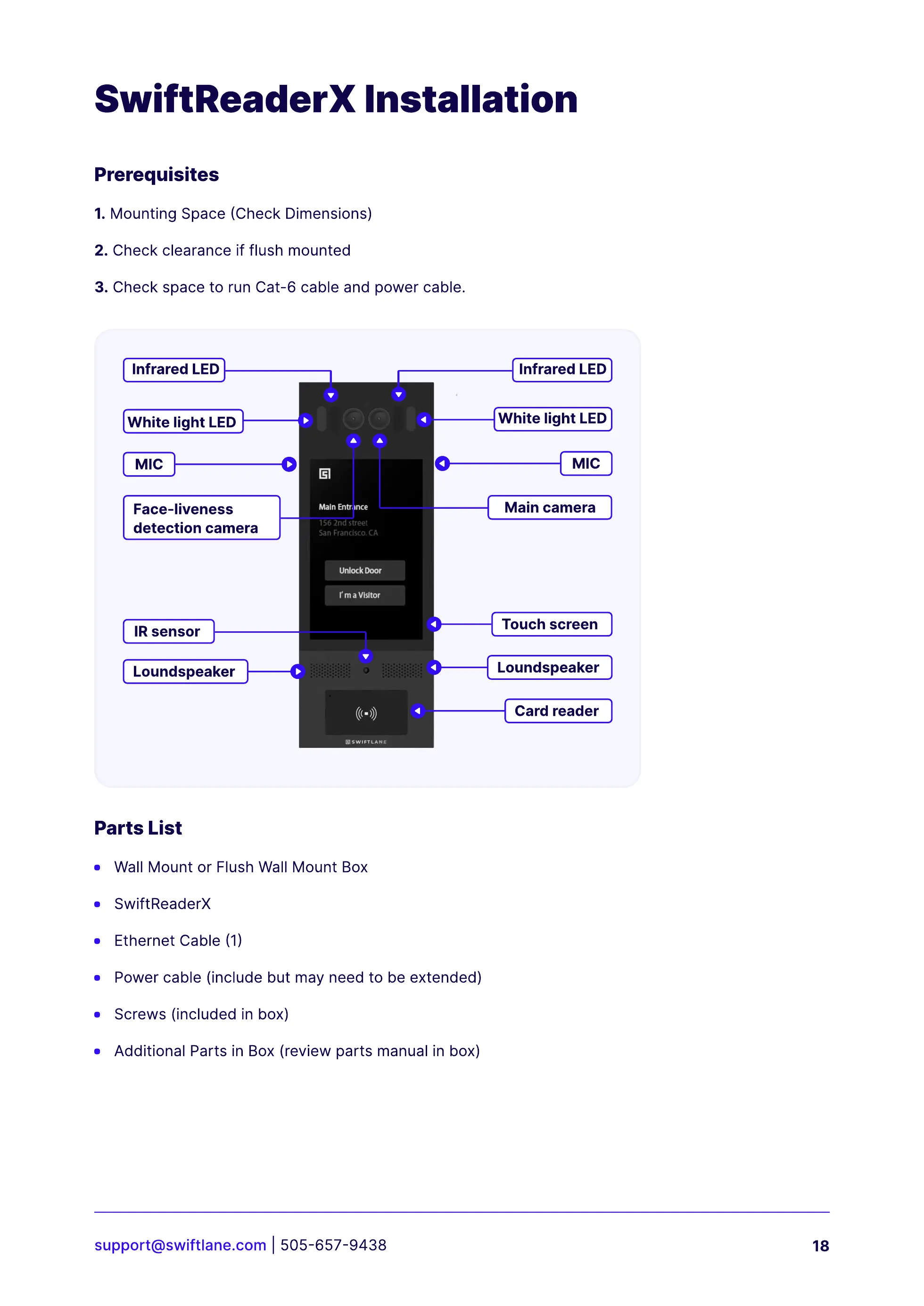
MIC
White light LED
Infrared LED
Face-liveness
detection camera
Main camera
MIC
White light LED
Lo
u
nds
p
ea
k
er
Card reader
T
o
u
ch screen
Lo
u
nds
p
ea
k
er
Infrared LED
I
R
sensor



 To Next Page