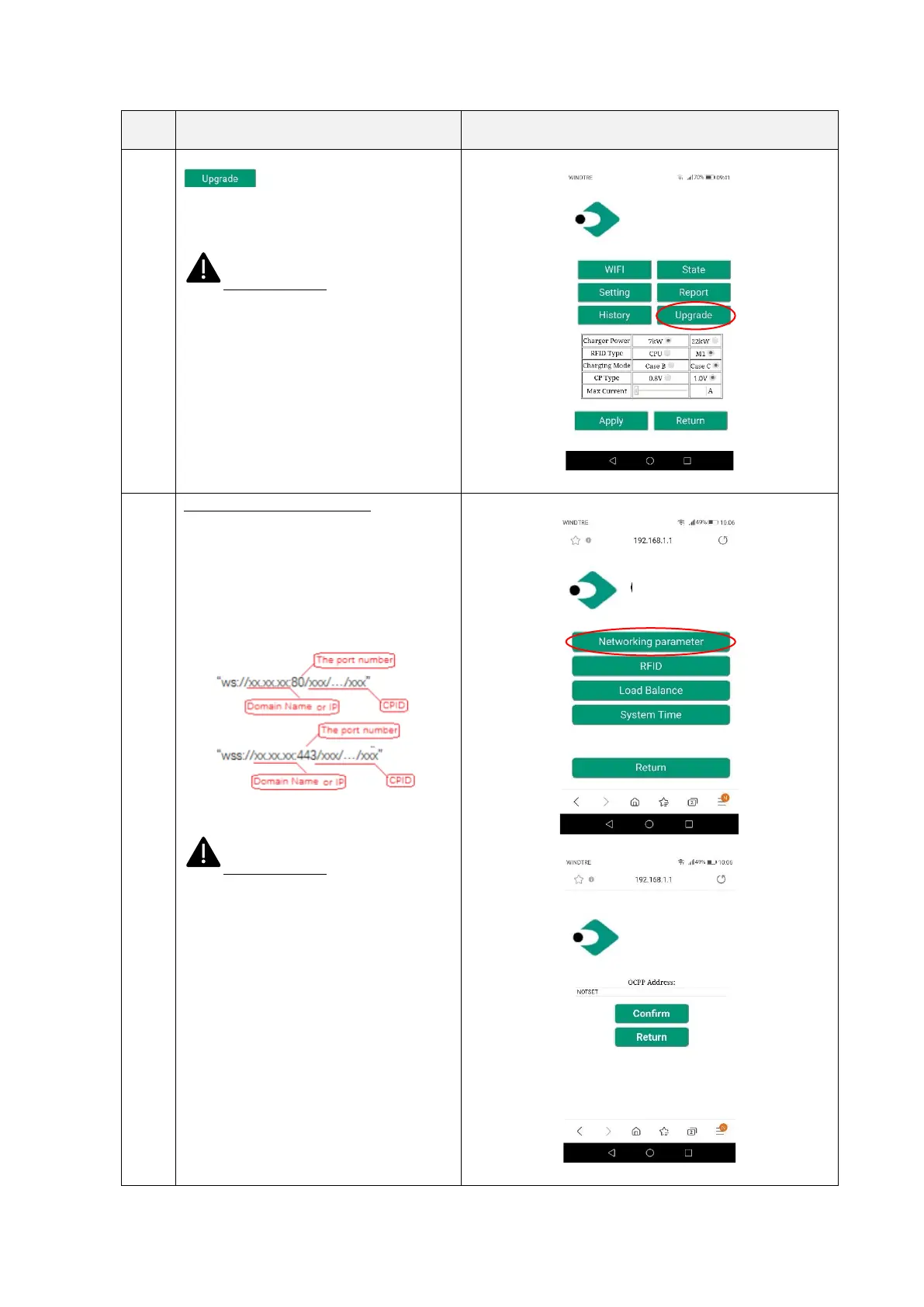
Clicking on the “Upgrade” button
the user can upgrade the
system (see chapter 12 for details)
Important note: these parameters
shall be configured by qualified personnel
only
Setting/Network parameters:
Settings for the OCPP server address to
support OCPP based management
The format of the OCPP server address
shall follow the proper rules, as in the
picture below:
Important note: these parameters
shall be configured by qualified personnel
only


 To Next Page