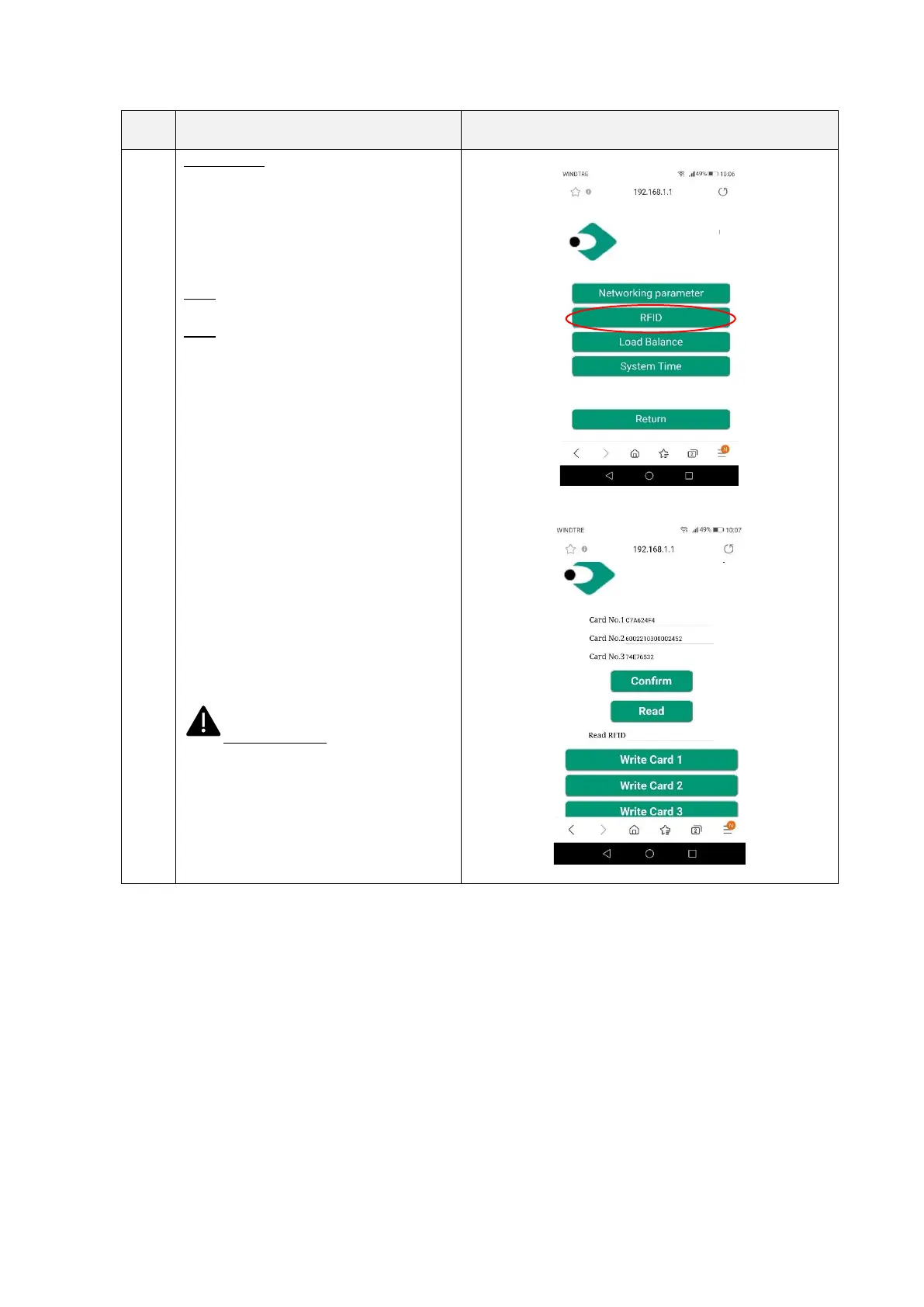
Setting/RFID
In this page the user can find the list of the
authorized RFID cards and grant the
authorization to new cards.
The upper part of the page presents the
numbers of the authorized RFID cards.
Note: a maximum number of three RFID
cards can be associated to the charger.
Note: the card association process can only
be performed when the charger is in stand-
by mode.
The new card to be associated must be
read before. To read it the user should
• click on the Read button
• put the card near to the RFID tap
area (see 6.1.1), the number of
the read card should appear in the
Read RFID field
• select which of the three card
slots associate with the new card
by pressing the “Write card x” (x =
1,2,3) button
The new RFID card number should now
appear in the “Card No. x” line and this
card is authorized.
Important note: these parameters
shall be configured only by qualified
personnel


 To Next Page