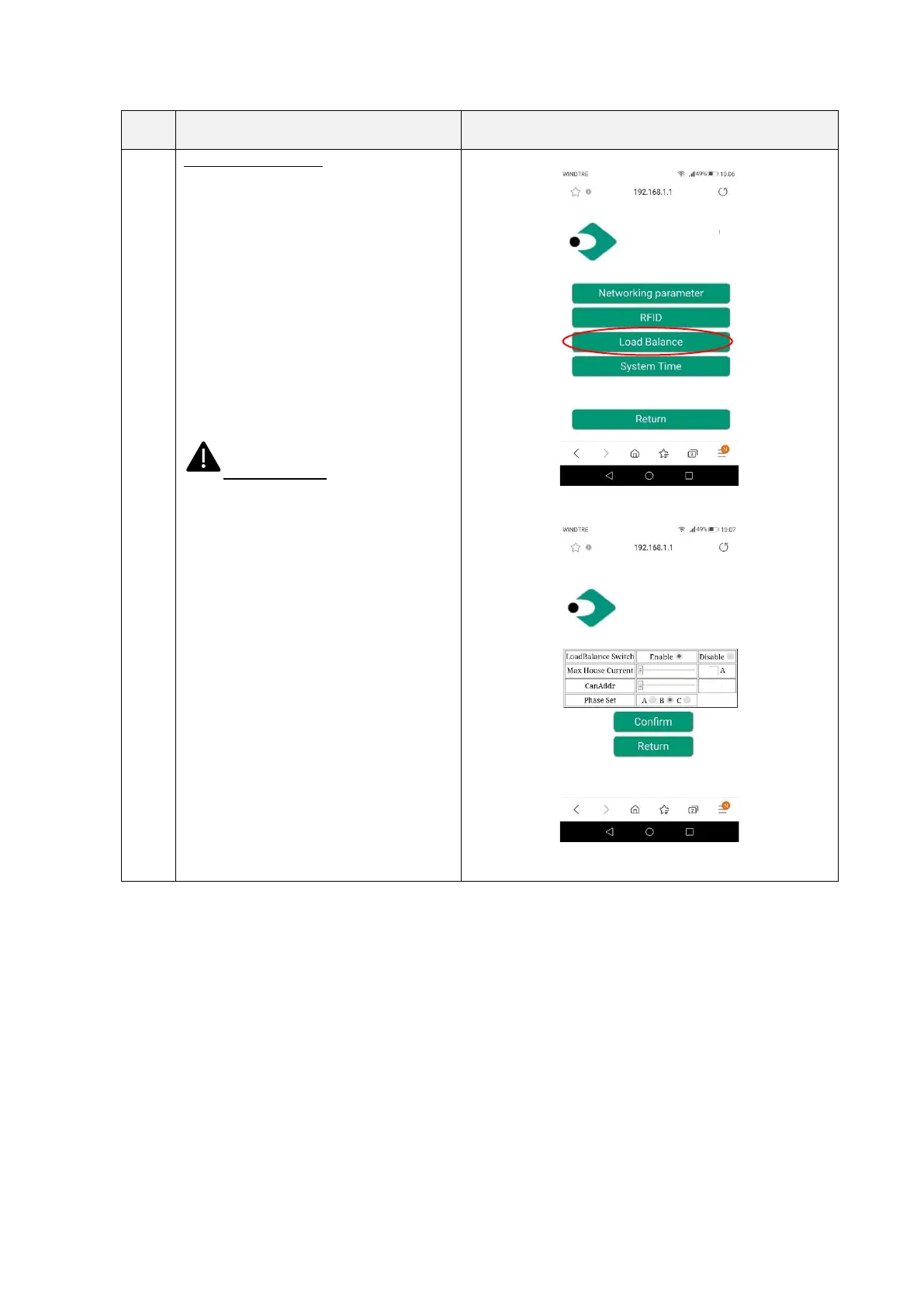
Setting/Load Balance:
In this page the load balancing can be
configured
• LoadBalance Switch: load
balancing activation
• Max House Current: sets the
maximum available current
(power)
• CANAddr: sets the CAN address
for master/slave communication
between two chargers
• Phase Set: selects the phase to be
measured
Important note: these parameters
shall be configured by qualified personnel
only


 To Next Page