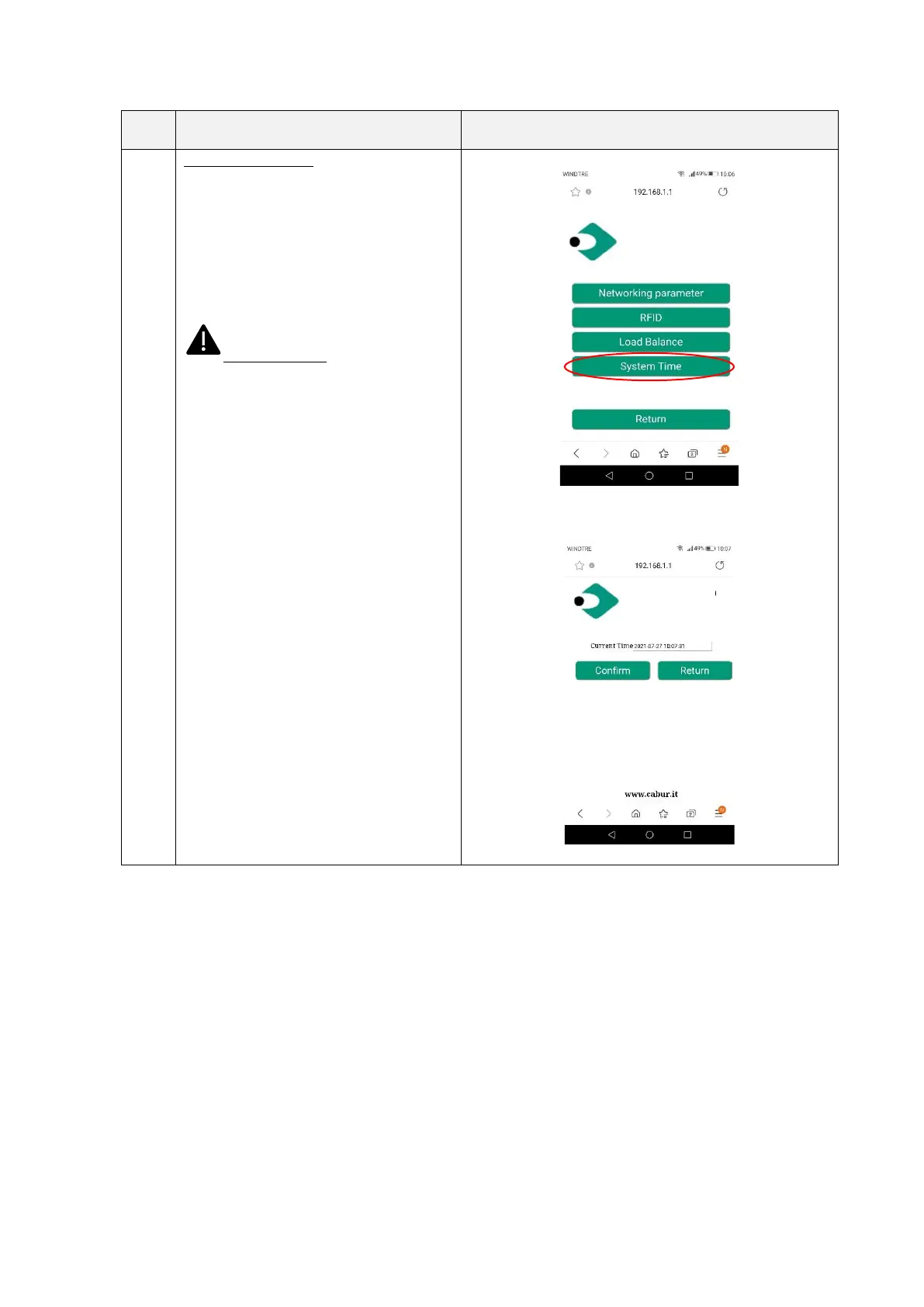
Setting/System time
In this page the system time can be set.
The correct time is automatically read from
the connecting device and is shown in the
“Current time” field.
Clicking the “Confirm” button the time
setting is saved as the charger time.
Important note: these parameters
shall be configured by qualified personnel
only


 To Next Page