23
Changing parameters of all active
groups
9. Yo u m a y a ls oc h a n g e s etti n g s fo r
a lla ctiv e g r o u p s at t h es a m e
time.T os ele ct a ll g r o u p s, press
and hold the button.
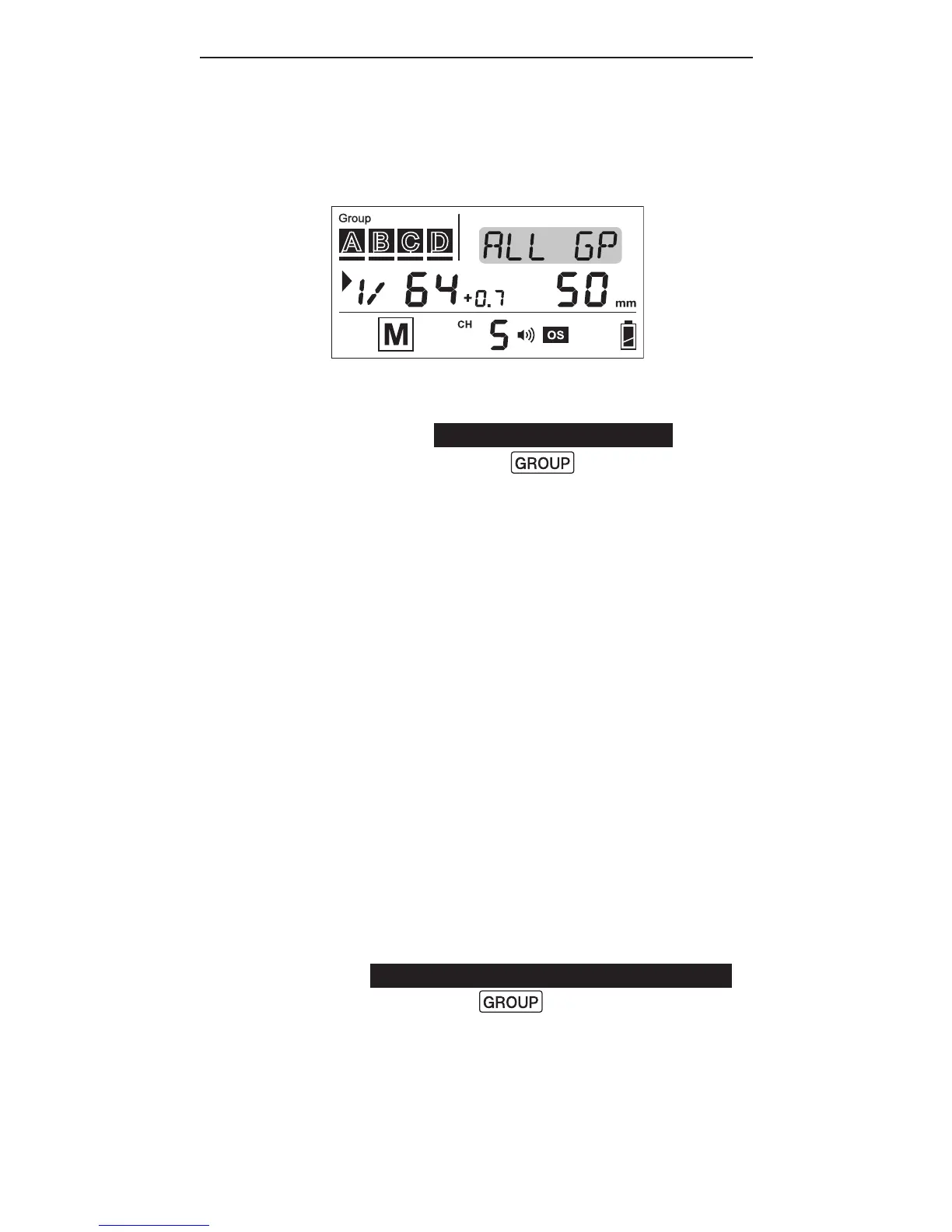
10. All selection indicators of the
activated groups will be on and
the text area will show <ALL GP>.
T h e r st activ at e d g r o u p i nt he
sequence of Master-A-B-C-D will
be chosen as the reference group.
11.Adjustthepowerandzoomlevels
as you would for a single group.
The relative changes in both
settingsinthereferencegroup,
h o w e v er, w il l a p pl y t oa ll a ctiv e
g r o u p s, i n clu d i n gt h eM a st er
a s h. F or ex a m ple, b y a d ju sti n g
the power level of the reference
g r o u p f r o m 1/4t o1/8 (i.e., a
d e cr e a s e of 1 E V), t h e p o w er le v el s
of all the active groups will
d e cr e a s e b y 1 E V ac c or d i n g l y.
12. T o e x it f r o m a ll g r o u p c o ntr ol,
press the button once.



 To Next Page