Need help?
Do you have a question about the CADDX NX-8 and is the answer not in the manual?
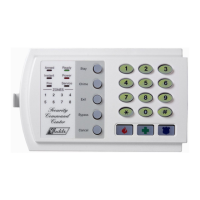
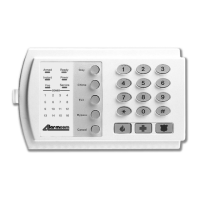
Indicates system arming status: 'on' when armed, 'off' when disarmed, flashes on alarm.
Indicates when any zone is bypassed ('on') or no zones are bypassed ('off').
Flashing during abort delay; indicates signal received by central station.
Indicates the chime feature status: 'on' or 'off'.
Illuminates during exit delay, flashing in the last 10 seconds.
Steady light for faulted fire zone, rapid flash for trouble condition.
Indicates no delay on entry/exit doors; opening triggers immediate alarm.
Shows primary power status ('on'); flashes for low battery condition.
Indicates system readiness to arm; flashes for force arming.
Indicates interior zones are bypassed for 'Stay' mode arming.
Shows zone status: off (normal), on (bypassed), flashing (alarm/fault).
Activates the fire alarm when held for two seconds.
Activates an auxiliary alarm when held for two seconds.
Sounds local alarm and transmits report to monitoring center.
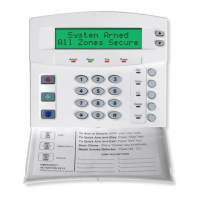
Steps to arm the system when the user is away from the premises.
Steps to arm the system when the user is inside the premises.
Feature to arm system quickly using [EXIT] or [STAY] keys.
How to toggle entry delays or bypass interior zones while armed.
Procedure for disarming the security system using a valid user code.
How to cancel an alarm report or abort a signal transmission.
Steps to manually bypass one or more security zones in the system.
How to bypass all designated group bypass zones with a single operation.
Procedure to manually unbypass previously bypassed zones.
How to enable or disable the audible door chime feature.
Steps to change or delete existing user codes for system access.
How to set access permissions and partition authorizations for users.
Procedure to adjust the sounder volume and tone of the keypad.
How to temporarily switch the keypad's active partition.
How to check which zones caused the last alarm event.
How to perform system tests like battery, communicator, or siren.
Procedure to reset smoke detectors, zone troubles, and zone tampers.
Steps to program the current date into the security system.
Steps to program the current time into the system using a 24-hour format.
Explanation of various keypad sounds and their meanings.
Guide to interpreting service lights indicating system faults or issues.
Recommendations for establishing building evacuation plans for fire emergencies.
 General
| Event Log | 512 events |
|---|---|
| Operating Temperature | 32°F to 120°F (0°C to 49°C) |
| Zones | 8 |
| Power Supply | 16.5 VAC, 40 VA |
| Backup Battery | 12VDC, 4AH |
| Communication | POTS |

 To Next Page