Need help?
Do you have a question about the CADDX Ranger 9000E and is the answer not in the manual?
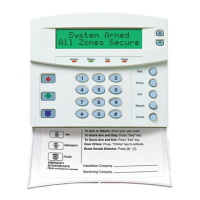
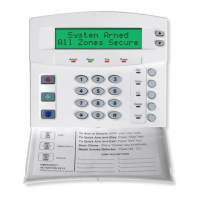
Explains the ARMED, READY, and POWER indicator lights on the keypad control.
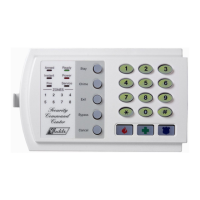
Details the INSTANT, FIRE, TROUBLE, and ZONE indicator lights and their meanings.
Describes the Bell Test function and the location of the Pull Out Zone Identification Label.
Explains the functions of the STAR and POUND buttons, including delay and reset operations.
Details how to activate the Panic/Hold Up alarm using the star and pound keys.
Information on Master Code, Duress Code, and other special digits for system operation.
Lists and describes the available auxiliary codes for arming and disarming the system.
Details the settings for Entry Delay Time and Exit Delay Time.
Provides a section for describing the function of each numbered zone in the system.
Step-by-step instructions for arming the security system using valid codes.
Procedure for disarming the security system by entering a valid code.
Instructions on bypassing specific zones when the system is disarmed.
Explanation of the ARMED, READY, INSTANT, POWER, and FIRE indicator lights.
Describes the various reasons the keypad control may emit tones or beeps.
Details the sounds associated with FIRE and INTRUSION & PANIC alarms.
Procedures for resetting the control center and accessing alarm memory.
Details Quick-Arm, Automatic Bypass, and Group Bypass options.
Explains how to enable or disable entry/exit delays using the INSTANT feature.
Describes the ENTRY-GUARD option for low-security arming mode.
Details how to activate Panic/Hold-up, Fire, and Auxiliary alarms via keypad.
Information on setting up and responding to Fire Zones and detectors.
Explanation of the Duress Code for sending silent emergency messages.
How to use the CHIME feature for monitoring zones when the system is disarmed.
Instructions for managing multiple independent areas within the security system.
Step-by-step guide to changing the primary Master Code for the system.
Instructions for programming additional auxiliary user codes.
Procedure for removing or deleting auxiliary user codes.
Recommended periodic tests to ensure the security system is functioning correctly.
Steps for creating an emergency evacuation plan for fire alarm conditions.
Guidance on practicing escape routes and procedures safely.
 General
| Model | Ranger 9000E |
|---|---|
| Category | Security System |
| Compression | H.264 |
| Motion Detection | Yes |
| Remote Viewing | Yes |
| Operating Temperature | -10°C to 50°C |
| Power Supply | 12V DC |


 To Next Page