Need help?
Do you have a question about the CADDX Ranger 8000 and is the answer not in the manual?
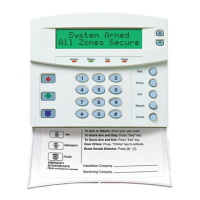
Indicates all zones are secure or bypassed, and the system is ready to arm.
Indicates the system is armed; flashing indicates a previous alarm.
Indicates no entry/exit delay is present.
Indicates AC power is present to your system.
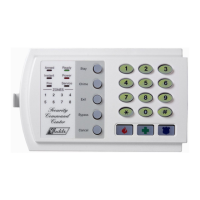
Indicate status of zones; on means bypassed, flashing means open.
Activates a local test of the siren/bell when programmed.
Used to remove or regain entry/exit delay and during zone bypassing.
Resets errors during code entry.
Activates panic/hold up transmission and sounds the siren.
Section for detailing Master Code, Auxiliary Codes, and delay times.
Placeholder for listing details of each zone's coverage.
Lists essential emergency contact numbers like Fire and Police Dept.
Automatically bypasses interior zones when the system is armed without exiting.
Use the [*] key to enable or disable entry/exit delays for instant arming.
Procedure for bypassing specific zones on the keypad.
Activates an audible alarm and may transmit an emergency report.
Activates the siren or bell for fire alarm purposes.
Describes the function of fire zones and related sounds.
Step-by-step guide to modify the primary user code.
Instructions for adding or configuring secondary user codes.
Method for deleting existing secondary user codes.
Explains the duress code feature for silent alarms.
Describes the feature that allows rapid system arming.
 General
| Brand | CADDX |
|---|---|
| Model | Ranger 8000 |
| Category | Security System |
| Language | English |


 To Next Page