EasyManua.ls Logo

CADDX NX-8e - User Manual

Default Icon
6 pages
Print Icon
To Next Page IconTo Next Page
Loading...
GE/CADDX
NX-8e
INTRODUCTION
This Application Note describes how to interface a JDS STARGATE controller to a GE/CADDX NX-8, NX-6 or NX-4 or NX-8e
security system. The NX-8 can be expanded to 48 zones maximum. The NX-8e can be expanded to 192 zones maximum.
STARGATE supports the first 64 zones.
STARGATE takes full advantage of all GE/CADDX security functions including:
Arm or disarm the system
Home and Away modes
Bypass or Unbypass zones
Turn the keypad chime mode on and off
Monitor and act upon partition and zone changes
Automatically set the alarm panel’s clock
Track the status of the security system
Detect alarm conditions
Detect zone trouble conditions
User Number
More
The GE/CADDX NX-8, NX-6 or NX-4 requires the optional NX-584 serial interface in order to communicate with Stargate.
The GE/CADDX NX-8e requires a P0003 adaptor kit to provide a serial connection.
Support for GE/CADDX NX panels requires Version 3.00 (or higher) Firmware/Software for the JDS STARGATE controller.
The GE/CADDX NX panel connects to COM2 or COM3 of STARGATE.
The typical configuration consists of the GE/CADDX NX-8 security panel w/ NX-584 serial interface or NX-8e security panel
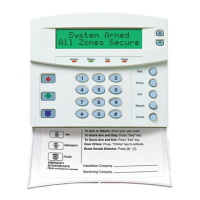
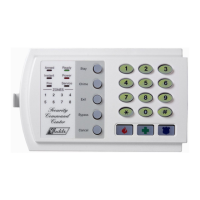
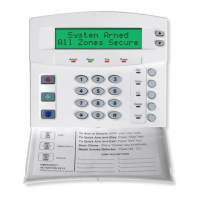
with P0003 adaptor kit and at least one GE/CADDX LCD type keypad (for alarm system programming and backup for alarm
system control).
GE/CADDX NX-584
Serial Interface
STARGATE
DB9-RJ11
adaptor
6-conductor
DATA cable
Connection to GE/CADDX NX-8 Connection to GE/CADDX NX-8e
P0003 Adapter
(plugs into connector J11
on NX-8e circuit board -
red stripe toward back)
6-conductor
DATA cable
STARGATE STARGATE
GE/CADDX
NX-8
NX-584
Application Note 4.3
Interfacing STARGATE to a GE/CADDX
NX-8/6/4 or NX-8e Security System
APPLICATION NOTE 4.3
3 wire connection
to GE/Caddx panel
keypad terminals
STARGATE
DB9-RJ11
adaptor
Question and Answer IconNeed help?

Do you have a question about the CADDX NX-8e and is the answer not in the manual?

Summary

Introduction to STARGATE and GE;CADDX NX Systems

Installation and Setup Guide

Security System Installation

Initial installation of the security system and required interfaces like NX-584 or ZCIF232 adapter.

Communication Settings Configuration

Details necessary programming settings for GE/CADDX security system to communicate with STARGATE.

P0003 Adapter Kit Connection

Instructions for connecting the GE/CADDX circuit board using a P0003 adapter kit.

WinEVM Software Configuration

Steps for configuring the WinEVM software for the GE/CADDX Security Panel connection.

Security System Commands

Security System Conditions for STARGATE

Transition Activated Condition

Explains the 'Transition Activated' state for triggering IF conditions based on system changes.

User Number Condition

Enables events based on the last user number to arm or disarm the panel.

Detailed Security System Conditions

Partition Status Conditions

Conditions related to partition arming, disarming, ready/not ready states, and alarm status.

Zone Status Conditions

Conditions for zone status including faulted, bypassed, trouble, and alarm memory.

References and Contact Information

CADDX NX-8e Specifications

General IconGeneral
Partitions2
Event Buffer100 Events
Operating Temperature0°C to 49°C (32°F to 120°F)
Zones8
KeypadsUp to 8 keypads
Power Supply16.5V AC
Battery Backup12V
User Codes48

Related product manuals