Server-Based System Setup Guide
8
2.1.3 Follow the on-screen instructions.
2.1.4 Click the
Change Settings
button at the bottom of the window.
IMPORTANT:
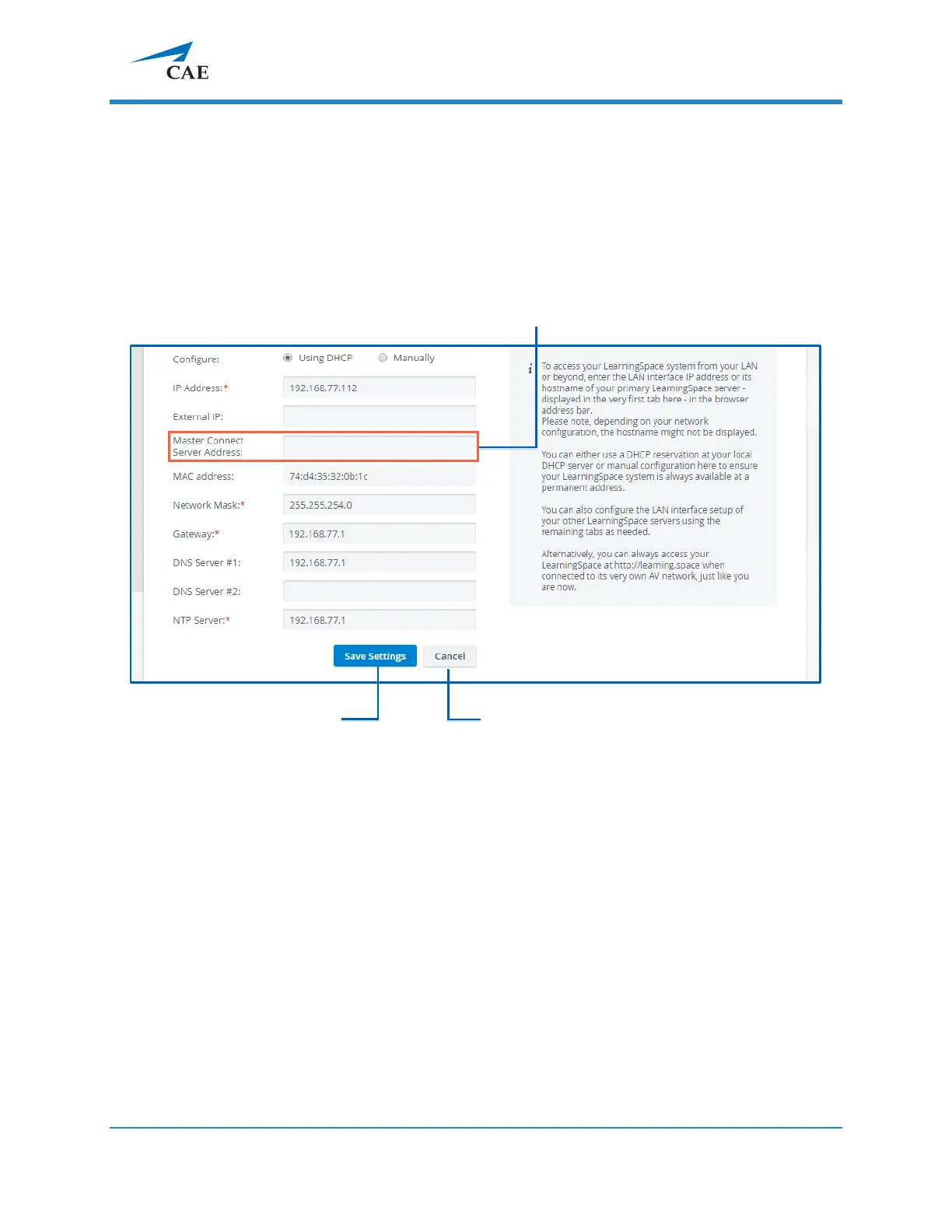
When configuring a master Connect Server, leave the
Master
Connect Server Address
field empty. The Master Connect Server is the host of
the CAE LearningSpace system.
All settings become editable:
IMPORTANT: All fields marked with an asterisk (*) are required.
2.1.5 When you are finished with editing, click Save Settings.
2.1.6
Once you have configured the MASTER Connect Server, click the Continue to
LearningSpace button or enter learning.space in the browser.



 To Next Page