CAE LearningSpace
9
2.2
To configure your server as a SLAVE Connect Server:
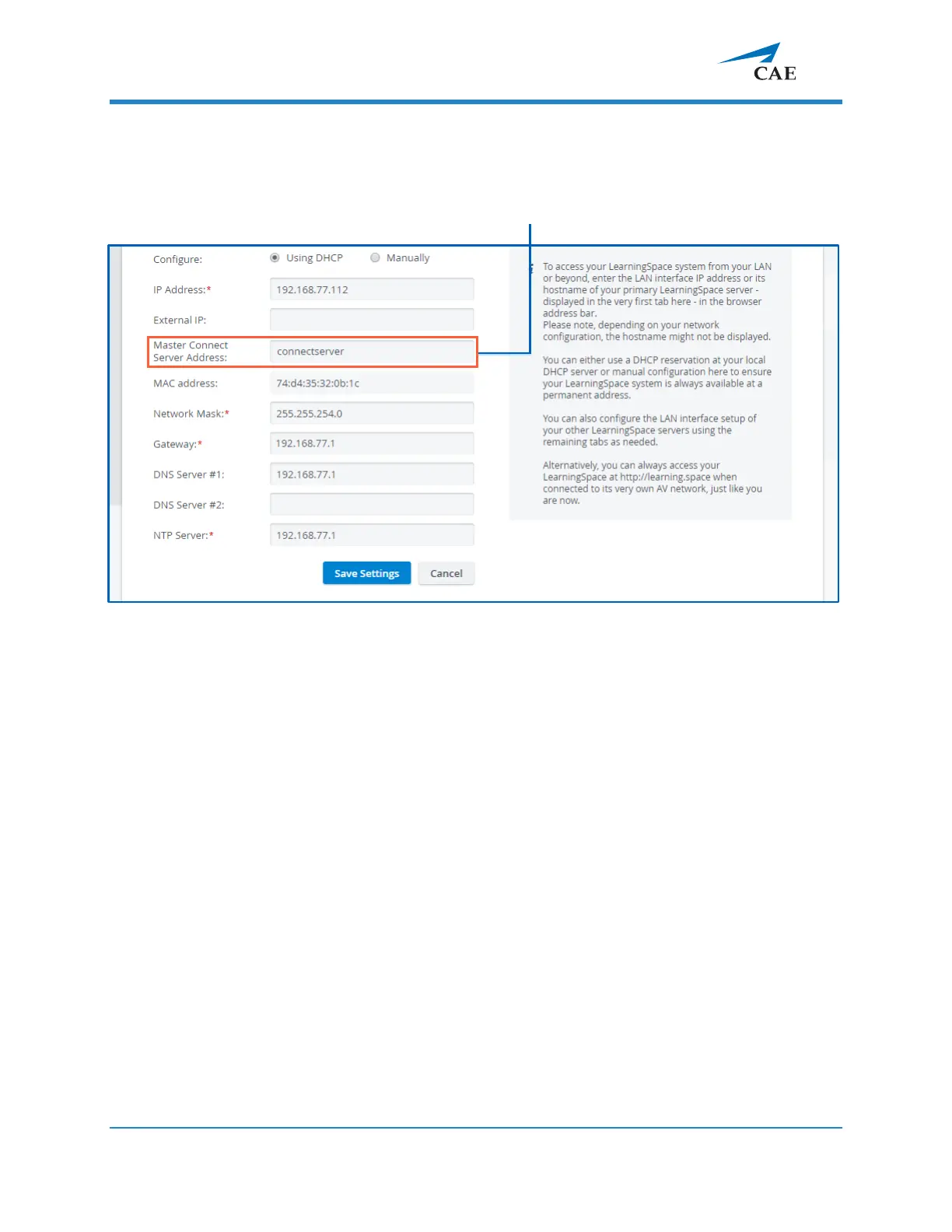
2.2.1 Follow the above instructions in 2.1 until the Initial Setup screen becomes editable:
2.2.2 To configure a slave Connect Server, enter the master Connect Server’s
hostname or IP address in the
Master Connect Server Address
field and all
other required information.
IMPORTANT: All fields marked with an asterisk (*) are required.
2.2.3 When you are finished with editing, click Save Settings.
2.2.4
Once you have configured the SLAVE Connect Server, click the Continue to
LearningSpace button or enter learning.space in the browser.



 To Next Page