Cafi na ALPHA – 04/2006
17
9 Key Cards
9.2.3 Available functions
Key Card «MANAGER»
with simple menu
This Chapter lists all functions and settings that you
can perform and set with the «MANAGER» Key Card
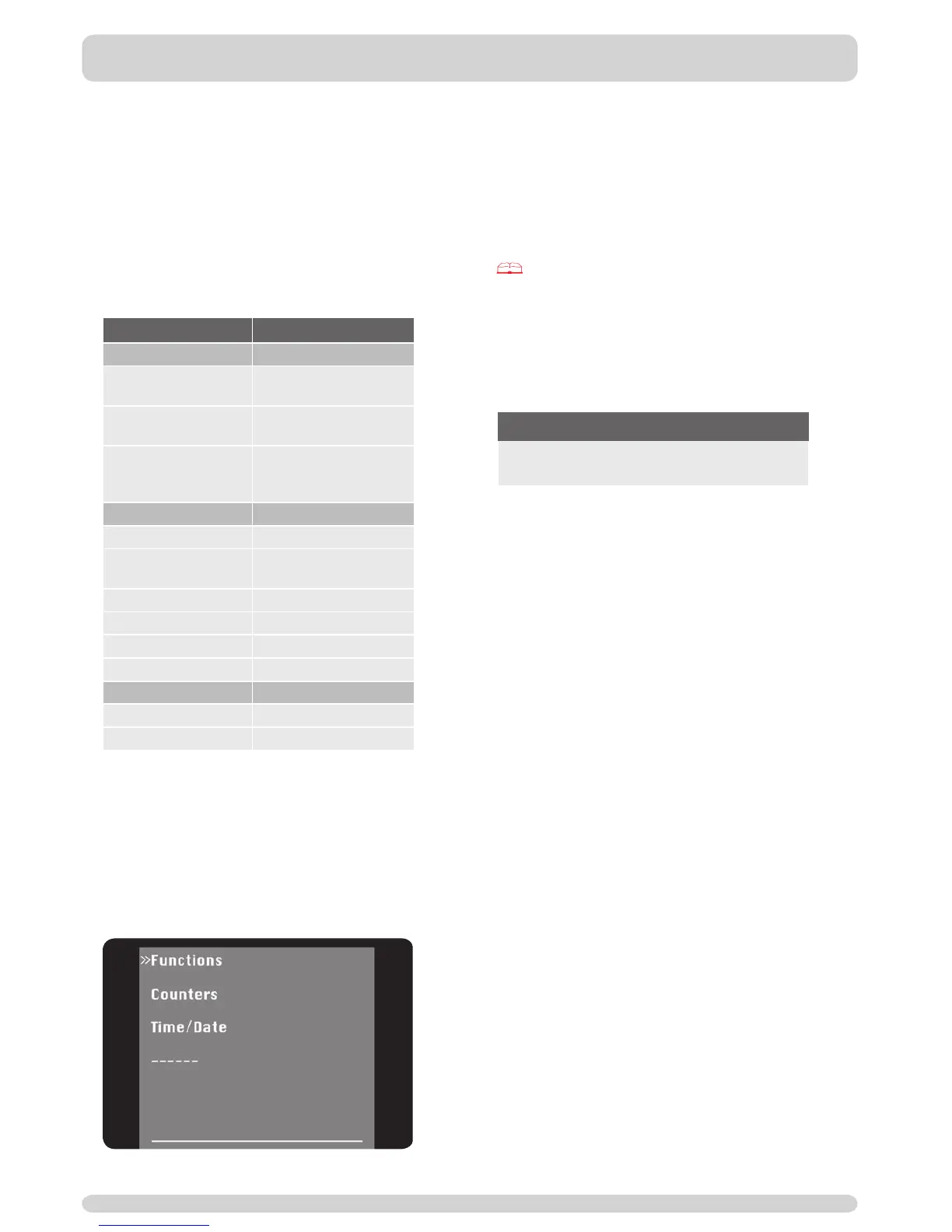
(simple menu), according to menu structure. The
«MANAGER» Key Card allows you to make use of
several service engineer functions.
Main function
Settings
Functions
Timer on/off
Coffee machine with
on/off switching of timer
Timer Extern
External appliance with
on/off switching of timer
Timer Self
Coffee machine in
self-service mode with
on/off switching of timer
Counters
Clear counters
Beverage
View beverage-total
counter
Coffee View coffee counter
Hot water View hot water counter
Steam View steam counter
Milk View milk counter
Time/Date
Clock time Set clock time
Date Set date
Switching on:
1| Insert «MANAGER» Key Card.
2| Leave card inserted for approx.
fi ve seconds; remove card when
second signal sounds.
➙ «MANAGER» menu appears.
3| Press red keys to navigate through navigation
menu.
Switching off:
1| Reinsert card.
2| Leave card inserted until instructed by display
to remove it.
To set and change all functions, see:
Chapter 10 «Settings and functions of the
«MANAGER» menu».
9.3 «MEMORY»
9.3.1 Available functions
«MEMORY» Key Card
Main function
Playback of most recent functional status after a
breakdown.
9.3.2
Using the «MEMORY» Key Card
The «MEMORY» Key Card serves to provide addi tional
safeguards to all settings of your Cafi na ALPHA.
Stored on this card are the most recent settings
made by authorized experts.
If the system memory of the Cafi na A
LPHA is deleted
as a result of a breakdown, then the data can be re-
recorded from the «MEMORY» Key Card.
Coffee machine reset:
1| Isolate Cafi na ALPHA from mains.
2| Insert «MEMORY» Key Card and leave it in.
3| Connect Cafi na A
LPHA to mains.
4| Press «Yes» to acknowledge display prompt
«Read memory card».
➙ Reset starts.


 To Next Page