
 To Next Page
K
Kathryn HowellJul 31, 2025
What to do if bean hopper 1 is empty on my Cafina Coffee Maker?
- MMarvin WareJul 31, 2025
If the bean hopper 1 is empty or blocked, fill it with coffee beans.

What to do if bean hopper 1 is empty on my Cafina Coffee Maker?
If the bean hopper 1 is empty or blocked, fill it with coffee beans.
What to do if bean hopper 2 is empty on my Cafina Coffee Maker?
If the bean hopper 2 is empty or blocked, fill it with coffee beans.
What to do if Cafina C35 Coffee Maker says 'Fill milk'?
If you see a 'Fill milk' message, check the milk level and ensure it is sufficient.
What does DP 7 mean on my Cafina C35 Coffee Maker?
DP 7 indicates that the grounds drawer is full. Check the grounds drawer.
How to resolve a piston error on Cafina C35?
To resolve a piston error (brewing unit fault), disconnect the coffee machine from the power supply and re-insert it after 5 seconds.
What to do if coffee grounds cake may not have been ejected in Cafina C35?
Insert the "USER" chip card and follow the instructions.
Explains hazard symbols like DANGER, WARNING, CAUTION, INFORMATION.
Covers electrical hazards, injury risks, burns, and operating conditions.
Details user groups (USER, MANAGER, ENGINEER) and chip card usage.
Lists safety certifications like CE, GS, and HACCP compliance.
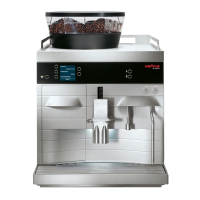
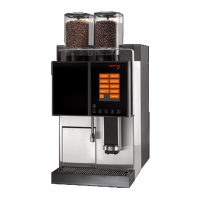
Lists available c35 model versions and how to identify them.
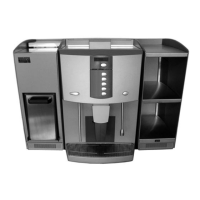
Briefly describes the c35, milk cooler, and cup warmer models.
Diagram showing the main parts of the c35 coffee machine.
Identifies buttons and display elements on the c35 control panel.
Lists accessories included with the c35 delivery.
Details installation requirements, dimensions, and weight.
Outlines requirements for power and water connection, including safety precautions.
Explains the initial startup procedure performed by technicians.
Details steps for restarting the c35, milk cooler, and cup warmer.
Describes the process of turning the c35 and its milk part on and off, including safety warnings.
Explains how to turn the milk cooler on and off.
Details turning the cup warmer on and off.
Guides on selecting, dispensing, and stopping coffee and milk drinks.
Instructions for dispensing hot water and related safety warnings.
Details manual milk frothing and heating using the steam nozzle.
Explains functions and basic operation of the USER chip card.
Details navigation and functions of the MANAGER chip card (extended menu).
Explains the use of the MEMORY chip card for backups and resets.
Introduces additional cards like FREE VEND, KEYLOCK, SELF, EXTERNAL.
Setting product parameters like water and coffee quantity.
Configuring water quantity, coffee quantity, and pre-infusion times.
Setting timers, buzzer, sound, and keylock functions.
Setting prices, clearing counters, and viewing product counts.
Setting the system time and date.
Guides on emptying waste water and coffee grounds.
Guides on refilling coffee beans, fresh water, and milk.
Lists required cleaning agents and containers.
Details the automatic cleaning procedure before shutdown.
Explains manual cleaning for coffee and milk parts.
Instructions for shutting down the appliance for short or long periods.
Guidelines for storing the appliance, including temperature and humidity.
Advises on proper disposal of consumables according to regulations.
Provides guidance on how to dispose of the appliance.
Lists common error messages, their causes, and troubleshooting steps.
Explains error codes, their causes, and troubleshooting measures.
Presents technical data like hourly output, electrical specs, and dimensions for different models.
 General
| Type | Automatic Coffee Machine |
|---|---|
| Model | Cafina C35 |
| Voltage | 230 V |
| Capacity | 350 cups |
| Features | Automatic Cleaning |