EasyManua.ls Logo

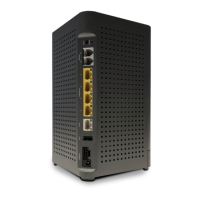
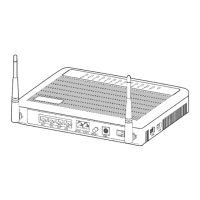
Calix T073G HGU ONT - User Manual

Calix T073G HGU ONT
22 pages
Print Icon
To Next Page IconTo Next Page
Loading...
T073G HGU ONT User Guide
November 2013
#220-00602, Rev 11

Questions and Answers

  • R
    Roger SolisAug 2, 2025
    What to do if the LAN LED is off on Calix Wireless Router?
    • K
      Kyle GordonAug 2, 2025
      If the LAN LED is off, you can try the following: 1. Ensure you're using the Ethernet cable that came with the device. 2. Check that the Ethernet cable is properly connected. 3. Verify that the network adapter's indicator light is on. 4. Check if the network adapter is working correctly by looking for devices with a ? or ! mark under Network adapters. If found, try uninstalling and reinstalling them, or try another slot. If the problem persists, replace the network adapter.
  • T
    thomasjohnsonAug 10, 2025
    How to fix no power LED on Calix Wireless Router?
    • N
      Nicole ReedAug 10, 2025
      If the POWER LED is off, please check the following: 1. Ensure that the Power Switch button on the rear of the device is pressed. 2. Verify that the power adapter matches the device. 3. Confirm that the power connection is correct.
  • S
    samanthadixonAug 18, 2025
    What to do if the LINK LED is off on Calix Wireless Router?
    • H
      Heather Jimenez DDSAug 18, 2025
      If the LINK LED is off, check that the optical fiber is correctly connected and that there is no dirt on the optical connector.
  • D
    Debra MossAug 26, 2025
    What to do if the TEL LED is off on Calix Wireless Router?
    • M
      Michael ScottAug 26, 2025
      If the TEL LED is off, check whether the telephone cable is correctly connected and whether the telephone is on-hook.

Summary

Chapter 1: Product Description

Introduction

The T073G Optical Network Terminal (ONT) is an ITU-T G.984 compliant device that receives voice, data, and video traffic.

Services

The T073G is equipped with ITU-T G.984 compliant 2.5 Gbps Downstream and 1.25 Gbps Upstream interfaces, and service ports.

Features

The ONT incorporates features like a single fiber GPON interface, advanced data features, traffic classification, and QoS capability.

Specifications

Details physical, electrical, environmental, and optical specifications of the T073G HGU ONT.

Chapter 2: Safety

Electrical Safety

Provides warnings and instructions for safe handling of electrical connections and power sources for the ONT.

Mounting Restrictions

Ensures safe operation by specifying clearance requirements and avoiding heat sources for ONT mounting.

Laser Safety

Warns about potential hazardous laser radiation from fiber optic cables and requires trained personnel.

Chapter 3: Installation

Get to Know the ONT

Provides a physical overview of the T073G HGU ONT, identifying its ports and components.

Connecting to the PON Network

Guides on locating a suitable site, cleaning connectors, and plugging the fiber optic cable into the ONT.

Connecting to the AC Power Adapter

Details the steps to connect the ONT to the included AC power adapter and a live AC outlet.

Connecting to an External UPS

Explains how to connect the ONT to an external UPS power source using specific UPS power cords.

Connecting Telephone (POTS) Service

Guides on connecting a telephone wire pair to the ONT's RJ-11 phone jacks for POTS service.

Connecting Ethernet Service

Instructs on connecting the ONT to a network using an Ethernet LAN cable and RJ-45 connector.

Verifying the Installation

Explains how to check LED status to verify the ONT's operational state after installation.

Activating the ONT

Details the process of activating the ONT, including checking LED status and contacting NOC if needed.

Verifying Services

Guides on confirming service activation by checking phone numbers, data transmission, and WLAN connectivity.

Chapter 4: Troubleshooting

ONT Status LEDs

Provides an overview of the ONT status LEDs that assist with installation and maintenance procedures.

T073 G LED Field Descriptions

Details the meaning of each LED color and status for troubleshooting the T073G HGU ONT.

Troubleshooting Procedures

Outlines basic troubleshooting procedures for common problems related to ONT LEDs and connectivity.

Calix T073G HGU ONT Specifications

General IconGeneral
Operating Temperature0°C to 40°C
Storage Temperature-40°C to 70°C
ModelT073G
WAN Ports1
LAN Ports4
Wireless StandardIEEE 802.11b/g/n
Wireless Frequency Bands2.4 GHz
Voice Ports2
USB Port1

Related product manuals