Need help?
Do you have a question about the Callaway CSi PRO and is the answer not in the manual?
To set your 7-iron distance, HOLD the POWER button for 10 seconds to engage CSi set up mode.
HOLD POWER for 3 seconds to toggle club distance. Tap POWER (+) or MODE (-).
HOLD POWER for 3 seconds to confirm, then tap POWER to engage 'OUT' screen.
HOLD the Mode Button for 3 seconds on the main screen to turn CSi club suggestion ON/OFF.
The front lens for viewing targets.
Adjusts focus for clear vision through the eyepiece.
Turns the device on/off and controls functions.
Cycles through measurement modes and settings.
Enables or disables the slope function.
Provides access to the battery compartment.
The central reticle used for targeting.
Indicates when the laser is active.
Shows when Pulse Technology mode is active.
Confirms laser lock with vibration or icon.
Displays the measured distance to the target.
Shows the unit (Yards/Meters).
Displays the slope angle relative to the target.
Shows distance adjusted for slope.
Shows the remaining battery level.
Provides recommended club based on distance.
Press Power Button to turn on, use Diopter Adjustment for clarity.
Aim Zero-In Aiming Square, PRESS Power Button to fire laser.
In P.A.T. mode, measurement changes only for shorter distances.
HOLD Mode Button for 10 sec to toggle between Yards (Y) and Meters (M).
Recommended for measuring distances to larger objects.
Best for flagsticks; provides vibration on lock.
Measure multiple targets by holding Power Button.
Change units from yards to meters by holding Mode Button.
RED switch position: Slope function is off. Laser is tournament legal.
GREEN switch position: Slope function enabled. Laser is not tournament legal.
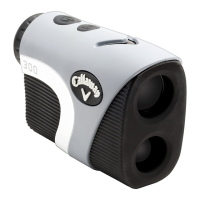
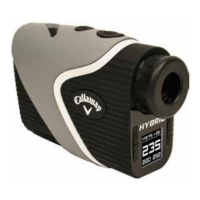
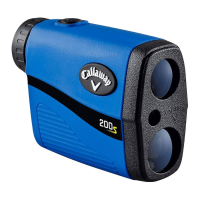
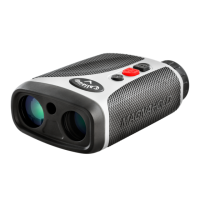
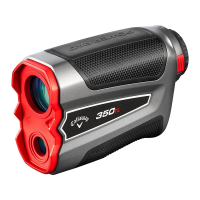
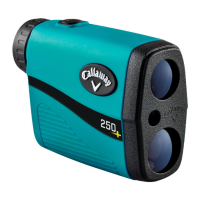
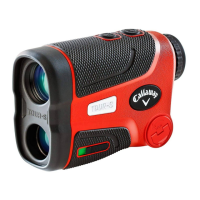
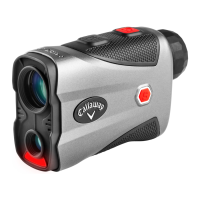
The Callaway CSi PRO Laser Rangefinder is a sophisticated device designed to assist golfers by providing precise distance measurements and club suggestions. It features a compact, ergonomic design with an eyepiece for viewing, a diopter adjustment for clarity, and clearly labeled power and mode buttons. A slope switch is located on the side, and a battery door is positioned at the front.
The primary function of the CSi PRO is to measure distances to targets on a golf course. It offers both standard and P.A.T. (Pulse Technology) modes for different scenarios. In P.A.T. mode, the device vibrates to confirm it has locked onto a flagstick or smaller objects, which is particularly useful when there are trees or other objects in the background. The device also includes a scanning feature, allowing users to measure distances to multiple targets continuously by holding down the power button.
A key feature of the CSi PRO is its "CSi Club Suggestion" system. After an initial setup where the user inputs their 7-iron distance, the device's proprietary firmware provides club suggestions based on the measured distance to a target. This feature can be toggled on or off.
The rangefinder also incorporates a slope function, which can be enabled or disabled via a physical switch. When enabled (green showing), it calculates slope-adjusted yardage, providing a more accurate "plays like" distance for uphill or downhill shots. When disabled (red showing), the device is tournament legal as it only provides line-of-sight distance.
The manual does not explicitly detail maintenance features but implies general care for electronic devices. It does include a caution regarding hazardous radiation exposure if controls or adjustments are performed other than those specified. For further support, users are directed to www.CallawayDMD.com/product-support.
 General
| Brand | Callaway |
|---|---|
| Model | CSi PRO |
| Category | Measuring Instruments |
| Language | English |

 To Next Page