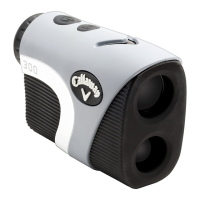
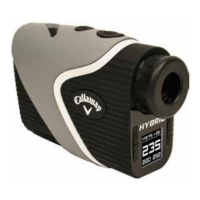
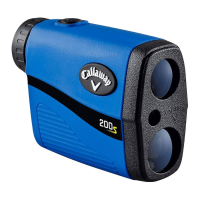
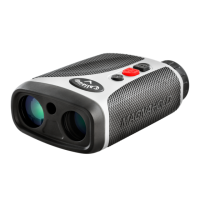
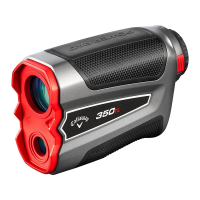
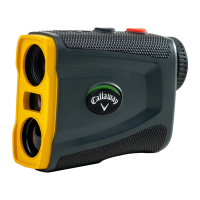
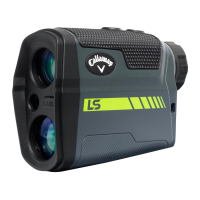
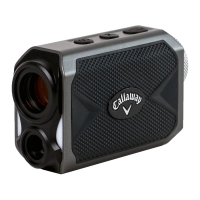
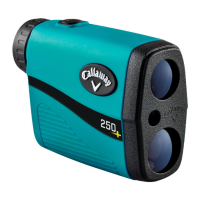
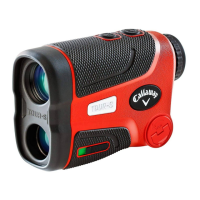
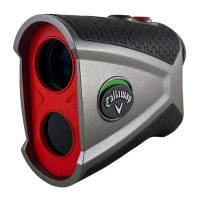
The Callaway PROXS Laser Rangefinder is a sophisticated device designed to provide precise distance measurements crucial for golfers. It incorporates advanced technologies such as P.A.T. (Pin Acquisition Technology), Slope Mode, and Birdie Technology to enhance accuracy and user experience on the golf course.
Function Description:
The primary function of the PROXS Laser Rangefinder is to measure distances to various objects on a golf course, including flagsticks, hazards, and other targets. It operates by emitting a laser beam and calculating the distance based on the time it takes for the beam to reflect back to the device.
- P.A.T. (Pin Acquisition Technology): This mode is specifically designed for measuring distances to smaller objects like flagsticks. When activated, the device prioritizes the closest target, ensuring accurate readings even with background distractions like trees.
- Slope Mode: The rangefinder can measure the angle of incline or decline to a target and then calculate and display a slope-adjusted distance. This feature helps golfers account for elevation changes, providing a more accurate "play-as" distance.
- Birdie Technology: When the device successfully locks onto a pin, it provides an audible "chirp" to confirm the acquisition. This tactile feedback assures the user of a precise measurement.
- Scanning Mode: This feature allows users to continuously measure distances to multiple targets by holding down the Power Button. The laser fires continuously, and measurements update as the user scans the landscape. In P.A.T. Mode during scanning, the measurement will only change when a shorter distance is detected, which is particularly useful when aiming for a flagstick with trees behind it.
- Unit of Measure: The device can display distances in either yards or meters, providing flexibility based on user preference.
Important Technical Specifications:
- Product: Callaway PROXS Laser Rangefinder
- Model: PROXS
- Dimensions: 4.25" x 3" x 1.75"
- Weight: 7.58 oz.
- Battery: CR2 3-Volt Lithium Battery
- Display: LCD display
- Magnification: 7X
- Max Range: 5-1200 yards to objects, 5-300 yards to a flagstick
- Accuracy: +/- 0.5 yard
- Water/Fog Proof: Yes, IPX4 Designation (protected against rain and splashing water)
- Auto Shutoff: Automatically powers off after 5 seconds of inactivity to conserve battery life.
Usage Features:
The rangefinder is designed for ease of use with a clear LCD display and intuitive controls.
- Powering On: To power on the device, look through the Eye Piece and briefly press and release the Power Button.
- Focus Adjustment: The Diopter Adjustment, located on the Eye Piece, allows users to focus the view for increased clarity. This is achieved by turning the Eye Piece.
- Taking a Measurement: Once powered on and focused, aim the Zero-In Aiming Square at the desired target and press the Power Button. The laser will fire, and the Laser Indicator Box will appear around the aiming square. The measured distance will be displayed at the top of the LCD.
- Mode Selection: The Mode Button (M) is used to toggle between different measurement modes.
- Press and release the Mode Button to switch between Standard Mode and P.A.T. Mode. The P.A.T. Mode Indicator (flagstick icon) will appear on the left side of the LCD when active.
- Press and release the Mode Button to toggle Birdie Technology on or off. The "b" icon will appear when Birdie Technology is active.
- Hold the Mode Button down for 3 seconds to toggle Slope Mode on or off. The slope-adjusted distance will be displayed at the bottom right of the LCD when active.
- Changing Unit of Measure: To switch between Yards and Meters, first power on the device by pressing the Power Button, then hold down the Mode Button (M). The unit of measure (Y or M) will be shown next to the displayed distance.
- Battery Installation: The device uses a replaceable CR2 3-volt lithium battery. To install, lift the hatch tab on the battery cap, turn it counterclockwise to open, insert the battery negative end first (flat end), and then replace the cap by turning it clockwise.
- Low Battery Indicator: An icon on the LCD display indicates a low battery. If this icon is present, approximately 200 ranges remain. If the icon flashes, the battery life is very low and should be replaced before the next use.
Maintenance Features:
Proper care ensures the longevity and optimal performance of the rangefinder.
- Cleaning: Use only a soft, clean cloth to clean the device and prevent scratches, especially on the lenses.
- Avoid Submersion: Do not submerge the device in liquid or apply any cleaning products directly to it. While it is IPX4 waterproof (protected against splashing water), it is not designed for full submersion.
- Temperature Storage: Avoid storing the rangefinder in extremely hot or cold temperatures (outside of 50°F to 110°F).
- Storage: When not in use, store the device in its provided carrying case to protect it from damage.
Troubleshooting:
- Inaccurate Measurements:
- Ensure the correct unit of measure (Yards or Meters) is selected.
- Check for a weak battery signal; replace the battery if the Low Battery Indicator is present.
- Verify that there are no obstructions (e.g., leaves, branches, fingers) blocking the view.
- Blurry View:
- Adjust the Diopter Adjustment by turning the Eye Piece to focus the view.
- Ensure no obstructions are blocking the view.
- Clean the lens with a soft, clean cloth.
- Battery Replacement:
- Replace the battery if the Low Battery Indicator is present or flashing.
- Replace the battery if measurements are consistently inaccurate.
- Replace the battery if the LCD display does not appear when the Power Button is pressed.
Safety Warnings:
- Never look directly into the sun or intense light through the rangefinder.
- Do not aim or point the laser rangefinder at another person, especially at anyone's eyes or face.
- Do not attempt to disassemble the laser rangefinder.
- Do not submerge the device in any liquid.
- Do not store the laser rangefinder in extreme cold (<50°F) or hot (>110°F) temperatures.

 Need help?
 General

 To Next Page