EasyManua.ls Logo

Calphalon TEMP iQ - User Manual

Calphalon TEMP iQ
40 pages
Print Icon
To Next Page IconTo Next Page
Loading...
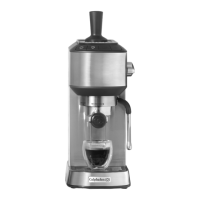
TEMP iQ ESPRESSO MACHINE
WITH GRINDER
User Guide
BVCLECMPBM1

Questions and Answers

  • C
    cassandramartinAug 20, 2025
    Why is my espresso too cold from my Calphalon Coffee Maker?
    • L
      lsmithAug 20, 2025
      Several factors can cause your espresso to be too cold. If you are storing coffee beans in the fridge or freezer, store them in a dry, airtight container in a cool, dark cupboard instead. If you are using a custom extraction temperature, revert to the default 198°F setting. Pre-warm your cup by pouring hot water into it from the steam wand before extraction. Also, ensure the group head and portafilter are warmed before use by running hot water through them.
  • V
    Vanessa MartinAug 22, 2025
    Why is my Portafilter tight to turn in the Group Head of my Calphalon TEMP iQ Coffee Maker?
    • P
      Paula ThomasAug 22, 2025
      A tight portafilter can occur because the group head silicone seal is new and needs bedding in; it will become easier to turn with use. Alternatively, you might be using too many coffee grinds; try dosing less.
  • G
    gkimAug 25, 2025
    Why is my milky coffee from Calphalon Coffee Maker too cold?
    • N
      Nancy WarrenAug 25, 2025
      If your milky coffee is too cold, the milk may not be heated enough. Ensure that milk is heated properly during frothing, but be sure not to overheat and boil the milk.
  • F
    fjonesAug 26, 2025
    Why is no espresso pouring from my Calphalon TEMP iQ Coffee Maker?
    • D
      Daniel StephensAug 26, 2025
      Several factors can prevent espresso from pouring. The water reservoir might be empty, so ensure it is filled. Prime the pump by pressing the ONE SHOT BUTTON to run water through the group head. The coffee grind may be too fine; try a coarser setting. You might be using too many coffee grinds, so reduce the dose. Tamping the grinds too hard can also cause this issue, so apply less force. Custom shot volumes could be in use, so reset to the default settings. The filter basket or group head could be blocked or dirty, requiring cleaning or descaling.
  • S
    sharonmannAug 28, 2025
    What to do if espresso squirts down the side of my Calphalon TEMP iQ during extraction?
    • S
      Susan DavisAug 28, 2025
      If espresso squirts or trickles down the side of the group head, the coffee grind may be too fine, so try a coarser grind setting. You might be using too many coffee grinds, so dose less. If you're tamping too hard, apply less force. Ensure the top edge of the filter basket is clean of loose coffee grinds. The group head, silicone seal, or shower head might be dirty, so clean them with a cleaning brush and a damp cloth.
  • M
    Matthew WareAug 29, 2025
    How to fix bitter tasting espresso from Calphalon Coffee Maker?
    • T
      Timothy ChenAug 29, 2025
      The bitter taste in your espresso may be due to the type of coffee beans you're using; try different brands. If you are using a custom extraction temperature, switch to the default 198°F. If you've recently used the steam function, allow time for the machine to cool down before extracting espresso; wait until the STEAM LIGHT has finished flashing.
  • H
    hannahbrownAug 31, 2025
    Why does my Calphalon Coffee Maker's pump make an unusual noise?
    • D
      Daniel LongAug 31, 2025
      An unusual noise from the pump can occur for several reasons. Ensure the water reservoir is filled. If it's cooling down after steam, let it return to the READY state. Prime the pump by pressing the ONE SHOT BUTTON to run water through. Check that the water reservoir is correctly positioned at the back of the unit. Remove the red packaging plug from the base of the water reservoir, if present. Note that different pre-infusion profiles can cause different noises at the start of extraction.
  • M
    Marco DavisSep 2, 2025
    Why is my espresso pouring out in drips from my Calphalon TEMP iQ Coffee Maker?
    • B
      Brenda NicholsonSep 2, 2025
      If your espresso pours out in drips, it may be over-extracted. This can happen if the coffee grinds are too fine, so try a coarser grind setting. You might also be using too many coffee grinds, so reduce the dose. If you are tamping the coffee grinds too hard, apply less force. The espresso machine may also have scale build-up.
  • C
    Carla SmithSep 4, 2025
    Why does my Calphalon TEMP iQ espresso not have any crema?
    • M
      Mike RoseSep 4, 2025
      Lack of crema or thin crema can be due to old or dry coffee beans; use freshly roasted beans. The coffee grinds might be too coarse; change to a finer grind setting. You may not be using enough coffee grinds; dose more. Also, ensure you are tamping firmly enough.
  • A
    Antonio SalinasSep 6, 2025
    What to do if water is around the Drip Tray area of Calphalon TEMP iQ Coffee Maker?
    • A
      Antonio HarringtonSep 6, 2025
      If there's water around the drip tray, it might be overflowing. Empty it if the red water level indicator appears through the stainless steel grill. Ensure the drip tray is in place when the thermoblock is auto-purging, which happens when cooling to espresso temperature (the STEAM LIGHT flashes and water purges into the drip tray).

Summary

Important Safeguards

Features of your Calphalon Temp iQ Espresso Machine

Group Head & Portafilter

58mm commercial size for even extraction and better tamping.

Steam & Hot Water Wand

Features a ball joint for flexible positioning and silicone cover.

Espresso Extraction Buttons

Covers the One Shot, Two Shot, and Manual Shot buttons for brewing.

More Details

Three Way Shot Control System

Discusses Thermoblock technology and PID controller for precise temperature.

Integrated Grinder

Details the on-demand grinding with a conical burr grinder.

Auto Shot & Customizable Volumetric Control

Explains automatic shot pouring and user-adjustable shot volumes.

Customizable Extraction Temperature

Allows adjustment of water temperature between 190-205°F.

Before First Use

Step 5: Insert Parts into the Grinder

Guides on correctly assembling the removable top burr and bean hopper.

Step 6: Preparing to Prime Machine

Steps to fill the water reservoir and insert the portafilter.

Step 7: Prime Espresso Machine

Procedure for priming the machine by running water through it.

Espresso Making Guide

Milk Frothing Guide

Detailed steps and tips for frothing milk to create microfoam.

Tips for Grinding & Tamping

Grind Setting Adjustment

Explains how to adjust grind size for desired extraction.

Grind Dosage & Tamp Force

Recommendations for coffee dose and tamping pressure.

Tips for Perfect Espresso Extraction

Extraction Time

Importance of extraction time as an indicator of espresso quality.

Type of Extraction

Describes optimum, under, and over extraction based on flow and crema.

Tips for Milk Frothing

Amount of Foam

Guidance on creating desired foam levels for different drink styles.

Correct Temperature

How to achieve the optimal milk temperature for frothing.

Customizable - Extraction Temperature

Adjusting Extraction Temperature

How to change water temperature in 2°F increments for taste preference.

Access Extraction Temperature Custom Mode

Instructions to enter the custom mode for temperature adjustment.

Confirm Extraction Temperature

Process to save the selected custom extraction temperature.

Customizable - Extraction Pre-infusion Profile

Selecting Pre-infusion Profiles

Overview of three pre-infusion profiles: Gentle, Distinct, Constant.

Troubleshooting Guide - Espresso Machine

Troubleshooting Guide - Grinder

Calphalon TEMP iQ Specifications

General IconGeneral
TypeEspresso Machine
Milk FrotherYes
Heating SystemThermoblock
Cup WarmerYes
Capacity10 cups
Water ReservoirRemovable
Water FiltrationNo
Auto Shut-OffYes
Pause and ServeNo
Warming PlateNo
MaterialStainless Steel
Pump Pressure15 bar
Brewing TechnologyTEMP iQ Technology
Special FeaturesPre-infusion

Related product manuals