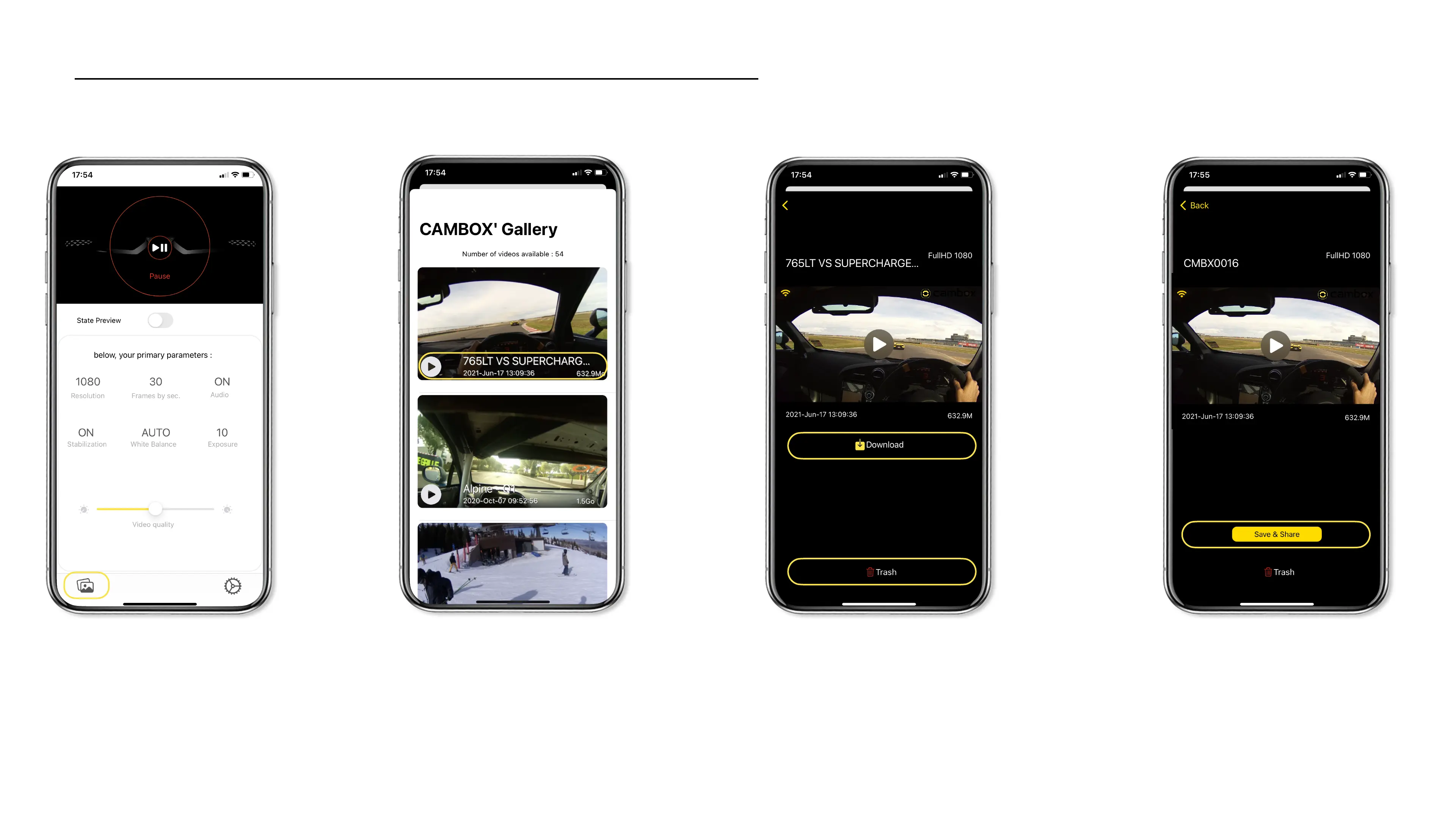
Video Gallery Mode
Select the bottom left corner button to
access the video gallery.
You have access to the list of videos stored on
your Cambox micro SD card presented as
thumbnails, with information such as file name,
recording date and time and size.
On this screen, you can playback the video via
streaming without download. In this case, the
video will not be transferred to your
smartphone. To download or delete it, select
one of the 2 buttons under the video.
You visualize a progress bar of your video
download, once at 100% the save & share
button will be displayed.
22



 To Next Page