EasyManua.ls Logo

Cambridge Audio 540A - User Manual

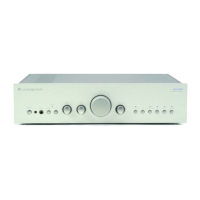
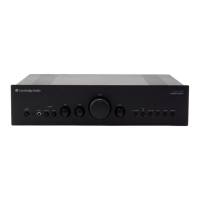
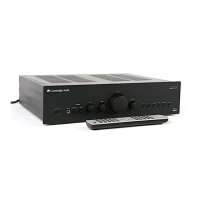
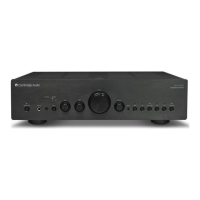
Cambridge Audio 540A
148 pages
Print Icon
To Next Page IconTo Next Page
Loading...
azur 540A/640A V2.0
Integrated amplifier / Integrierter Verstärker / Amplificateur intégré / Amplificador integrado /
Amplificatore integrato / Geïntegreerde versterker / Integreret forstærker /
Интегральный усилитель
User’s manual / Bedienungsanleitung / Mode d'emploi / Manual del usuario /
Manuale per l'utente / Gebruikershandleiding / Brugermanual /
Руководство для пользователя

Table of Contents

Question and Answer IconNeed help?

Do you have a question about the Cambridge Audio 540A and is the answer not in the manual?

Summary

Introduction

About the 540 A V2.0

Details improvements and features specific to the 540A V2.0 model, including enhanced audio quality and power output.

About the 640 A V2.0

Describes enhancements for the 640A V2.0, such as separate channel transformers and dual mono power amplifiers.

Incognito Ready and Custom Install Use

Explains features for multi-room systems and integration into custom installation setups.

Safety Precautions

Checking Power Supply Rating

Instructions for verifying the unit's voltage rating and ensuring safe power connection to prevent damage.

UK Plug Fitting Instructions

Detailed guide on fitting the correct mains plug and fuse for UK users, including wiring color codes.

Important Safety Instructions

Rear Panel Connections

Power On;Off

Describes the function of the power button to switch the unit on and off.

Mains Voltage Selector Switch

Details the switch for selecting between 115V and 230V mains voltage, intended for installer/dealer use.

AC Power Socket

Information on connecting the AC power cable after all other connections are completed.

Loudspeaker Terminals

Explanation of the two sets of loudspeaker terminals (A and B) and connection guidance, including impedance.

IR (Infrared) Emitter Input

Describes the input for receiving modulated IR commands from multi-room systems.

Multi-room Connections

Details connections for multi-room audio systems using Incognito Ready/A-BUS compatible keypads and IR emitters.

Control Bus

Explains the use of Control Bus input/output for receiving and looping commands from multi-room or IR systems.

Pre-Out Connections

Describes connecting to external power amplifiers or active subwoofers via the Pre-Out sockets.

Tape Input

Information on connecting tape decks or digital music players to the amplifier's monitor-type Tape In sockets.

Record Out 1;2

Details the output sockets for connecting to tape decks, MiniDisc, or CD recorders for recording purposes.

Rear Panel Input Selection

Details the various analog audio inputs available on the rear panel for source selection.

Connecting Your System

Basic Connection Diagram

Illustrates the fundamental setup for connecting a CD player and loudspeakers to the amplifier.

Tape Connection Diagram

Shows how to connect a tape recorder for recording and monitoring audio signals.

Speaker B Connections

Details connecting a second set of loudspeakers for multi-room listening or alternative setups.

Pre-Out Connections

Describes connecting to external power amplifiers or active subwoofers via the Pre-Out sockets.

Front Panel Controls Overview

Standby;On Button

Explains switching the unit between active and low-power standby modes.

Infrared Sensor

Location for receiving remote control commands from the Azur Navigator remote.

Headphone Output

Describes the 1/4" jack socket for connecting headphones, which mutes loudspeaker output.

Protection LED

Indicator for the CAP5 protection system, flashing to show activation or fault conditions.

Speaker B Control

Button to switch the secondary set of loudspeaker terminals (B) on or off for multi-room use.

Direct Mode

Bypasses tone controls for a purer signal path, offering the highest sound quality.

Bass and Treble Controls

Allows subtle adjustments to the tonal balance of the sound, affecting only loudspeaker and Pre-Out signals.

Volume Control

Adjusts the sound level for loudspeaker, headphone, and pre-amp outputs.

Balance Control

Adjusts the relative output levels between the left and right channels.

Front Panel Input Selection

Input selection buttons for choosing audio sources like CD, Tuner, DVD, and Aux.

Tape Monitor Function

Allows listening to the output signal from a tape recorder connected to the Tape In socket.

Remote Control Operation

Remote: Standby;On

Switches the amplifier between On and Standby mode using the remote control.

Remote: Mute Function

Mutes the audio output on the amplifier; mute mode indicated by flashing channel LED.

Remote: Volume Controls

Adjusts the amplifier's output volume up or down using the remote.

Remote: Source Select Buttons

Six buttons used to change the input source to the amplifier remotely.

Custom Installation (C.I.) Use

Details Control Bus and IR Emitter inputs for integration into custom installation systems.

Multi-Room System Setup

CAP5 Protection System

DC Detection Protection

Protects loudspeakers from high constant DC voltage output, indicated by LED flashing.

Over Temperature Detection

Switches off amplifier if output transistors overheat, requiring a cool-down period.

Overvoltage;Overcurrent Detection

Protects against V/I limits, short circuits, and ensures output transistors operate within Safe Operating Area.

Short Circuit Detection

Detects shorts across loudspeaker terminals during power-up, preventing amplifier operation.

Intelligent Clipping Detection

Automatically reduces volume when clipping is detected to protect speakers and maintain sound quality.

Troubleshooting Common Issues

Troubleshooting: Power, Sound, and Channel Issues

Addresses problems with no power, no sound, or sound on only one channel.

Troubleshooting: Hum, Tape, and Imaging

Covers issues like loud buzz/hum, tape recording failures, and weak bass or diffused stereo imaging.

Troubleshooting: Protection LED Flashing

Guidance for when the protection LED flashes, referring to the CAP5 protection system section.

Technical Specifications

Limited Warranty Information

Summary

Introduction

About the 540 A V2.0

Details improvements and features specific to the 540A V2.0 model, including enhanced audio quality and power output.

About the 640 A V2.0

Describes enhancements for the 640A V2.0, such as separate channel transformers and dual mono power amplifiers.

Incognito Ready and Custom Install Use

Explains features for multi-room systems and integration into custom installation setups.

Safety Precautions

Checking Power Supply Rating

Instructions for verifying the unit's voltage rating and ensuring safe power connection to prevent damage.

UK Plug Fitting Instructions

Detailed guide on fitting the correct mains plug and fuse for UK users, including wiring color codes.

Important Safety Instructions

Rear Panel Connections

Power On;Off

Describes the function of the power button to switch the unit on and off.

Mains Voltage Selector Switch

Details the switch for selecting between 115V and 230V mains voltage, intended for installer/dealer use.

AC Power Socket

Information on connecting the AC power cable after all other connections are completed.

Loudspeaker Terminals

Explanation of the two sets of loudspeaker terminals (A and B) and connection guidance, including impedance.

IR (Infrared) Emitter Input

Describes the input for receiving modulated IR commands from multi-room systems.

Multi-room Connections

Details connections for multi-room audio systems using Incognito Ready/A-BUS compatible keypads and IR emitters.

Control Bus

Explains the use of Control Bus input/output for receiving and looping commands from multi-room or IR systems.

Pre-Out Connections

Describes connecting to external power amplifiers or active subwoofers via the Pre-Out sockets.

Tape Input

Information on connecting tape decks or digital music players to the amplifier's monitor-type Tape In sockets.

Record Out 1;2

Details the output sockets for connecting to tape decks, MiniDisc, or CD recorders for recording purposes.

Rear Panel Input Selection

Details the various analog audio inputs available on the rear panel for source selection.

Connecting Your System

Basic Connection Diagram

Illustrates the fundamental setup for connecting a CD player and loudspeakers to the amplifier.

Tape Connection Diagram

Shows how to connect a tape recorder for recording and monitoring audio signals.

Speaker B Connections

Details connecting a second set of loudspeakers for multi-room listening or alternative setups.

Pre-Out Connections

Describes connecting to external power amplifiers or active subwoofers via the Pre-Out sockets.

Front Panel Controls Overview

Standby;On Button

Explains switching the unit between active and low-power standby modes.

Infrared Sensor

Location for receiving remote control commands from the Azur Navigator remote.

Headphone Output

Describes the 1/4" jack socket for connecting headphones, which mutes loudspeaker output.

Protection LED

Indicator for the CAP5 protection system, flashing to show activation or fault conditions.

Speaker B Control

Button to switch the secondary set of loudspeaker terminals (B) on or off for multi-room use.

Direct Mode

Bypasses tone controls for a purer signal path, offering the highest sound quality.

Bass and Treble Controls

Allows subtle adjustments to the tonal balance of the sound, affecting only loudspeaker and Pre-Out signals.

Volume Control

Adjusts the sound level for loudspeaker, headphone, and pre-amp outputs.

Balance Control

Adjusts the relative output levels between the left and right channels.

Front Panel Input Selection

Input selection buttons for choosing audio sources like CD, Tuner, DVD, and Aux.

Tape Monitor Function

Allows listening to the output signal from a tape recorder connected to the Tape In socket.

Remote Control Operation

Remote: Standby;On

Switches the amplifier between On and Standby mode using the remote control.

Remote: Mute Function

Mutes the audio output on the amplifier; mute mode indicated by flashing channel LED.

Remote: Volume Controls

Adjusts the amplifier's output volume up or down using the remote.

Remote: Source Select Buttons

Six buttons used to change the input source to the amplifier remotely.

Custom Installation (C.I.) Use

Details Control Bus and IR Emitter inputs for integration into custom installation systems.

Multi-Room System Setup

CAP5 Protection System

DC Detection Protection

Protects loudspeakers from high constant DC voltage output, indicated by LED flashing.

Over Temperature Detection

Switches off amplifier if output transistors overheat, requiring a cool-down period.

Overvoltage;Overcurrent Detection

Protects against V/I limits, short circuits, and ensures output transistors operate within Safe Operating Area.

Short Circuit Detection

Detects shorts across loudspeaker terminals during power-up, preventing amplifier operation.

Intelligent Clipping Detection

Automatically reduces volume when clipping is detected to protect speakers and maintain sound quality.

Troubleshooting Common Issues

Troubleshooting: Power, Sound, and Channel Issues

Addresses problems with no power, no sound, or sound on only one channel.

Troubleshooting: Hum, Tape, and Imaging

Covers issues like loud buzz/hum, tape recording failures, and weak bass or diffused stereo imaging.

Troubleshooting: Protection LED Flashing

Guidance for when the protection LED flashes, referring to the CAP5 protection system section.

Technical Specifications

Limited Warranty Information

Cambridge Audio 540A Specifications

General IconGeneral
BrandCambridge Audio
Model540A
CategoryAmplifier
LanguageEnglish

Related product manuals