Adjusting brightness, contrast and colour
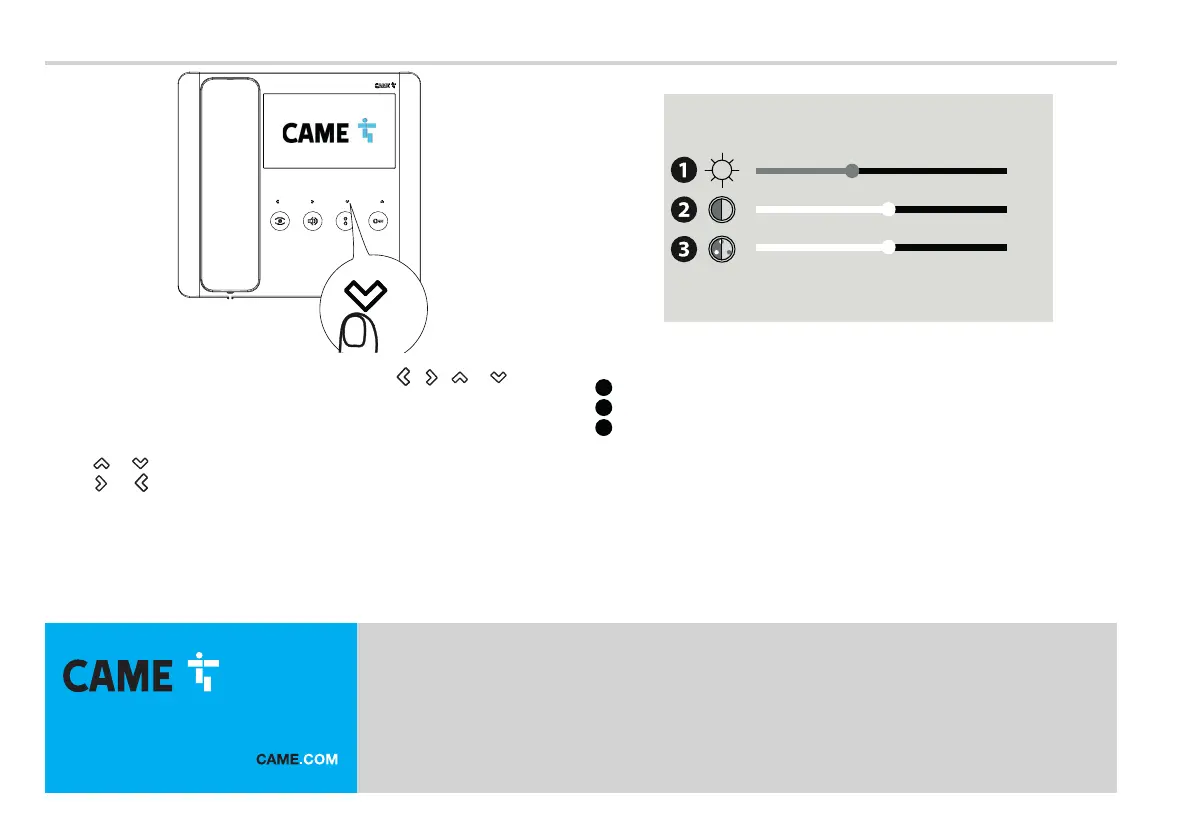
With the video active, press any one of the following buttons: , , or to view
the video settings menu.
From this screen, you can view and change the video parameters.
1
Brightness
2
Contrast
3
Saturation
Use the
or button to select one of the parameters.
Use the or button to increase/decrease the value of the selected parameter.
CAME S.p.A.
Via Martiri della Libertà, 15
31030 Dosson di Casier
Treviso – Italy
Tel. (+39) 0422 4940
Fax (+39) 0422 4941
info@came.com - www.came.com



 To Previous Page
 Loading...