Need help?
Do you have a question about the CAME AGT V EVO and is the answer not in the manual?
Compliance with applicable standards and FCC rules.
Instructions for cleaning the device using specific materials.
Guidelines for responsible disposal of packaging and the device.
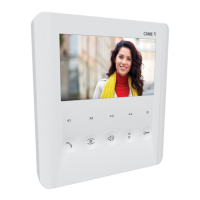
Overview of the AGT V EVO video intercom features and specifications.
Detailed explanation of the functions for each numbered button.
Explanation of the LED indicators and their meanings.
Basic operation for answering calls and releasing doors.
How to activate video communication with the outside.
Transferring video calls between master and slave devices.
Making calls between different internal units.
Checking the current status of the door (open/closed).
Activating gate opening and viewing gate status.
Automatic door opening upon entry panel ring.
Utilizing buttons for additional internal receiver calls.
Interactions with a porter's desk.
Sending an urgent call to the porter.
Configuration and signal for external alarm contacts.
Activating custom accessory functions like lights or gates.
Adjusting the volume of the call ringtone.
Turning the microphone on or off during a call.
Setting custom melodies and number of call rings.
Selecting melodies for external calls.
Selecting melodies for landing calls.
Setting the desired number of call rings.
Customizing video display parameters.
 General
| Brand | CAME |
|---|---|
| Model | AGT V EVO |
| Category | Intercom System |
| Language | English |

 To Next Page