R
h
P
24
20
16
12
8
6
22
26
30
32
34
36
24
20
16
12
8
6
23
22
21
20
19
18
1716
1514
13121110
9
8
7
65432
1
0
22
26
30
32
34
36
24
20
16
12
8
6
24
20
16
12
8
6
p. 4 - Manual FB00802-EN v. 1- 07/2017 - © CAME S.p.A. - The contents of this manual may be changed, at any time, and without notice.
WARNING!
To clean the device, only use a soft moist
cloth.
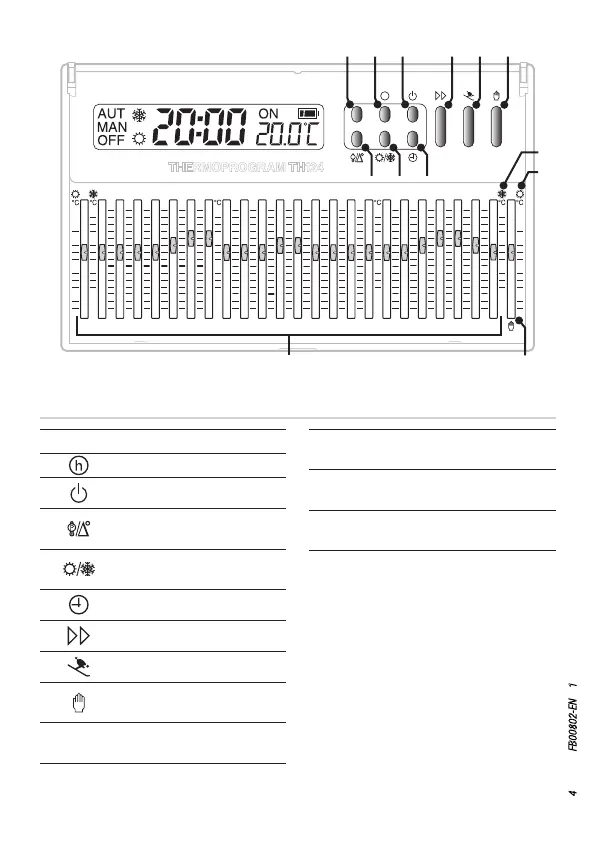
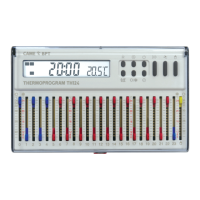
Function of buttons and cursors
R Reset button
Show system activation time
Exclude control of thermal zone
View the set temperature and
temperature dierential
Select the system's operating
mode
Adjusting the time
Forward button
Activate the vacation program
Select the system's MANUAL or
AUTOMATIC control program
Range of valid temperatures with
active heating mode
Range of valid temperatures with
active cooling mode
Cursor for manually selecting
temperature
Cursors for selecting the temperatures
wanted at various times of day


 To Next Page