11
ENGLISH
The data and information provided in this manual are to be considered susceptible to change at any time without warning, by CAME cancelli automatici s.p.a.
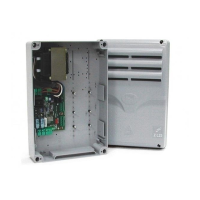
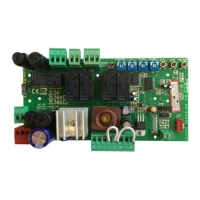
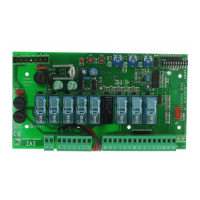
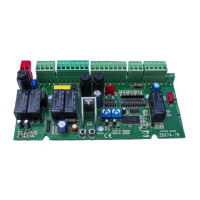
ZL 170N + EMEGA+LB18+E881
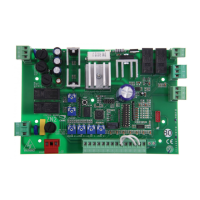
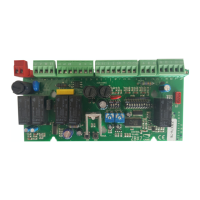
ZL 170N + EMEGA+E881
Fig. A
Fig. B
Standard factory confi guration
In case the LB18 battery charger card is used, remove all jumpers and connect
the card as indicated in the card’s relevant documentation.
To power the E881 lock at 24V on terminals 11-S (normally at 12V)
adjust the jumpers as follows:
Fig. A - WITH LB18 board, leave just one jumper on B-D and connect
the board as shown in the relative documentation.
Fig. B - WITHOUT LB18 board, change jumper C-D into B-D.
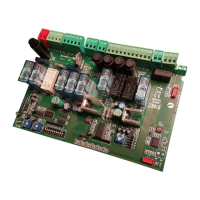
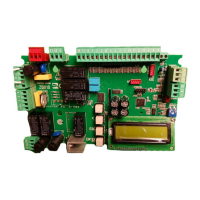
Details of the ZL 170N/EMEGA with E881 electric lock.
Functiuons switch
10-WAY DIP-SWITCH
Terminal board configuration for LB18
1 ON Automatic closure enabled;
2 ON “Open/close/reverse” radio control or pushbutton function enabled;
2 OFF “Open/stop/close/stop” radio control or pushbutton function enabled;
3 ON “Only open” radio control function enabled;
4 ON Pre-fl ashing (opening and closing) enabled;
5 ON Obstacle detection device enabled;
6 ON “Operator present” operation enabled; (radio remote control is deactivated when function is selected)
7 ON Hammer movement operation enabled; (this function helps unlock the electric lock)
8 OFF “Partial-stop” enabled; insert the safety device on terminal 2-C3 (if not used, set the dip-switch to ON)
9 OFF “Stop” button enabled; insert the safety device on terminal 1-2 (if not used, set the dip-switch to ON)
10 Must stay OFF
b
11
ENGLISH
The data and information provided in this manual are to be considered susceptible to change at any time without warning, by CAME cancelli automatici s.p.a.
ZL 170N + EMEGA+LB18+E881
ZL 170N + EMEGA+E881
Fig. A
Fig. B
Standard factory confi guration
In case the LB18 battery charger card is used, remove all jumpers and connect
the card as indicated in the card’s relevant documentation.
To power the E881 lock at 24V on terminals 11-S (normally at 12V)
adjust the jumpers as follows:
Fig. A - WITH LB18 board, leave just one jumper on B-D and connect
the board as shown in the relative documentation.
Fig. B - WITHOUT LB18 board, change jumper C-D into B-D.
Details of the ZL 170N/EMEGA with E881 electric lock.
Functiuons switch
10-WAY DIP-SWITCH
Terminal board configuration for LB18
1 ON Automatic closure enabled;
2 ON “Open/close/reverse” radio control or pushbutton function enabled;
2 OFF “Open/stop/close/stop” radio control or pushbutton function enabled;
3 ON “Only open” radio control function enabled;
4 ON Pre-fl ashing (opening and closing) enabled;
5 ON Obstacle detection device enabled;
6 ON “Operator present” operation enabled; (radio remote control is deactivated when function is selected)
7 ON Hammer movement operation enabled; (this function helps unlock the electric lock)
8 OFF “Partial-stop” enabled; insert the safety device on terminal 2-C3 (if not used, set the dip-switch to ON)
9 OFF “Stop” button enabled; insert the safety device on terminal 1-2 (if not used, set the dip-switch to ON)
10 Must stay OFF
b



 To Next Page
 Loading...