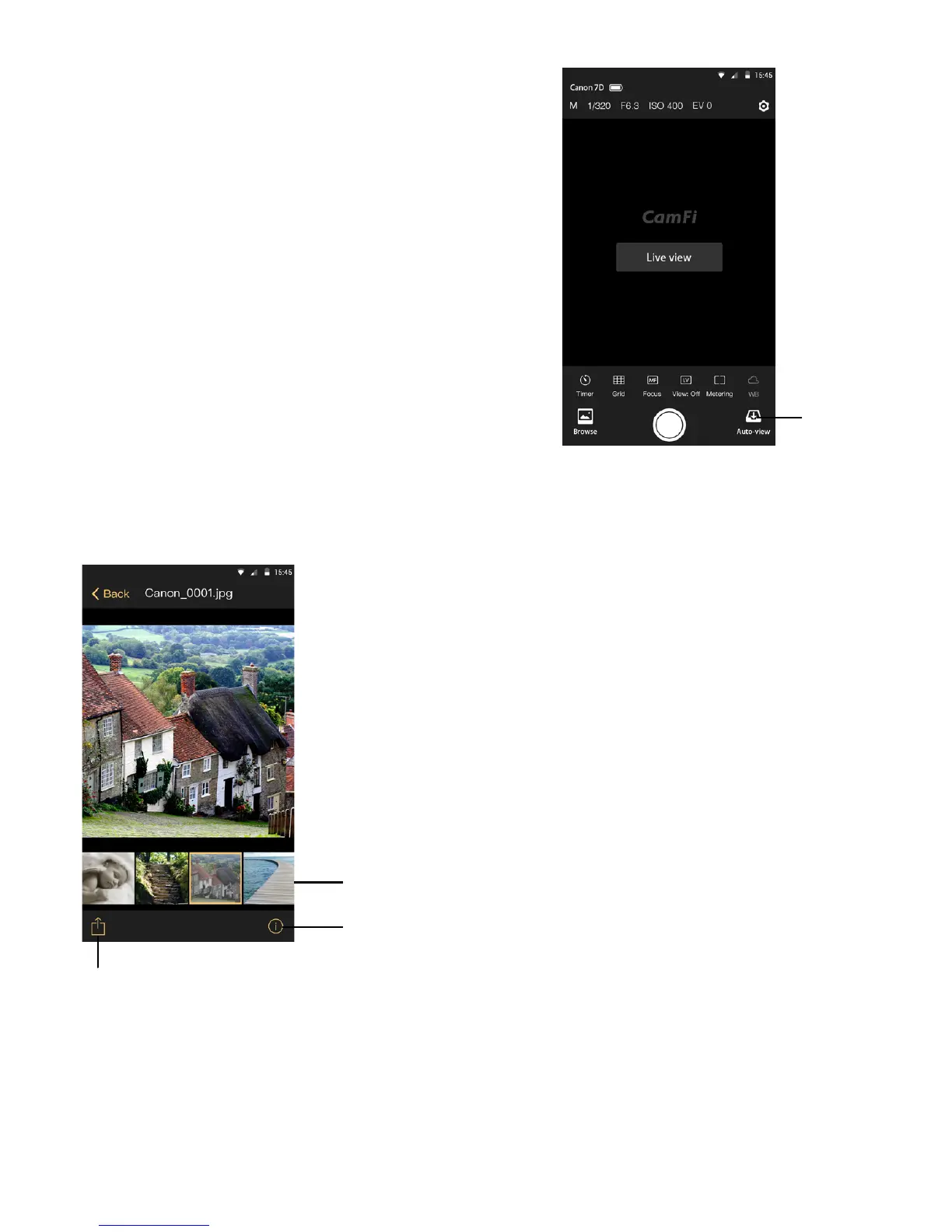
Auto view
Auto View
EXIF info
Thumbnail
Share and save
Tap the Auto View button to start the Auto View
mode.
Once the app is in the Auto View mode, the photos
captured by the camera manually can be streamed
to mobile phones, tablets, and PCs. This feature
can be used to show the photos immediately to
the client or model on a large screen as the photos
are taken.
The raw file format is also supported, and
it uses a smart-view technology to view the
raw files, which is much faster than other
technology types.
The transmit speed for Auto View is about
2-3MB/S and the speed is dependent on the
transmit distance and signal interference.
13


 To Next Page