Chapter 1:CamFi at glance
Packaging List
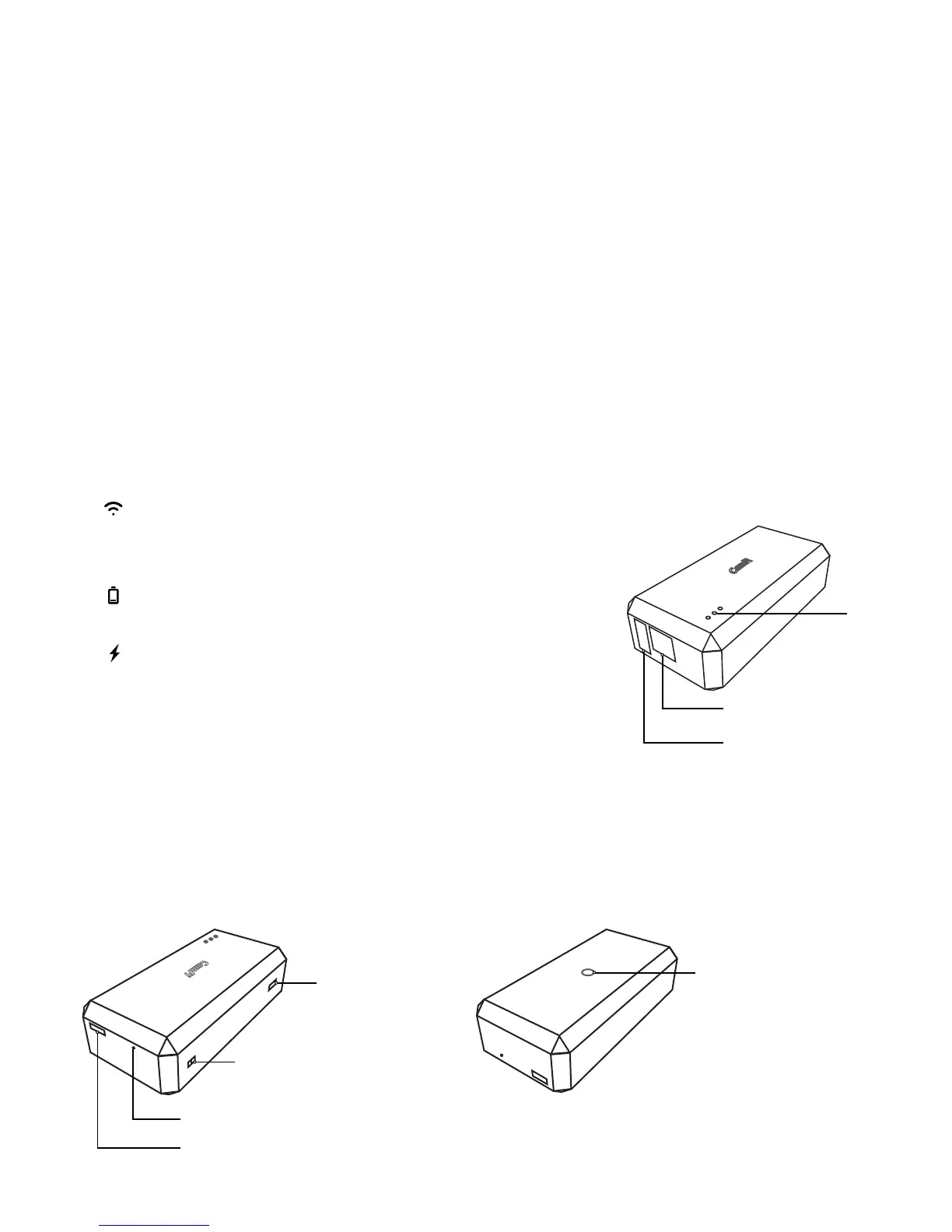
CamFi Overview
1. CamFi remote camera controller
2. Mini USB cable for connecting to the camera
3. Micro USB cable for charging the battery
4. Double screw to hot shoe adapter
5. Lanyard
6. Quick start guide
① USB connector for connecting to the camera
② Network port for connection to the PC
③ Status Indicators
④ Battery charging port
⑤ Reset button
⑥ Lanyard hole
⑦ Power switch
⑧ Tapping hole for hot shoe adapter
System status
Flashing indicates the system is staring up
Always on after the system starts up successfully
Battery status
Turned on when the battery is running low
Battery charging status
Turned red when the battery is being charged.
Turned green when the battery is charged fully.
1
⑦
⑥
⑤
④
③
②
①
⑧


 To Next Page