Instruction manual
Series D multipole size 1
5000026173
Version 00
13
6.3 WLAN connection procedure:
Before connecting a D-Series island to a WLAN, it is necessary to have read the information and followed
the instructions in "5000024829 - User manual UVIX.pdf" downloadable from the site
http://catalogue.camozzi.com/Downloads.aspx?cat=205
The following steps are necessary to configure the WLAN connection:
a. Check that the letter W is present in the sixth position of the code, e.g. DMC.W ..-
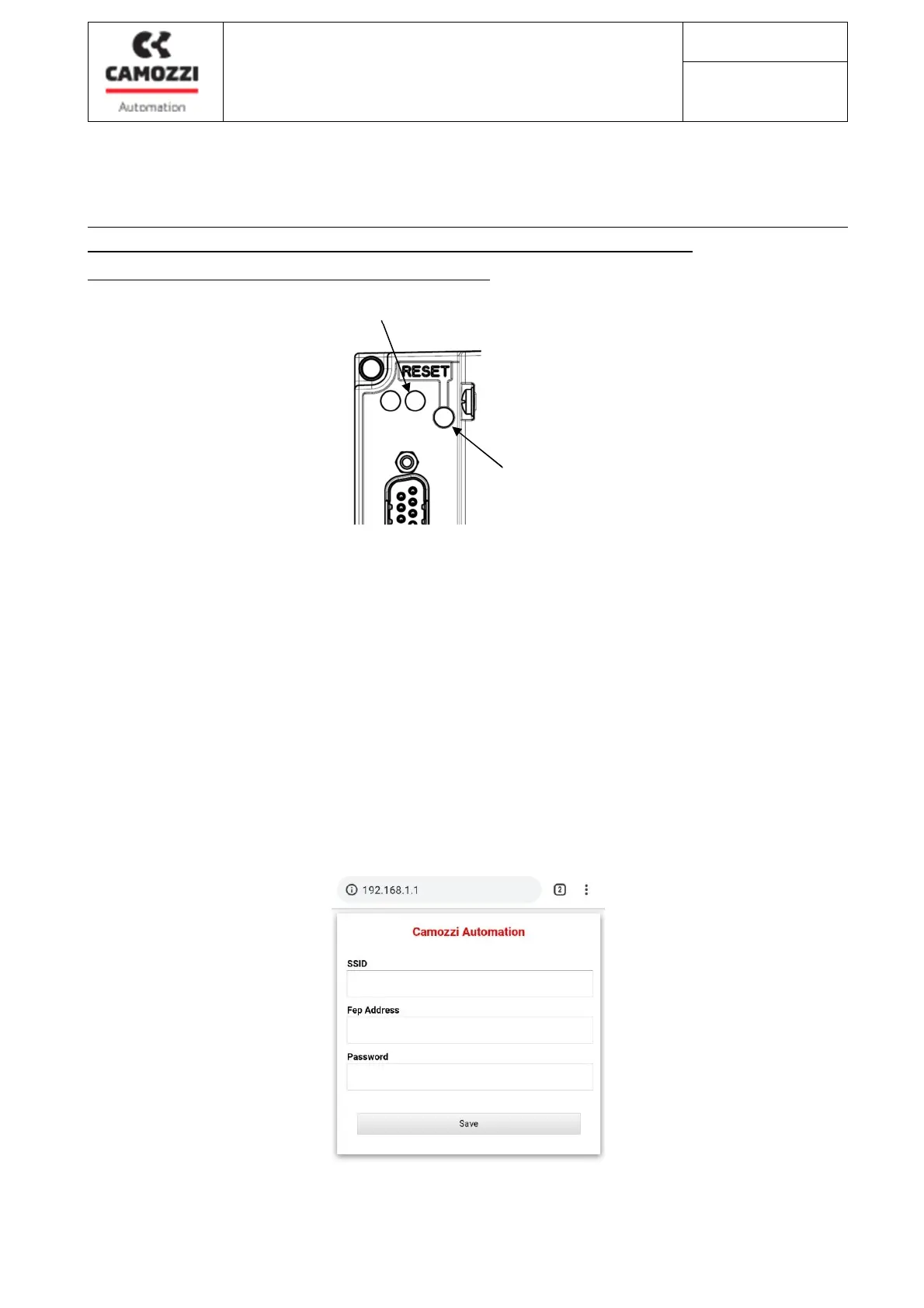
b. Remove the cap that covers the Reset button (1)
c. Provide power to the island (operating status LED (2) flashing green), press the Reset button
for at least 5 seconds.
d. The island is configured as an Access Point and generates the "CamozziWiFi" WLAN network.
e. Using a PC or portable device, connect to the "CamozziWIFI" network, access with the
password "!! camozzi"
f. Open a browser and connect to the address 192.168.1.1, where the following page (mini-app)
will appear:
2
1



 To Next Page