Instruction manual
Series D multipole size 1
5000026173
Version 00
19
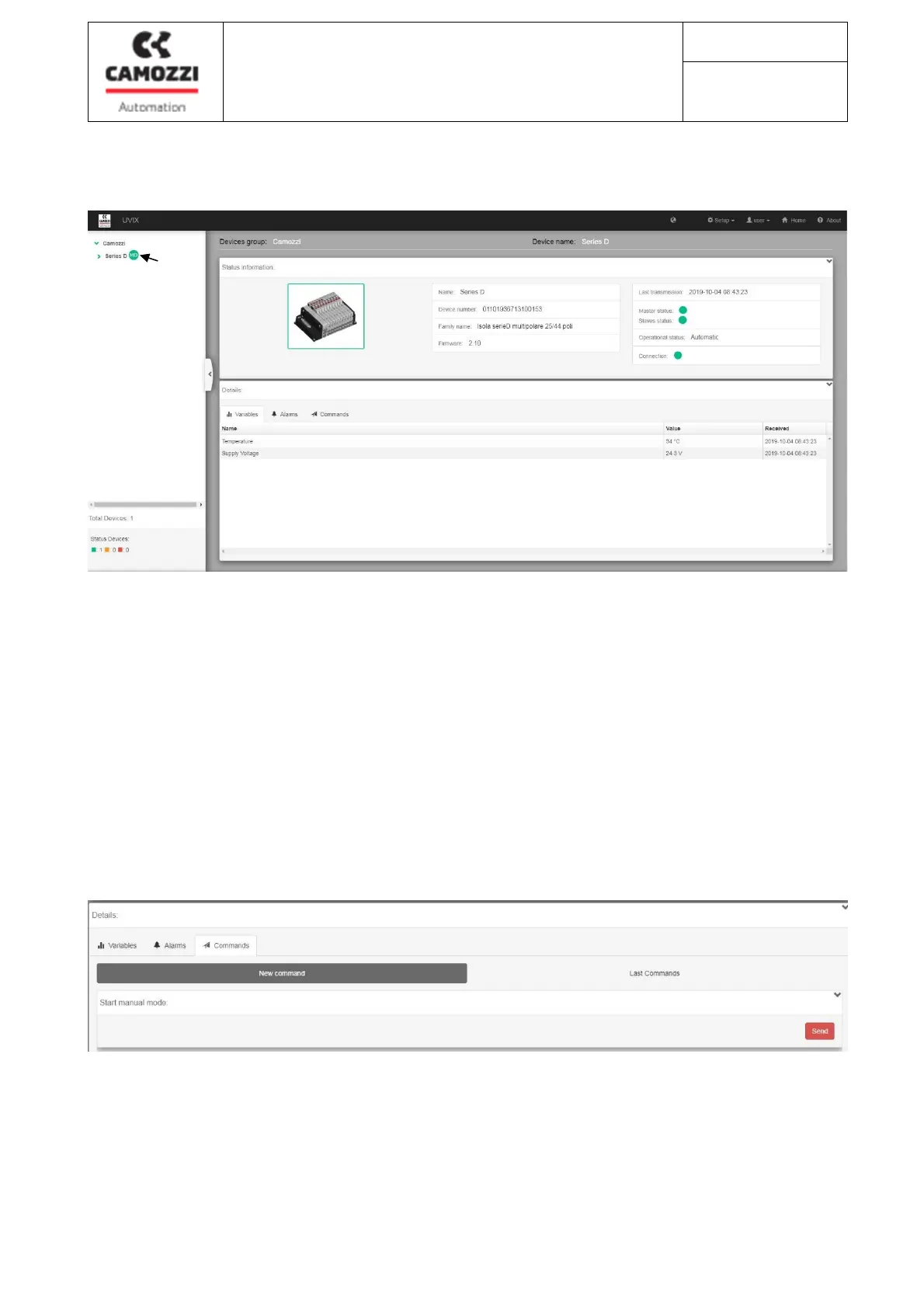
7.3: General information and valve island status
The connected Series D valve island is displayed in the list of devices (6) on the left side of the screen. Click
on the name to view the relative screen with general information (7), the status of the island (8), the "tabs"
(9) for viewing:
- Temperature and supply voltage of the Series D island
- the status of the valve island alarms (see chapter "8. Fault identification"> Table "Master LED behavior")
- Controls (visible only if the access was made in "user" mode)
7.4 : Commands for configuring the valve island (only with "user" access)
After selecting the "Tab Comands" click on the "Send" button (10) to bring the Series D valve island to
"Manual" mode
6
9
8
7
10



 To Next Page