Instruction manual
Series D multipole size 1
5000026173
Version 00
22
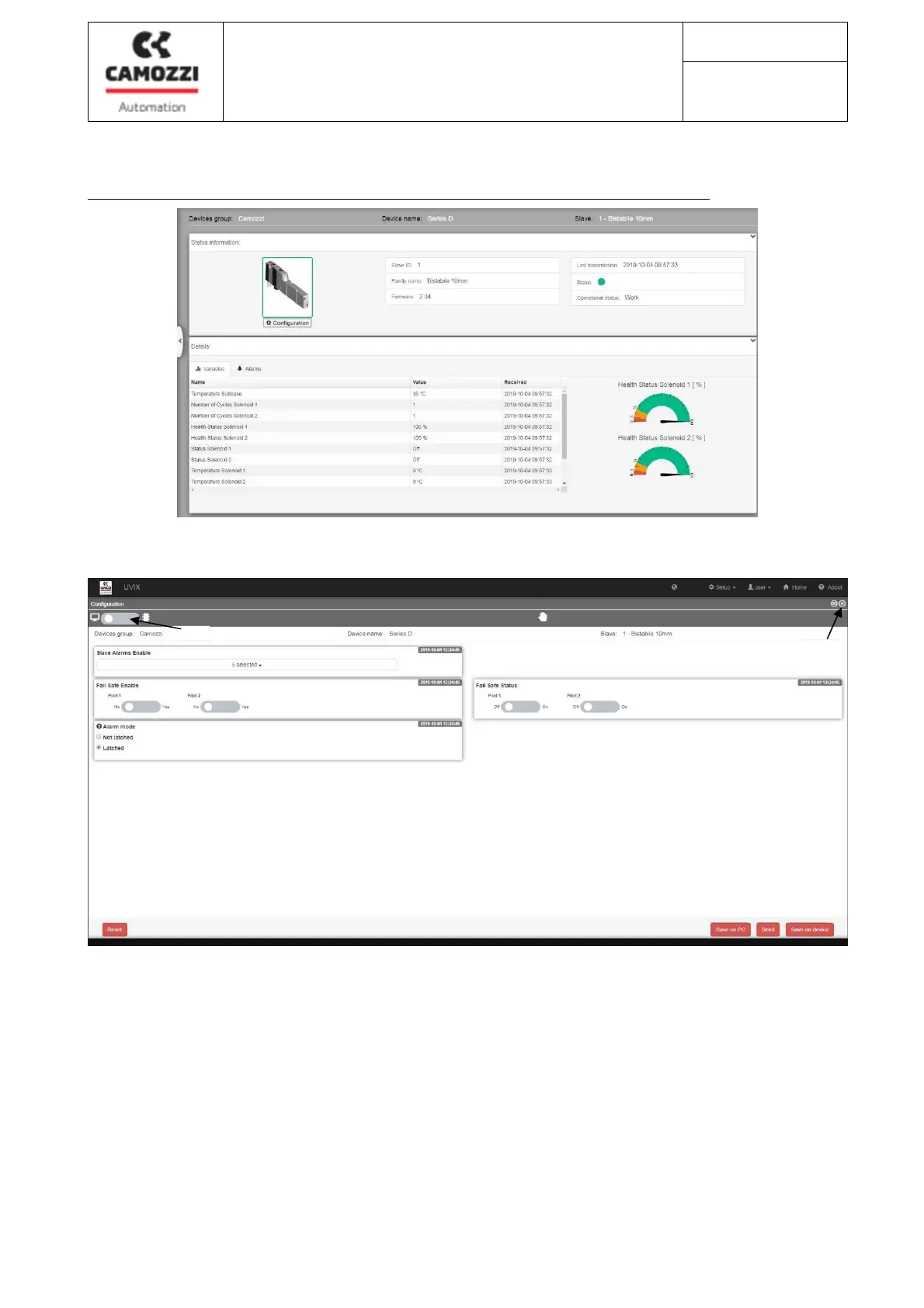
7.6 Configurazione dei parametri della sottobase (solo con accesso “user”)
La configurazione dei parametri è possibile solo con l’isola di valvola in modalità manuale.
Cliccare sul tasto “Configuration” (18) (presente solo con accesso “user”) per entrare nella schermata di
configurazione della singola sottobase/valvola.
From the configuration screen you can:
a. Display PC parameters or parameters saved in the sub-base (19)
b. Reset the status of the configured parameters (20)
c. Save the parameter configuration in CamozziUVIX (21)
d. Send the parameters to the sub-base (22): the parameters become operational but are not saved and
reset if the valve island is turned off
e. Save the parameters in the sub-base (23): saving the parameters in the sub-base, the parameters will
be stored and maintained in case of shutdown of the valve island.
f. Close the screen (24)
18
19
20
21 22 23
24



 To Next Page