9
1.1 Nm, 10 InLbs
Loctite 242 (blue)
1
2
REAR DERAILLEUR HANGER
To replace:
Remove the mounting screws and remove the old
hanger from the dropout. Clean the area around
the dropout and inspect the frame carefully for any
cracks or damage. If you find damage have the
frame inspected by your Cannondale Dealer .
If the dropout is un-damaged, apply a light film
of bike grease to both sides of the dropout. This
will help minimize any noise or “creaking” that
might result from very slight movement between
the dropout and hanger during movement of the
derailleur.
Slide the new hanger onto the dropout. Apply
Loctite to the screw threads and tighten to the
specified torque.
NOTICE
Do not use a derailleur hanger alignment
tool. If bending adjustment is necessary,
remove the hanger from the frame first!
SERIAL NUMBER
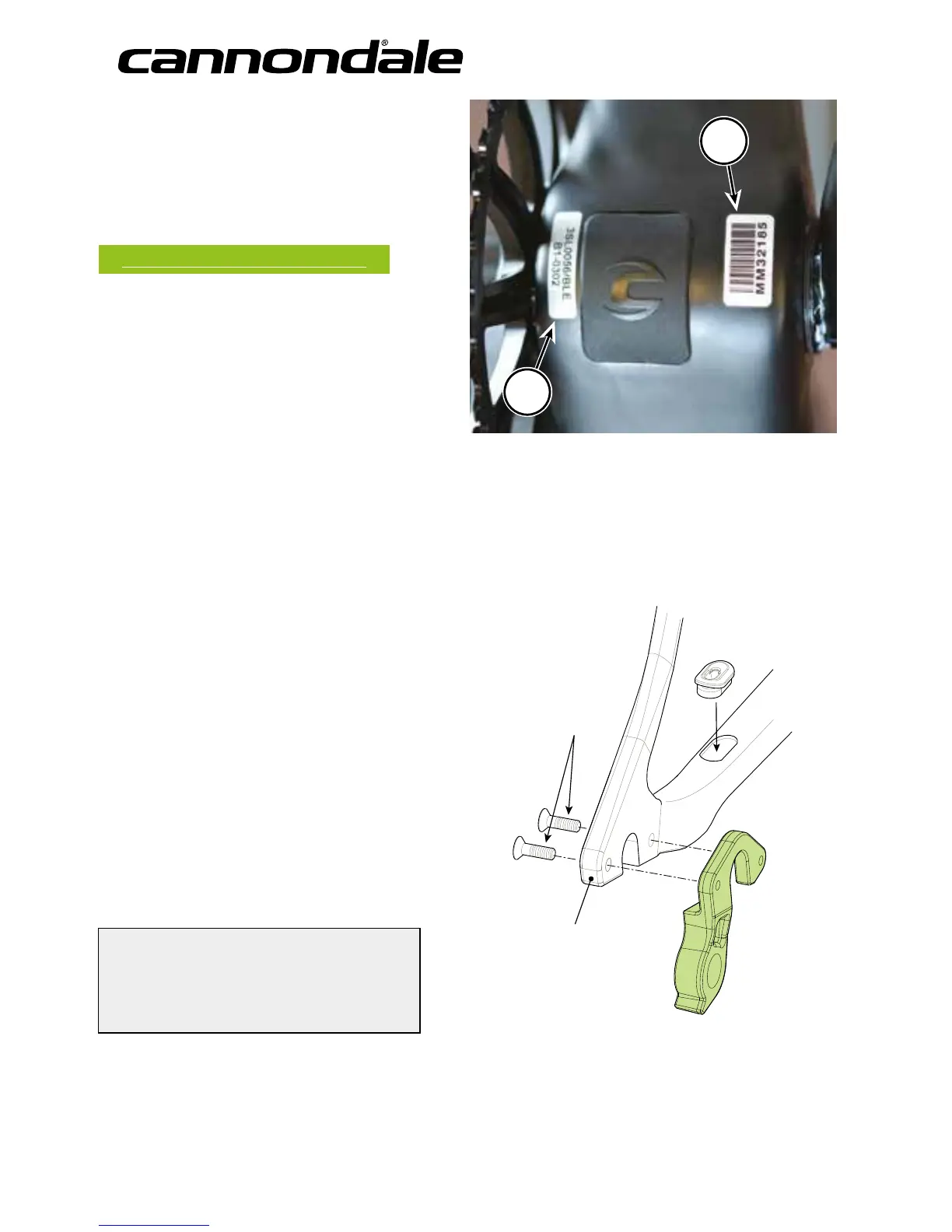
The serial number located on the bottom bracket.
It is a 7-character barcode (1). Use this serial number
to registration your bike. See your Cannondale
Bicycle Owner’s Manual for more information on
warranty registration.
www.cannondale.com/registerbike/
Other codes (2) on the BB shell are related to
production including model year , frame type, frame
size, and color coding. The same product code may
appear on many bikes and does not uniquely identify
your frame.
DROPOUT
RD HANGER



 To Next Page