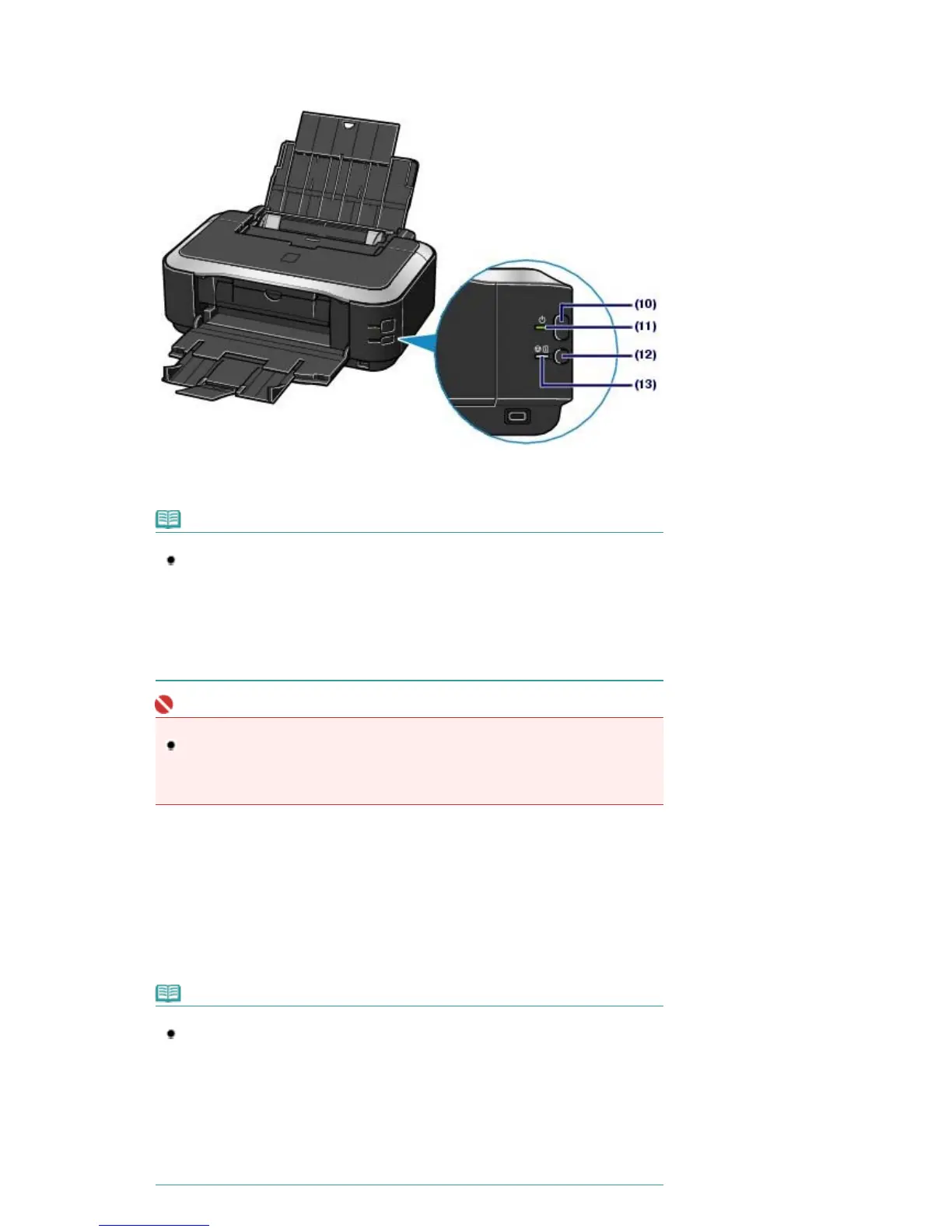
Extend to open support the printouts.
(9)
Inner Cover
Close it when printing on paper.
(10)
Power button
Turns the power on or off.
Note
Auto power on/off feature
You can set the printer to turn on or off automatically.
- Auto Power On: Automatically turns on the printer when print data is sent from the
computer.
- Auto Power Off: Automatically turns off the printer when no print data is sent for a
certain interval.
Specify this setting in the Maintenance sheet of the printer driver in Windows, or of the Canon
IJ Printer Utility in Macintosh. For details on the settings, refer to the on-screen manual:
dvanced Guide
.
Important
Disconnecting the power plug
When disconnecting the power plug after turning off the power, be sure to confirm that
the
Power
lamp is not lit. If the power plug is disconnected from the wall outlet while the
Power
lamp is lit or flashing, the printer may become unable to print properly since the
Print Head is not protected.
(11)
Power lamp
Lights green after flashing when the power is turned on.
(12)
RESUME/CANCEL button
Press to cancel a print job in progress. You can press this button after resolving a printer error to dismiss
an error message and resume printing.
(13)
Alarm lamp
Lights or flashes orange when an error, such as paper-out or ink-out, occurs.
Note
Power and Alarm lamps
You can check the status of the printer by the
Power
and
Alarm
lamps.
-
Power
lamp Off: The power is off.
-
Power
lamp lit green: The printer is ready to print.
-
Power
lamp flashing green: The printer is getting ready to print, or printing is in
progress.
-
Alarm
lamp flashing orange: An error has occurred and the printer is not ready to print.
- For details, refer to the "
Troubleshooting
" in the on-screen manual:
dvanced Guide
.
-
Power
lamp flashes green once and
Alarm
lamp flashes orange once alternately: An
error that requires contacting your Canon service representative may have occurred.
For details, refer to the "
Troubleshooting " in the on-screen manual:













 To Next Page