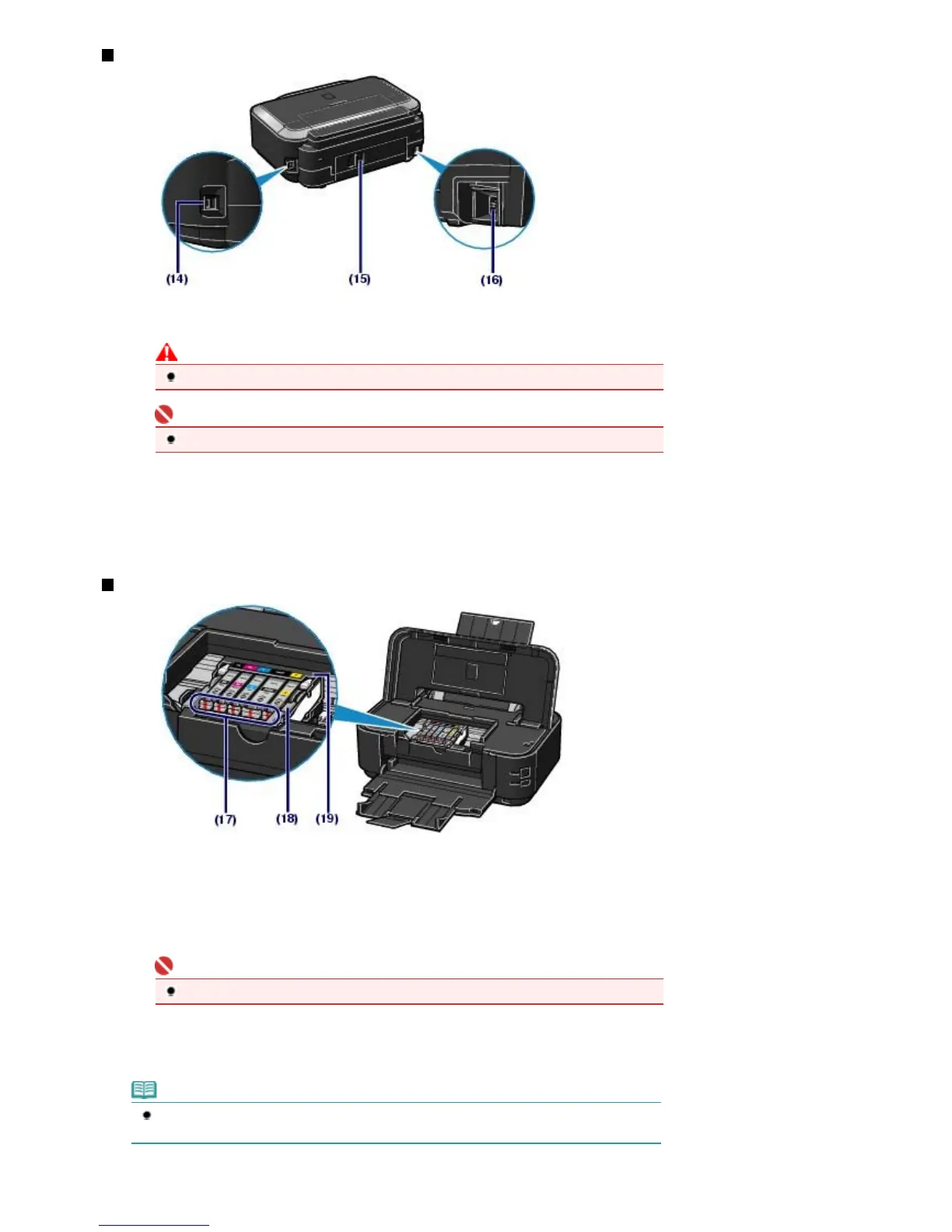
Rear View
(14)
USB Port
Plug in the USB cable to connect the printer with a computer.
Caution
Do not touch the metal casing.
Important
Do not plug in or unplug the USB cable while the printer is printing from the computer.
(15)
Rear Cover
Detach to remove jammed papers.
(16)
Power Cord Connector
Plug in the supplied power cord.
Inside View
(17)
Ink lamp
Lights or flashes red to indicate the ink tank status.
See
Checking the Ink Status
.
(18)
Print Head Lock Lever
Locks the Print Head into place.
Important
Do not raise this lever after installing the Print Head.
(19)
Print Head Holder
Install the Print Head.
Note
For details on installing the Print Head and ink tanks, refer to the printed manual:
Getting
Started
.
Стр. 6 из 396 стр.Main Components













 To Next Page