3-5
3
Operating Procedures
❏ List Type Login
Use the procedure below to log in to the list type login
screen.
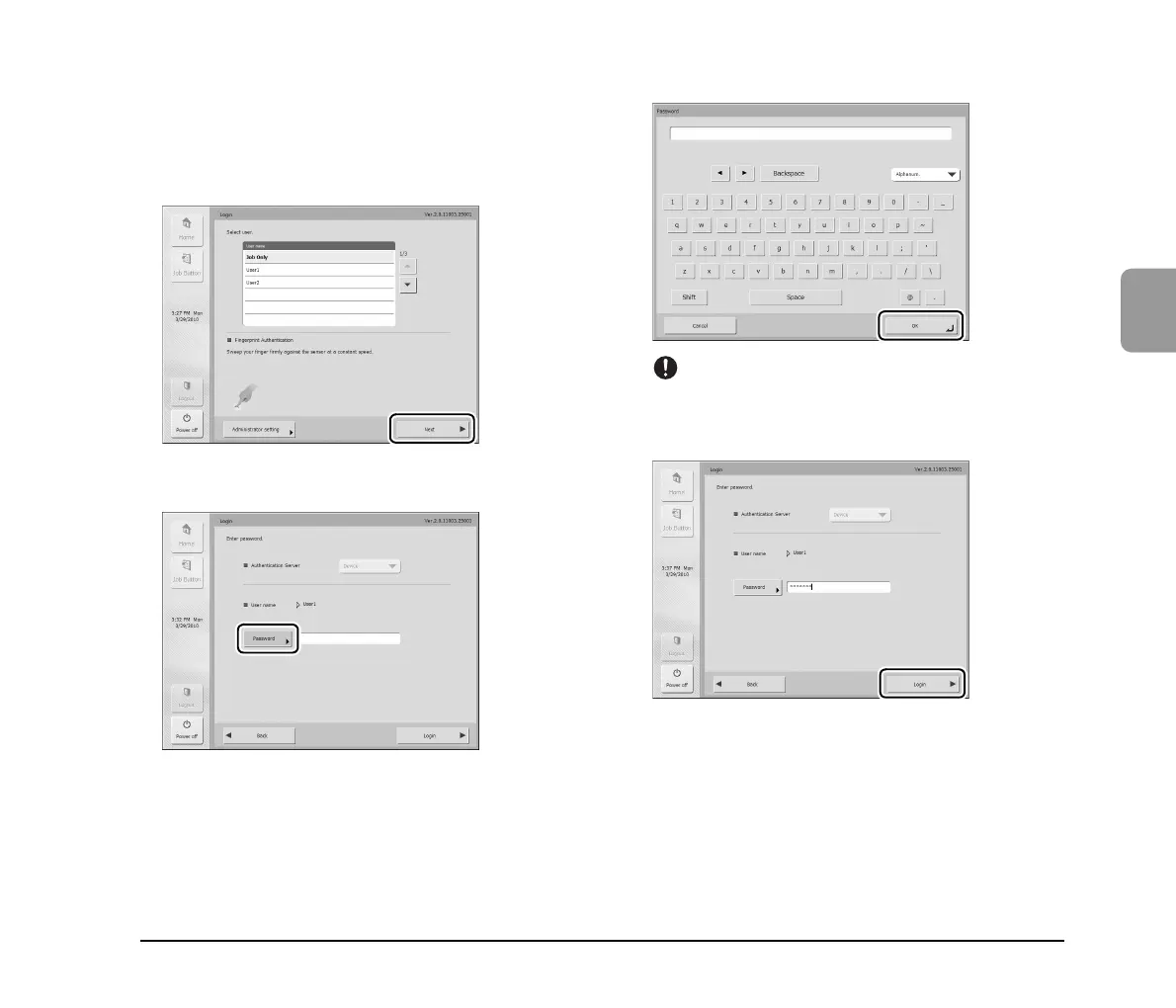
1. Select the user to log in as from the list, and then
press [Next].
The password input screen appears.
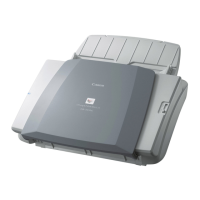
2. Press [Password].
The keyboard screen appears.
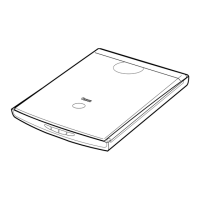
3. Enter a password and then press [OK].
IMPORTANT
Passwords are case-sensitive. Make sure to enter the password
correctly.
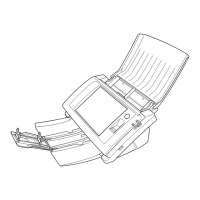
4. Press [Login] to log in to the scanner.
5. The Home screen (or Job Button screen) appears.






 To Next Page