3-20
8.
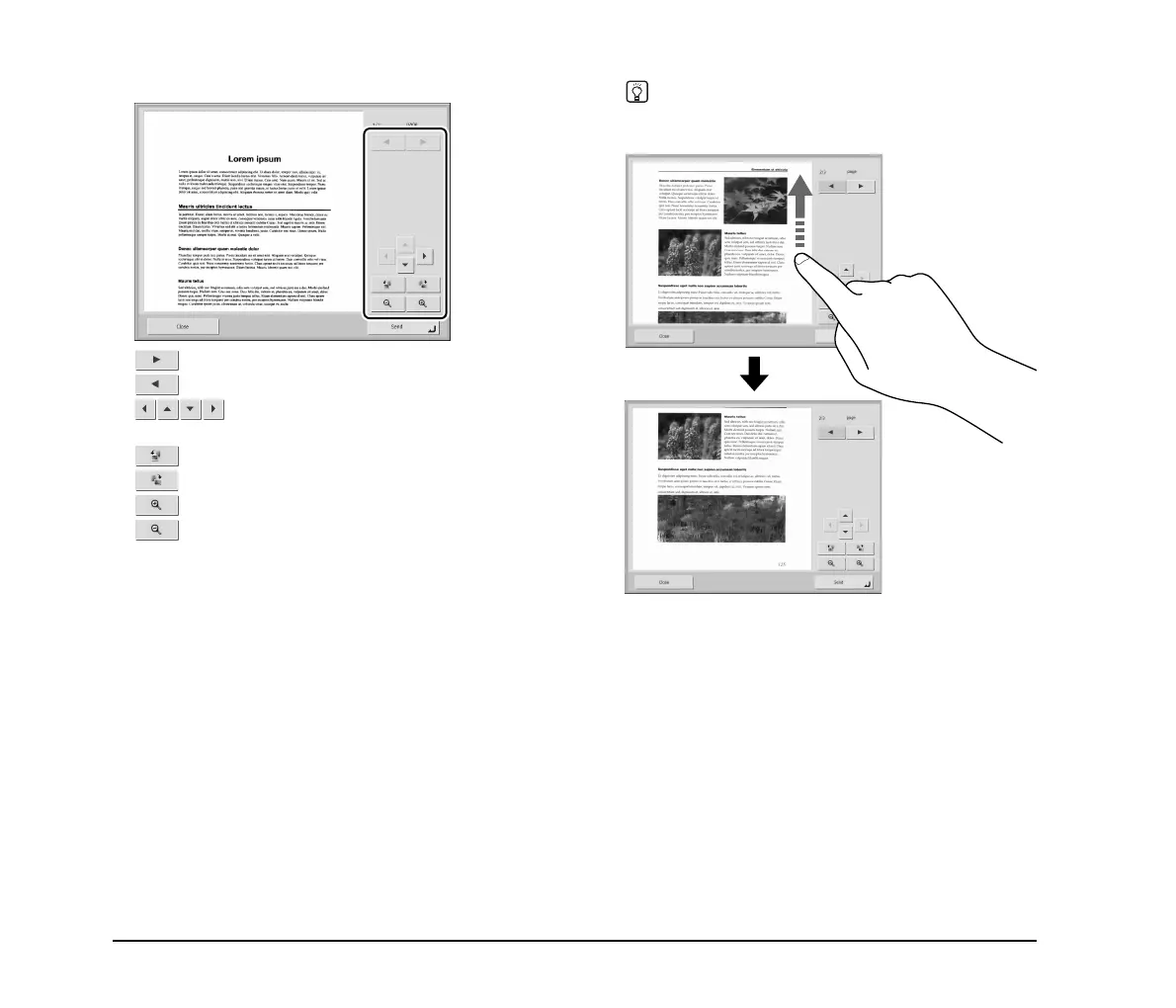
Check the scanned images.
: Display the image of the next page.
: Display the image of the previous page.
: Move the viewing area around an image
when an enlarged view of the image is shown.
: Rotate the image 90 degrees counterclockwise.
: Rotate the image 90 degrees clockwise.
: Enlarge the image.
: Reduce the image.
Hint
When the preview image is enlarged, you can drag your finger
on the image to scroll.






 To Next Page