4-9
4
Web Menu (User Mode)
IMPORTANT
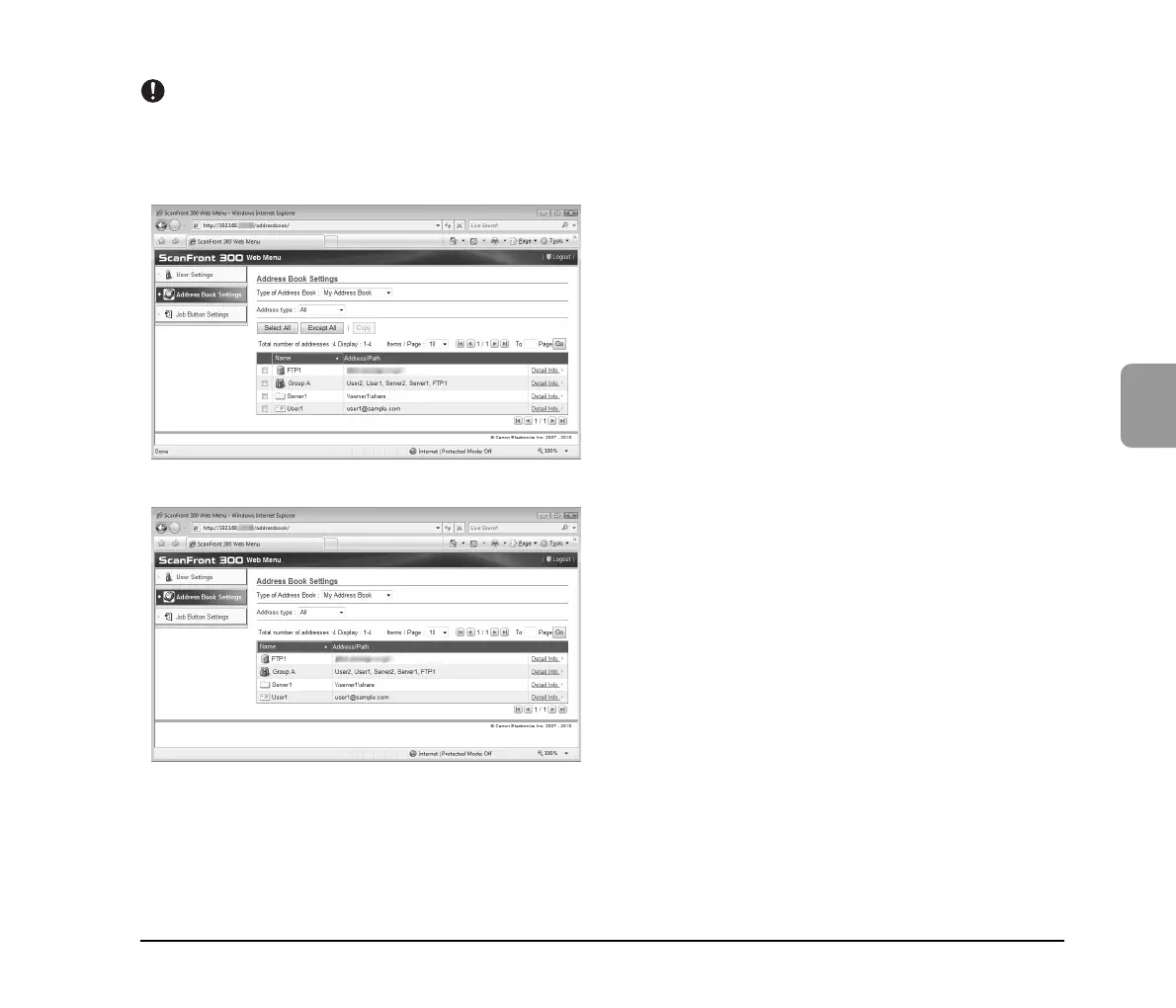
If the ScanFront administrator has restricted editing of the address books, the following Address Book settings apply. For details, consult the
ScanFront administrator.
• If editing is restricted for only one address book (either the My Address Book or the Shared Address Book), users can only copy addresses
from the restricted address book and paste them into the unrestricted address book.
• If editing is restricted for both the My Address Book and the Shared Address Book, users can only view detailed address information.






 To Next Page