4-14
Importing to the Scanner
You can import previously exported address book data to
the scanner.
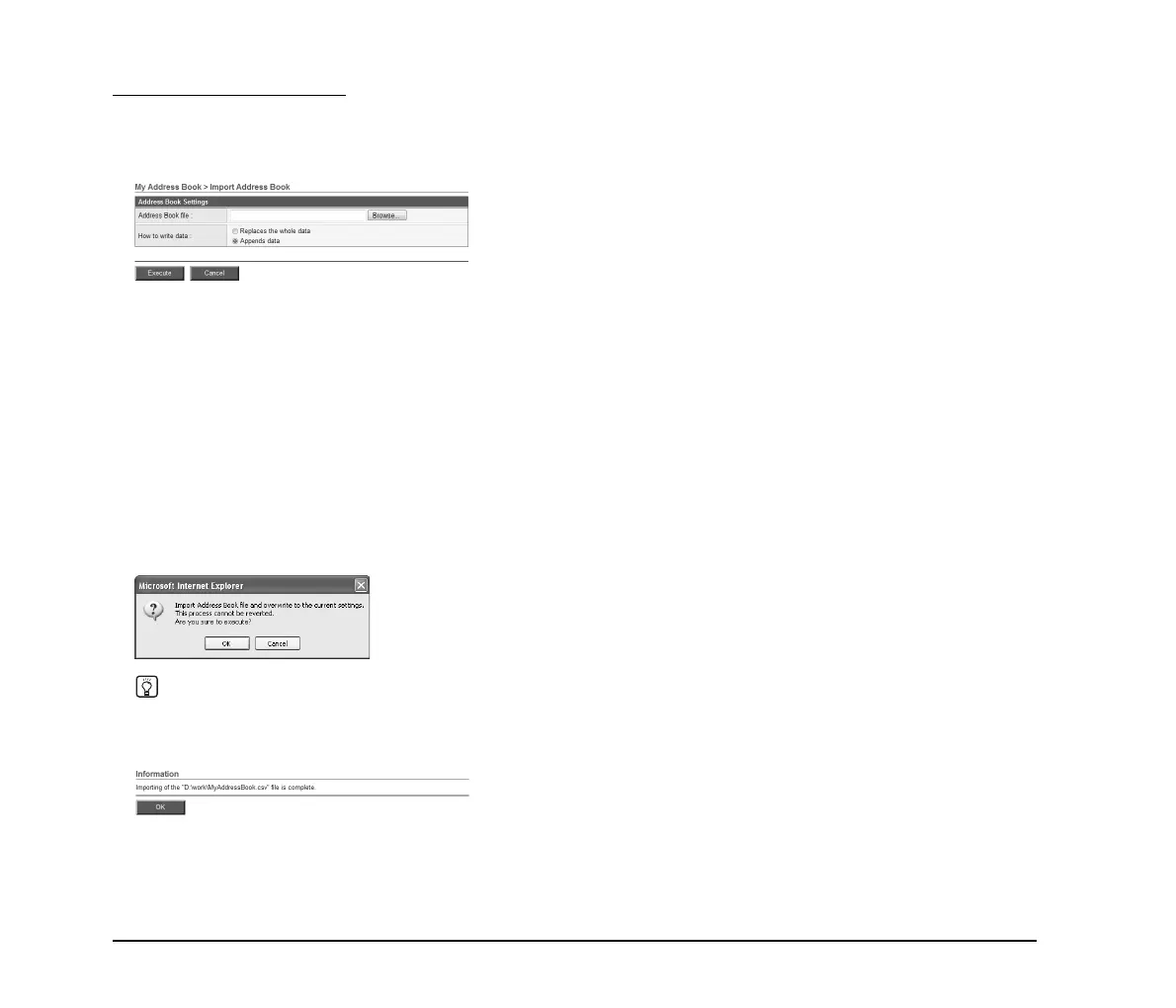
1. Click [Import to ScanFront 300].
2. Click [Browse] and specify a previously exported
address book settings file.
3. Select a processing method for importing the
address book settings file.
• Replaces the whole data: Deletes all currently
registered address book entries and overwrites them with
the imported address book data.
• Appends data: Adds the imported address book data to
the currently registered address book.
4. Click [Execute].
Confirm the message that appears, and click [OK] to
import the data.
Hint
When importing is completed, the following message appears.
Click [OK] to return to Address Book Settings and confirm the
imported address data.






 To Next Page