42
imagePRESS C850/C750/C650/C65
42
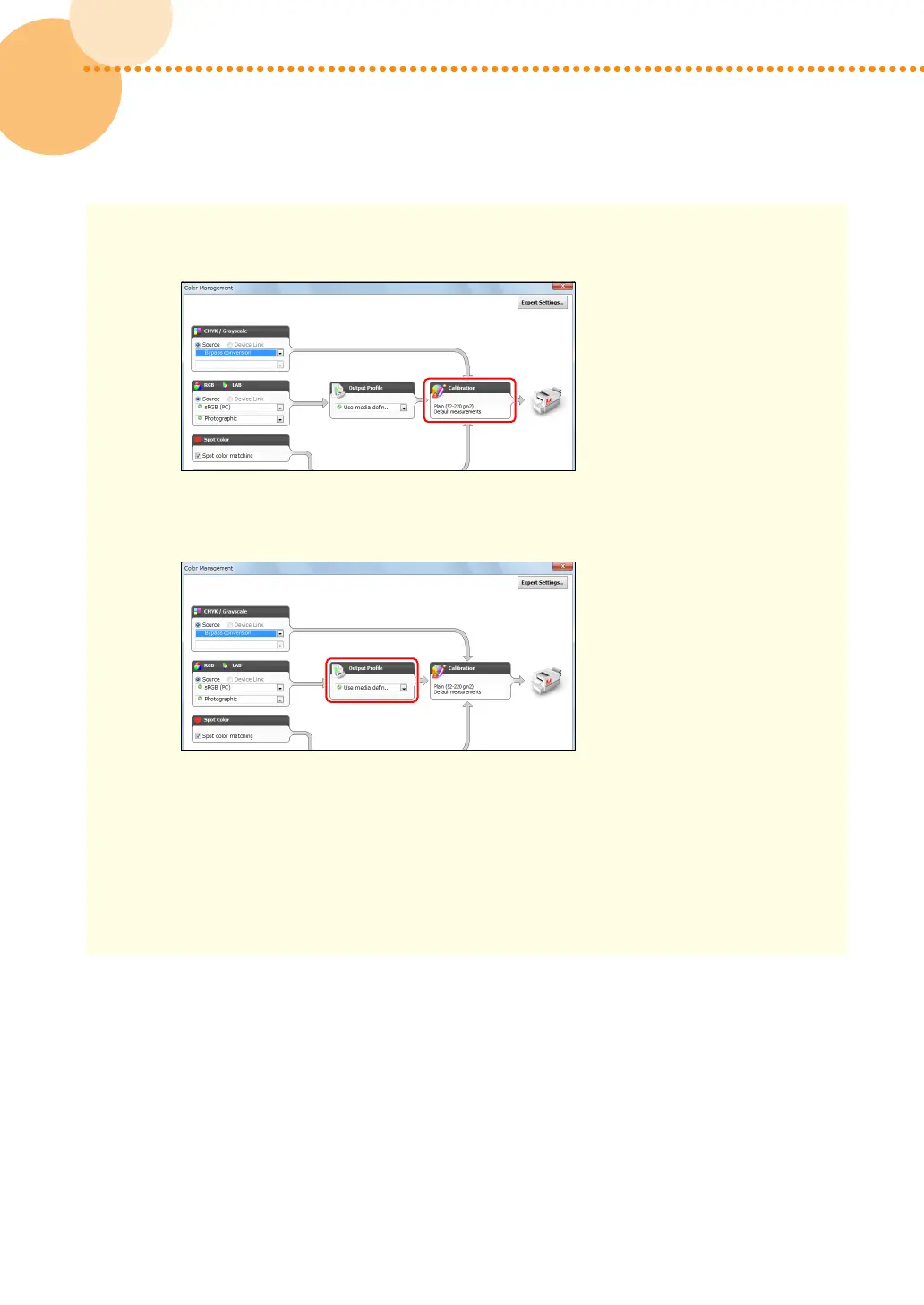
4 Confirm that the appropriate calibration setting is displayed in [Calibration]�
•
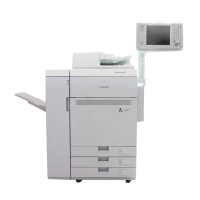
If you want to change a calibration setting, select the output profile, which is linked with your
desired calibration setting, in [Output Profile]�
If you select [Bypass conversion] in [CMYK/Grayscale], the output profile is not used� Only a
calibration setting linked with the selected output profile is applied�
5 Click [OK]�





 To Next Page