How to Make Transparency Effects Work As Expected
69
imagePRESS C850/C750/C650/C65
For CMYK Color Mode
If you change the settings as described below, the troubles of the transparency setting may be reduced� However, the
colors may change and the image may become more dense overall� Print a test sheet to check the finished result�
1
Double-click the job in Command WorkStation on the imagePRESS Server�
•
[Job Properties] is displayed�
2
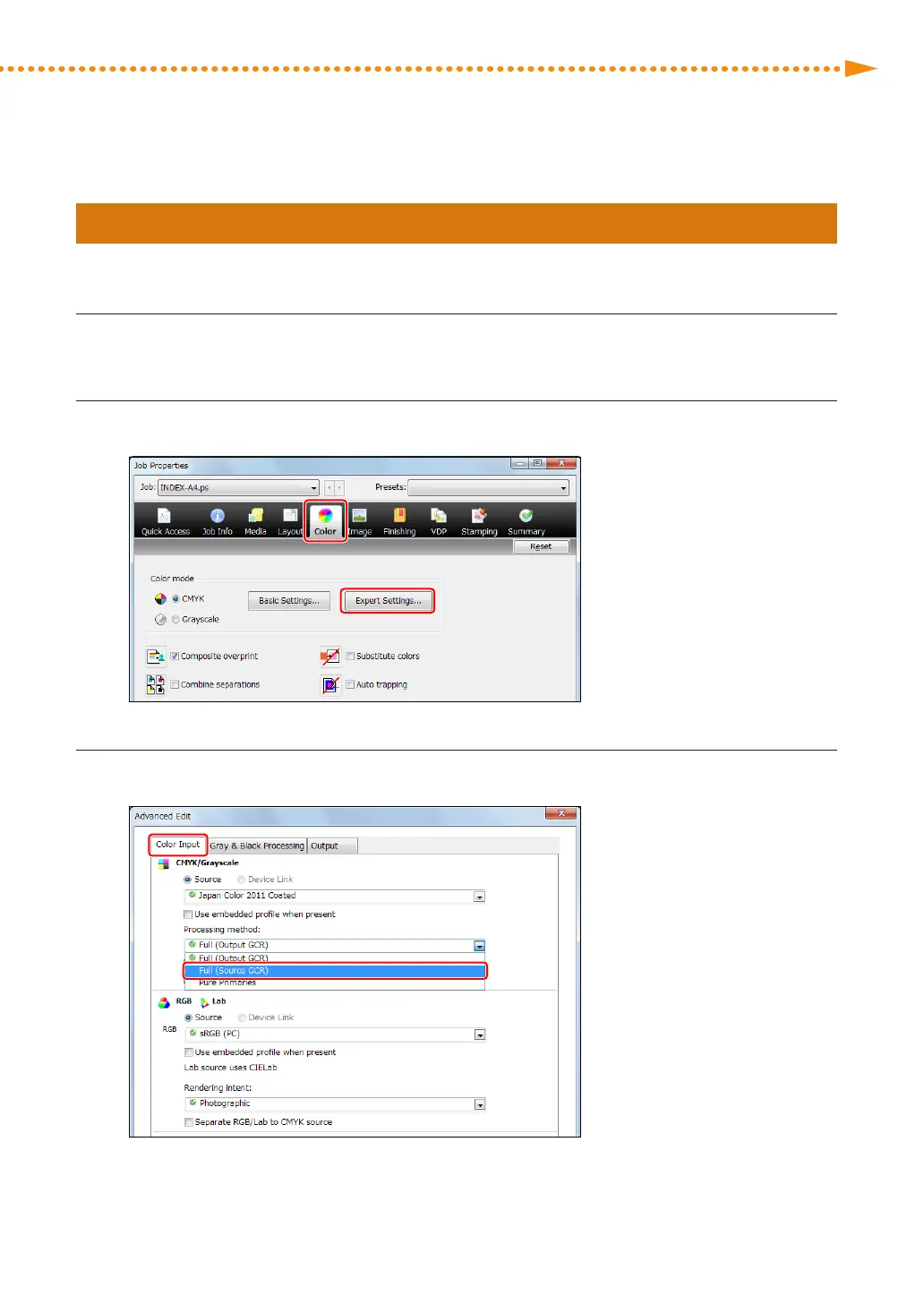
Click the [Color] tab → [Expert Settings]�
3
Click the [Color Input] tab, and select [Full (Source GCR)] in <Processing method>�














 To Next Page