93
imagePRESS C850/C750/C650/C65
How to Align and Staple Printouts
If the stapled papers are misaligned, follow the procedures below to solve the
problem�
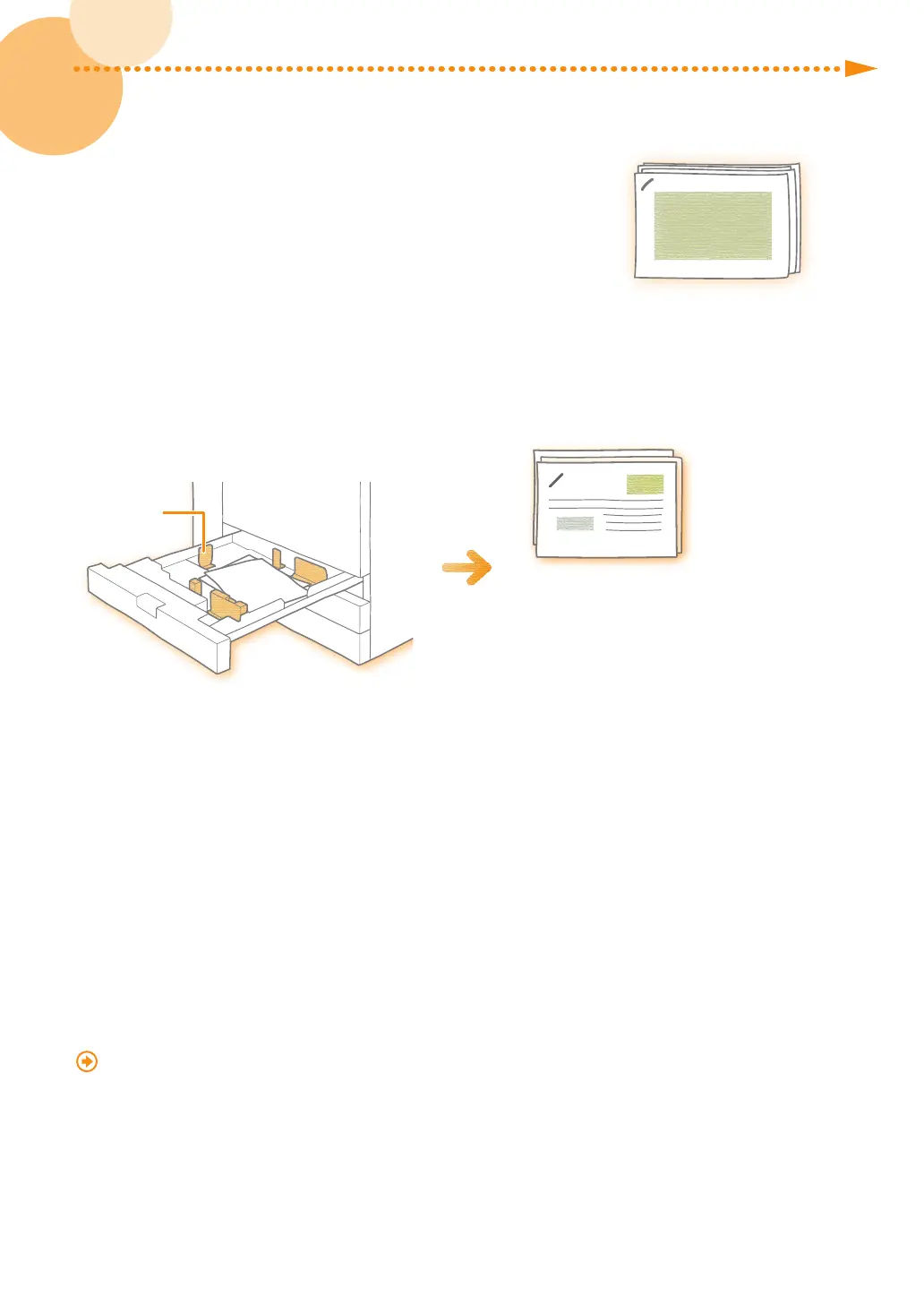
Q� Did you load paper in the correct position?
A� If you place the paper guides in the wrong position or do not
align the edges of the paper before you load it, stapled papers may be misaligned�
Paper Guide
If you place the paper guides
in the wrong position, stapled
papers may be misaligned.
Solution
•
Align the edges of the paper and load it again�
•
Make sure that the paper guides are placed in the correct position�
Q� Does the paper shrink when it is output?
A� Depending on the paper, printed paper may shrink� As a result, the saddle stitch position may be
misaligned�
Solution
See the following and adjust the position to align the paper�
"Adjustment for Image Quality and Finishing (Calibration)" > "Paper Alignment When Stapling" in the User's Guide
Depending on the finisher you are using, the function mentioned above may not be available�





 To Next Page