74
imagePRESS C850/C750/C650/C65
74
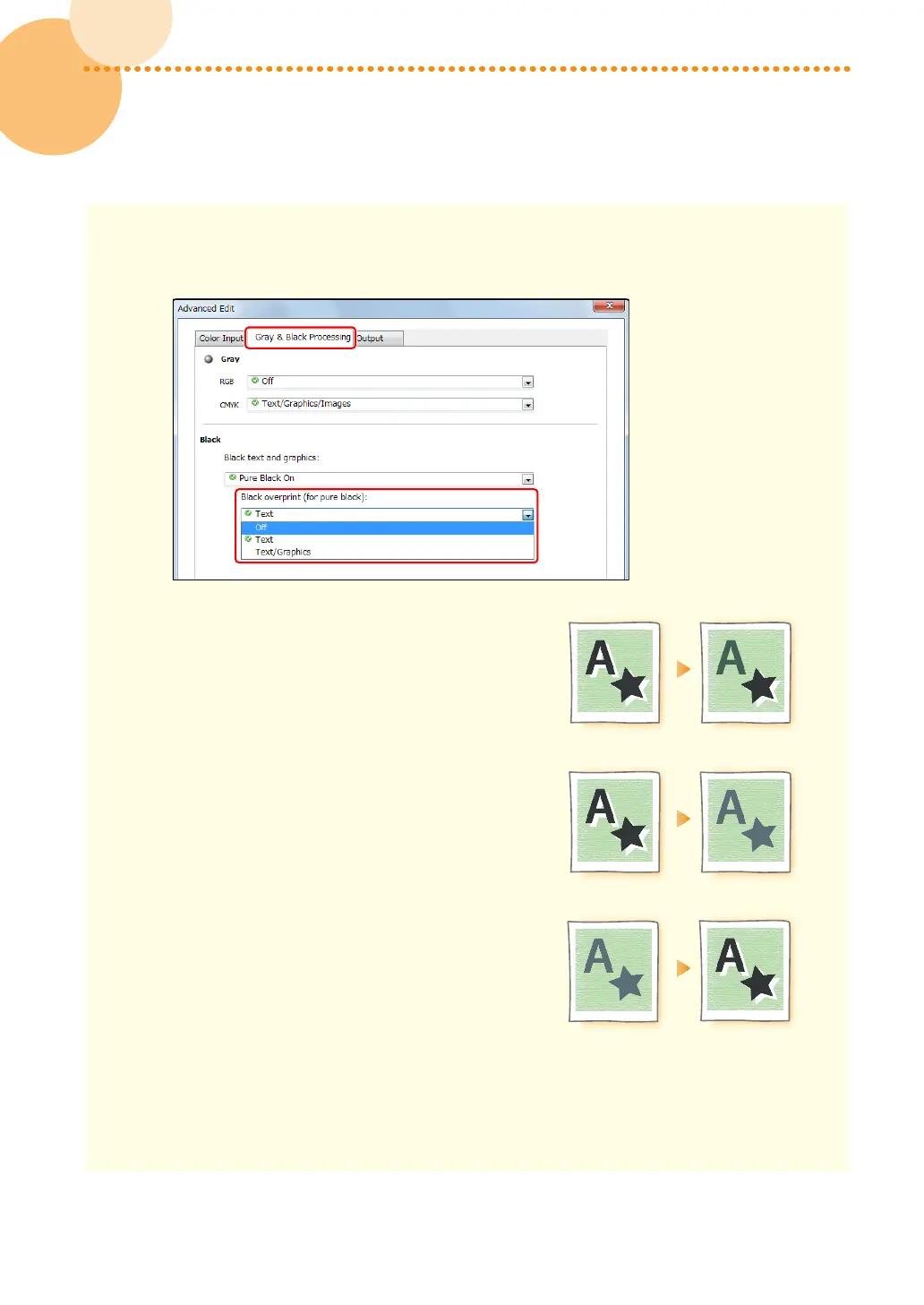
3 Click the [Gray & Black Processing] tab, and change the print settings in <Black overprint (for pure
black)> according to what you are printing and how you want the printouts to appear�
Overprinting text only
Select [Text]�
Overprinting text, figures, and lines
Select [Text/Graphics]�
Not using overprint
Select [Off]�
4 Click [OK] → [OK]�
•
Print a test sheet to check the finished result� If you are satisfied with the result, you can print the
job� If you are not satisfied with the result, check the job and application settings�














 To Next Page